SketchUp Pro 2026.3

SketchUp Pro 2026.3

· v26.2.242 Free

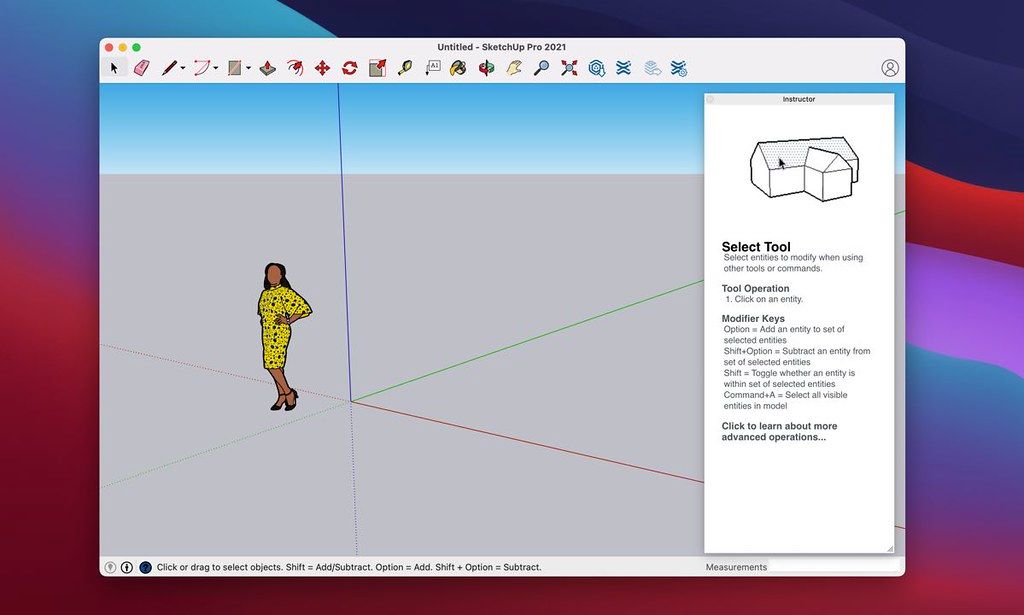
SketchUp is an easy-to-learn 3D modeling program that enables you to explore the world in 3D. With just a few simple tools, you can create...

 System Requirements
  • Intel, 64-bit processor
  • macOS 13.0 or later

Description

SketchUp is an easy-to-learn 3D modeling program that enables you to explore the world in 3D. With just a few simple tools, you can create 3D models of houses, sheds, decks, home additions, woodworking projects – even space ships. And once you’ve built your models, you can place them in Google Earth, post them to the 3D Warehouse, or print hard copies.


Leverage the full power of SketchUp


Ways to model

Create across Desktop, iPad, and web applications.


Ways to share

Manage access to projects, mark up models, and sync files in the cloud for feedback.


Ways to view

Fully immerse stakeholders in your vision with 2D plans, 3D animations, live walkthroughs, and more.

WHAT’S NEW

Version 2026.3 26.2.242:

• Release notes were unavailable when this listing was updated.

REQUIREMENTS

• Intel, 64-bit processor

• macOS 13.0 or later

ScreenShots

If you are using Adblocker!! Please support this website by adding us to your whitelist. Ads are what helps us bring you premium content! Or read this to know how you can support us. Thank you!


Size

– 1.59GB

Previous Versions

✓ Checked against source material

Editor-checked details

Editor: macv.net Editorial Team · Last reviewed: 2026-08-07
macOSmacOS 14 or later
Apple SiliconM1 / M2 / M3 / M4
Intel MacCompatible
Why we recommend it

Recommended for architecture/interior concepts, landscape massing, woodworking, exhibits, retail and small teams needing rapid 3D communication. Use: project template/units; geolocation/north; components/groups first; Tags only on containers; proxy/texture budgets; scenes/sections; Advanced Shadows alternatives; LayOut scaled viewports; PDF/DWG/IFC validation; purge/model check; archive SKP plus open formats, manifest and hashes. Upgrade in an extension-isolation copy: open plugin-free, then migrate individually. Compare Rhino for NURBS/precision, Archicad/Vectorworks for BIM delivery, AutoCAD for 2D CAD, Blender for free modelling/rendering and Live Home 3D for quick residential layout. Use shadow analysis for concept screening; validated specialist tools remain necessary for regulatory/energy conclusions.

Pros

  • Direct modelling, Push/Pull, inference, components and scenes make architectural massing, interiors, woodworking, exhibits and concept work approachable. 3D Warehouse, Extension Warehouse and LayOut connect models to drawings/presentations. Advanced Shadows brings early-stage solar studies into Analysis Hub; point-cloud visibility and IFC/DWG exchange support existing-condition workflows. Components, Tags/Outliner, dynamic objects and Ruby extensions scale from personal models to team templates and automation. The new graphics engine provides PBR, AO and environments, while the classic engine offers a fallback for some older hardware. Apple silicon and Intel are supported, and LayOut’s scaled viewports, annotation and PDF output suit design communication.

Cons

  • It is not full parametric BIM, mechanical constraints/assemblies, engineering simulation or an offline renderer; rich object data, code checking, construction coordination and high-end rendering need specialist tools/extensions. Raw geometry sticks together, so poor group/component and Tag discipline quickly creates broken, unmaintainable models. High-poly imports, point clouds, huge textures and complex edge/PBR/AO styles increase GPU/RAM use and LayOut update time; the 8 GB minimum suits light work only. The new engine requires Metal 2, excludes several Intel GPUs, and Remote Desktop is unsupported. Subscription authorisation and online libraries require connectivity. Extensions vary in version/signature/Ruby API and supply-chain quality, requiring individual upgrade testing. SKP is proprietary; archives need IFC/DWG/OBJ/PDF and textures too.

Installation steps

  1. SketchUp Pro 26.2.242 is the Mac build of 2026.2. Official support covers macOS 14 Sonoma, 15 Sequoia and 26 Tahoe on 64-bit Apple silicon or Intel, with internet for install/authorisation, at least 8 GB RAM, about 6 GB free space and preferably a three-button wheel mouse. The new graphics engine requires Metal 2 and excludes several older Intel HD/Iris GPUs; inspect System Information and use the classic engine when necessary. Before upgrading, copy SKP, LayOut, materials, styles, templates, scrapbooks and an extension inventory. Do not migrate every plugin blindly; verify 2026/Ruby API compatibility and signatures one by one. Define units, precision, geolocation/north, Tag/Outliner rules and component origins at project start. Keep geometry inside groups/components to avoid raw-geometry sticking. Prove viewport, PBR, AO, shadows, scenes, LayOut viewports, PDF/DWG/IFC and extensions on a representative model before production.

Uninstallation steps

  1. Before removal, run Purge Unused and model checks only after preserving an untouched read-only copy. Archive SKP, LayOut, references, textures, PBR maps, environments, fonts, scrapbooks, styles, templates, Ruby extensions and licence/source inventory. Export critical scenes to PDF, DWG/DXF, IFC and OBJ/DAE as appropriate, then inspect units, axes, origin, component hierarchy, materials, sections and dimensions in another app. Record exact SketchUp/LayOut build, graphics engine, macOS/GPU, extension versions, units and export settings, plus SHA-256. Do not treat 3D Warehouse links, Trimble Connect or online extension installation as local backup. Confirm organisation administration and recovery before releasing a seat/signing out. Back up user Library templates/materials/plugins before deleting; save a compatibility copy of any unique model first.

Common errors and fixes

  1. Launch hardware-acceleration/context error: update macOS and confirm Metal 2; use the classic engine on unsupported older Intel HD/Iris hardware. Remote Desktop is unsupported. For black/flickering/PBR viewports, compare new/classic engines and disable AO, environments and PBR one at a time, recording GPU/model details. Slow models need grouped/component geometry, simplified high-poly assets/point clouds, smaller textures, Purge Unused and reduced shadows/edge styles. Broken faces or sticky Push/Pull usually involves the wrong edit context, reversed faces, coplanar tiny edges or unsuitable units. If migrated extensions crash, disable all and re-enable individually with signed compatible releases; older Ruby APIs can break. For blurry/wrong-scale LayOut viewports, update model references and verify render mode, scale, output resolution and fonts. Authorisation needs internet, correct Trimble ID/seat and system clock. IFC/DWG offsets require aligned units/origin and preserve-origin/tag options.

What changed in this version

  1. SketchUp Pro 26.2.242 is the official Mac 64-bit build of SketchUp Desktop 2026.2. Analysis Hub gains Advanced Shadows for studying sunlight effects by solstice/equinox and time. Migrate Extensions can bring compatible extensions from an earlier version without restart, and Scan Essentials adds point-cloud visibility controls. LayOut’s improved graphics engine is enabled by default and Groups/Scaled Groups gain clipping masks. Ruby API additions cover material/style duplication, component-definition manifold checks, InstancePath operations, text font access, IFC preserve_origin/tags_handling and LayOut group clip masks, alongside fixes to load/require, tool names and linear-dimension attachments. The Windows-only Components-panel filter is not presented as a Mac feature.

Alternatives

Screenshots

SketchUp Pro 2026.3 截图