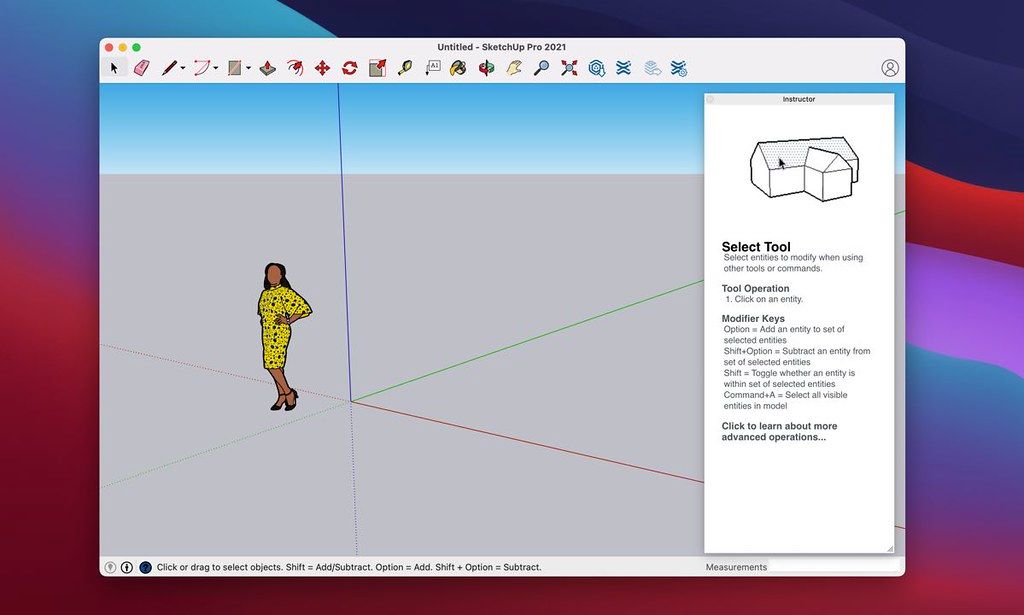
SketchUp Pro 2026.3
SketchUp は、使い方が簡単な 3D モデリングソフトウェアで、3D で世界を探索できます。わずか数個のシンプルなツールを使えば、住宅、小屋、デッキ、増築部分、木工プロジェクト、さらには宇宙船に至るまで、さまざまな 3D モデルを作成できます……
- Intel, 64-bit processor
- macOS 13.0 or later
概要
SketchUp は、使い方が簡単な 3D モデリングソフトウェアで、3D で世界を探索できます。 わずか数個のシンプルなツールを使えば、住宅、小屋、デッキ、増築部分、木工プロジェクト、さらには宇宙船に至るまで、さまざまな 3D モデルを作成できます。 モデル作成後は、Google Earth に配置したり、3D Warehouse にアップロードしたり、紙媒体で印刷することも可能です。
SketchUp のフルパワーを活用しましょう:モデリング方法——デスクトップ、iPad、Web アプリケーション間でシームレスにモデリング可能;共有方法——プロジェクトへのアクセス権限を管理し、モデルに注釈を加え、クラウド上でファイルを同期してフィードバックを得られる;表示方法——2D 図面、3D アニメーション、リアルタイムのウォークスルーなど多様な形式で、関係者を設計意図に完全に没入させられます。 新機能:バージョン 2026.3(26.2.242):本リスト更新時点ではリリースノートが公開されていません。 システム要件:Intel 64 ビットプロセッサ、macOS 13.0 以降。 スクリーンショット:広告ブロッカーをご利用の場合、当サイトをホワイトリストに登録してご支援ください。
広告収入こそが、高品質なコンテンツ提供を支えています! または、こちらの記事で当サイトを支援する方法をご確認ください。 ありがとうございます! サイズ:1.59GB;以前のバージョン
編集部確認情報
architecture/interior concept、landscape massing、woodwork、exhibit、retail、rapid 3D team に勧めます。「template/unit → geolocation/north → component/group → Tag は container → proxy/texture budget → scene/section → Advanced Shadows → LayOut scale → PDF/DWG/IFC validation → purge/check → SKP+open format+manifest/hash」。upgrade は extension isolation copy で no-plugin→個別 migrate。NURBS は Rhino、BIM は Archicad/Vectorworks、2D CAD は AutoCAD、free model/render は Blender、住宅 layout は Live Home 3D と比較します。shadow は concept screening 用で regulation/energy は validated specialist tool を使います。
長所
- direct modelling、Push/Pull、inference、component、scene は architecture massing、interior、woodwork、exhibit、concept に導入しやすいです。3D Warehouse、Extension Warehouse、LayOut が model→drawing/presentation を結びます。Advanced Shadows、point-cloud visibility、IFC/DWG は solar/existing condition に有用です。component、Tags/Outliner、dynamic object、Ruby extension は team template/automation に拡張できます。new graphics engine は PBR、AO、environment、classic engine は old hardware fallback。Apple silicon/Intel と LayOut scaled viewport、annotation、PDF が design communication に向きます。
短所
- full parametric BIM、mechanical assembly、simulation、offline renderer ではなく rich object data、code check、construction coordination、high-end render は専門 tool/extension が必要です。raw geometry は stick するため group/component/Tag discipline がないと破損します。high-poly、point cloud、huge texture、edge/PBR/AO は GPU/RAM/LayOut time を増やし 8 GB minimum は light work 向けです。new engine は Metal 2、一部 Intel GPU と Remote Desktop は非対応です。subscription/online library は network 依存。extension は version/signature/Ruby API/supply chain を個別検証します。SKP archive には IFC/DWG/OBJ/PDF+texture も必要です。
インストール手順
- SketchUp Pro 26.2.242 は 2026.2 の Mac build です。macOS 14 Sonoma、15 Sequoia、26 Tahoe、64-bit Apple silicon/Intel、internet authorization、8 GB RAM 以上、約 6 GB space、3-button wheel mouse が推奨です。new graphics engine は Metal 2 が必要で一部 old Intel HD/Iris GPU は非対応なので System Information を確認し、必要なら classic engine を使います。upgrade 前に SKP、LayOut、material、style、template、scrapbook、extension inventory を copy し、plugin は一括移行せず 2026/Ruby API/signature を個別確認します。unit、precision、geolocation/north、Tag/Outliner rule、component origin を先に決め、geometry は group/component 内に隔離します。representative model で viewport、PBR、AO、shadow、scene、LayOut、PDF/DWG/IFC、extension を検証します。
アンインストール手順
- 削除前に untouched read-only copy を保存してから Purge Unused/model check を行います。SKP、LayOut、reference、texture、PBR map、environment、font、scrapbook、style、template、Ruby extension、license/source inventory を archive します。critical scene は PDF、DWG/DXF、IFC、OBJ/DAE に export し別 app で unit、axis、origin、component hierarchy、material、section、dimension を確認します。exact build、graphics engine、macOS/GPU、extension version、unit、export setting、SHA-256 を記録します。3D Warehouse、Trimble Connect、online installer は local backup ではありません。seat release/sign-out 前に admin/recovery を確認し user Library を backup、unique model は compatibility copy を作ってから削除します。
よくあるエラーと解決策
- launch hardware acceleration error は macOS/Metal 2 を確認し unsupported old Intel HD/Iris は classic engine を使います。Remote Desktop は非対応です。black/flicker/PBR は new/classic 比較、AO/environment/PBR を一つずつ無効にします。slow model は group/component、high-poly/point cloud simplification、small texture、Purge Unused、shadow/edge reduction を行います。broken face/sticky Push-Pull は edit context、reversed face、tiny coplanar edge、unit を確認します。extension crash は全 disable→signed compatible version を個別 enable。LayOut blur/scale は model reference、render mode、scale、resolution、font を確認します。authorization は internet、Trimble ID/seat、clock。IFC/DWG offset は unit/origin、preserve-origin/tag option を揃えます。
今回の更新内容
- は SketchUp Desktop 2026.2 の official Mac 64-bit build です。Analysis Hub Advanced Shadows は solstice/equinox と time で周辺建物/tree の sunlight を分析します。Migrate Extensions は restart なしで移行し、Scan Essentials は point-cloud visibility を改善します。LayOut improved graphics engine は default、有効化され Group/Scaled Group に clipping mask を追加します。Ruby API は material/style duplicate、definition manifold、InstancePath、text font、IFC preserve_origin/tags_handling、LayOut clip_mask と load/require、tool name、dimension attachment fix を追加します。Windows-only component filter は Mac feature としません。






代替ソフト




スクリーンショット