Rhino
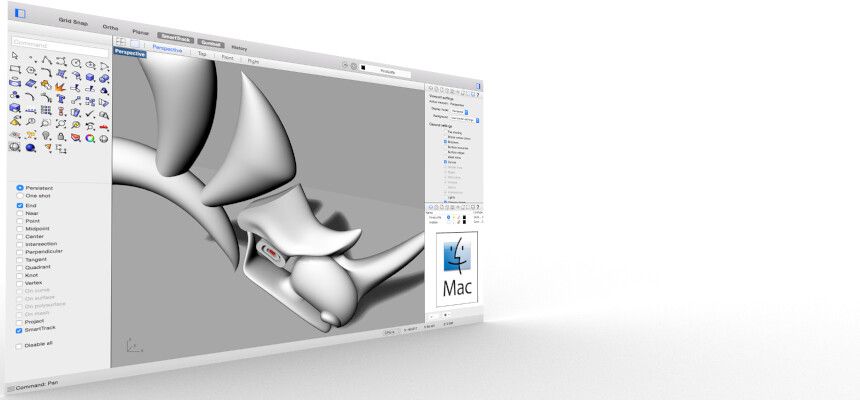
Rhino can create, edit, analyze, document, render, animate, and translate NURBS curves, surfaces, and solids, point clouds, and polygon...
- Intel, 64-bit processor
- macOS 12.4 or later
Description
Rhino can create, edit, analyze, document, render, animate, and translate NURBS curves, surfaces, and solids, point clouds, and
Special features include :
• Uninhibited free-form 3-D modeling tools like those found only in products costing 20 to 50 times more. Model any shape you can imagine.
• Accuracy needed to design, prototype, engineer, analyze, and manufacture anything from an airplane to jewelry.
• Compatibility with all your other design, drafting, CAM, engineering, analysis, rendering, animation, and illustration software.
• Read and repair meshes and extremely challenging IGES files.
• Accessible . So easy to learn and use that you can focus on design and visualization without being distracted by the software.
• Fast , even on an ordinary laptop computer. No special hardware is needed.
• Development platform for hundreds of speciality modeling products. (Windows only)
• Affordable . Ordinary hardware. Short learning curve. Affordable purchase price. No maintenance fees.
WHAT’S NEW
Version 8.30.26103:
• Release notes were unavailable when this listing was updated.
REQUIREMENTS
• Intel, 64-bit processor
• macOS 12.4 or later
ScreenShots
If you are using Adblocker!! Please support this website by adding us to your whitelist. Ads are what helps us bring you premium content! Or read this to know how you can support us. Thank you!
•
Size
– 772.4MB
Previous Versions
Editor-checked details
Recommended for industrial design, architecture, jewellery and fabrication teams needing freeform accuracy, CAD exchange, parametric geometry or digital manufacturing. Use: template units/tolerance; origin/CPlanes/layer naming; references/versioning; curve quality/continuity; divide NURBS/SubD/mesh roles; Grasshopper I/O contract; Check/ShowEdges; manufacturing minimum feature; STEP/IGES/DWG/mesh round trips; Layout/PDF scale proof; archive current 3DM, V7 copy, open formats, dependency manifest and hashes. Pin plug-in versions and test upgrades on copies/Safe Mode. Compare Archicad/Vectorworks/Revit for BIM, Fusion 360/SolidWorks for mechanical parametrics, ZBrush for sculpting, Blender for free general 3D and SketchUp for rapid architectural concepts. Smooth display never replaces closure, tolerance and manufacturing validation.
Pros
- Rhino combines accurate NURBS curves/surfaces/solids, flexible SubD, meshes and point clouds in one file, suiting industrial design, jewellery, architecture, marine, product form, digital fabrication and difficult geometry exchange. Controlled units/tolerances, analysis, sections, drafting, layouts and broad CAD/CAM formats connect concept to manufacturing communication. Grasshopper integrates parametric modelling, data processing and optimisation, while RhinoCommon/Python/C# and Package Manager form an extension platform. Rhino 8 ShrinkWrap helps scan/print repair, SubD creases and PushPull speed hybrid modelling, and Mac Metal accelerates wireframe, annotation, complex viewports and Cycles. Perpetual, cross-platform licensing is flexible for teams.
Cons
- Rhino is a general geometry modeller, not full mechanical parametric assembly, BIM data management, sculpting, film animation, simulation or CAM; those need plug-ins or specialist tools. NURBS precision does not guarantee manufacturability: bad objects, tiny edges/gaps, self-intersections, normals and wrong tolerance still break Boolean/fillet/offset or downstream STEP/IGES. Grasshopper definitions become software assets and are hard to maintain without naming, grouping, version pins and dependency manifests. Mac and Windows plug-in ecosystems are not equal; some RHP/render/CAM/BIM tools are Windows- or architecture-specific. Point clouds, dense meshes, complex Grasshopper and Raytraced consume RAM/GPU. Older 3DM loses new data, while history and plug-in objects are poor sole archives.
Installation steps
- Rhino 8 SR30 (8.30.26103) for Mac requires macOS 12.4+ and supports Intel and Apple silicon through the Metal display pipeline. Back up 3DM files, templates, workspaces, aliases, display modes, materials/textures, Grasshopper GH/GHX, User Objects, scripts, Package Manager and MacPlugIns inventory. Lock units, absolute/angle tolerance, origin, layers and naming at project start; small features should generally exceed 10× absolute tolerance, while excessively tight tolerance slows intersections/fitting. On representative files test NURBS trim/join/Boolean, SubD, ShrinkWrap, meshes, Make2D, layouts/PDF, Grasshopper, Cycles/Metal and DWG/STEP/IGES/OBJ exchange. Validate every plug-in for Rhino 8 Mac/architecture and never overwrite the sole V7 file.
Uninstallation steps
- Before removal, preserve current and incremental read-only 3DM files; export critical delivery as a Rhino 7 compatibility copy plus STEP/IGES/DWG/DXF/OBJ/STL/PDF, noting that older 3DM loses Rhino 8 data. Save Small removes render/analysis meshes, while Geometry Only discards layers, materials, properties, notes and units—neither should be mistaken for a full archive. Collect textures, fonts, block/worksession references, GH dependencies, User Objects, scripts, plug-in versions, render assets and licence method. Record units, tolerances, origin, CPlanes, layers, object/closed/bad-object checks, mesh and export settings; create manifest/SHA-256. In another CAD/DCC inspect scale, seams, normals, layers, dimensions, text, blocks and print scale. Confirm Cloud/LAN Zoo recovery before deletion.
Common errors and fixes
- For failed Booleans/fillets/offsets, run Check/ShowEdges for bad, naked and non-manifold geometry; align units/tolerance and remove tiny edges, self-intersections and coplanar overlaps. Do not force repairs with absurdly tight tolerance. If Join remains open, measure boundary gaps rather than trusting the viewport. STEP/IGES scale or surface damage requires source-unit, tolerance and import-repair checks against another format. For Metal flicker/slowness save SystemInfo, disable third-party display plug-ins, simplify textures/shadows/linetypes and compare modes. Missing Grasshopper components require exact package/version, Mac/Apple-silicon compatibility and data-tree checks—not Windows-only installs. Autosave is disabled when opening old 3DM until saved current. Missing fonts substitute visually but remain recorded. SR30 fixes BlendSrf preselection and History/Refine behaviour; reproduce remaining failures on a simple copy.
What changed in this version
- is Rhino 8 Service Release 30; the full Mac build is 8.30.26103.11002, released 13 April 2026. Public SR30 candidate notes confirm fixes for BlendSrf failing with preselected surfaces and History updates incorrectly disabling Refine. As a service release, its role is bug fixes, stability and SDK improvements. ShrinkWrap watertight meshes, SubD creases, PushPull, improved drafting/UI, new Grasshopper data types, and Metal display/Cycles are Rhino 8 generation capabilities, not mislabelled as SR30 additions. Production should pin the SR30 build and plug-in set, validating before adopting another service release.






Alternatives




Screenshots