Rhino
Rhino 可建立、編輯、分析、記錄、呈現、動畫化及轉換 NURBS 曲線、曲面與實體、點雲與多邊形...
- Intel, 64-bit processor
- macOS 12.4 or later
軟體介紹
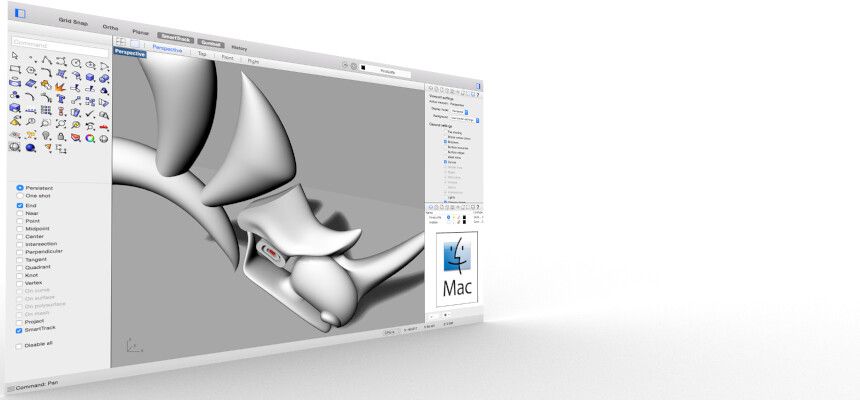
Rhino 可建立、編輯、分析、記錄、呈現、動畫化及轉換 NURBS 曲線、曲面與實體、點雲與多邊形…… 特色功能包含:無拘束的自由形式 3D 建模工具——此類工具過去僅見於售價為 Rhino 20 至 50 倍之高階產品;可建立任何您所能想像的形狀;具備從飛機至珠寶等各式產品之設計、原型製作、工程開發、分析與製造所需之精確度;與您現有之所有設計、製圖、CAM、工程、分析、呈現、動畫與插畫軟體相容;可讀取並修復網格(mesh)及極度複雜的 IGES 檔案;易於上手——學習與使用極為簡單,讓您專注於設計與視覺化,不致被軟體操作所干擾;執行快速——即使在一般筆記型電腦上亦然;無需特殊硬體;作為數百種專業建模產品之開發平台。(僅限 Windows)價格實惠——只需一般硬體即可運作;學習曲線短;購買價格合理;無需支付維護費用。
編輯核對資料
推薦需要 freeform accuracy、CAD exchange、parametric geometry、digital fabrication 的 industrial design、architecture、jewellery、manufacturing。流程:template unit/tolerance → origin/CPlane/layer → reference/version → curve continuity → NURBS/SubD/mesh role → GH I/O → Check/ShowEdges → minimum feature → format round trip → Layout/PDF scale → current 3DM+V7+open format+dependency manifest/hash archive。鎖定 plugin version。BIM 比較 Archicad/Vectorworks/Revit,mechanical 比較 Fusion/SolidWorks,sculpt 比較 ZBrush,free 3D 比較 Blender,concept 比較 SketchUp。
優點
- 在同一 file 結合 accurate NURBS、SubD、mesh、point cloud,適合 industrial design、jewellery、architecture、marine、product、fabrication、geometry exchange。unit/tolerance、analysis、section、draft、Layout、CAD/CAM format 串接製造。Grasshopper、RhinoCommon/Python/C#、Package Manager 構成 parametric/extension platform。ShrinkWrap、SubD Crease、PushPull、Mac Metal/Cycles 改善 hybrid modelling 與 viewport,perpetual cross-platform license 亦有優勢。
不足
- 是 general geometry modeller,不是 mechanical assembly、BIM data、sculpt、animation、simulation、CAM,需 plugin/specialist tool。NURBS precision 不保證 manufacturability;bad object、tiny edge/gap、self-intersection、normal、tolerance 會破壞 Boolean/Fillet/STEP。Grasshopper 需 naming/group/version/dependency。Mac/Windows plugin 不對等,部分 Windows-only。point cloud、dense mesh、complex GH、Raytraced 消耗 RAM/GPU。old 3DM 遺失 new data,history/plugin object 不適合作唯一 archive。
安裝步驟
- Mac 版 SR30(8.30.26103)要求 macOS 12.4+,支援 Intel/Apple silicon 與 Metal。備份 3DM、template、workspace、alias、display mode、material/texture、Grasshopper GH/GHX、User Object、script、Package Manager/MacPlugIns inventory。開始時固定 unit、absolute/angle tolerance、origin、layer、name;小 feature 宜為 tolerance 約 10 倍以上。以代表 file 測試 NURBS Trim/Join/Boolean、SubD、ShrinkWrap、Mesh、Make2D、Layout/PDF、Grasshopper、Cycles/Metal、DWG/STEP/IGES/OBJ。plugin 個別確認 Rhino 8 Mac/architecture。
解除安裝步驟
- 移除前保存 current/incremental read-only 3DM、Rhino 7 copy、STEP/IGES/DWG/DXF/OBJ/STL/PDF;old 3DM 會遺失 Rhino 8 data。Save Small 移除 render/analysis mesh,Geometry Only 遺失 layer/material/property/note/unit,均非 full archive。收集 texture、font、Block/Worksession、GH dependency、User Object、script、plugin、render asset、license。記錄 unit、tolerance、origin、CPlane、layer、object/closed/bad check、mesh/export、manifest/SHA-256,於另一 CAD 檢查 scale、seam、normal、dimension、text、block、print。
常見錯誤及解決方法
- Boolean/Fillet/Offset 失敗時以 Check/ShowEdges 查 bad/naked/non-manifold、unit/tolerance、tiny edge、self-intersection、coplanar overlap,不用極小 tolerance。Join gap 要量測。STEP/IGES 核對 source unit/tolerance/import repair 並比較其他 format。Metal 問題查 SystemInfo、display plugin、texture/shadow/linetype/mode。Grasshopper missing 查 package/version、Mac/Apple silicon、data tree,避開 Windows-only plugin。old 3DM 在 current save 前 autosave off;font substitute 在列印前修正。SR30 修正 BlendSrf preselection/History Refine。
本次版本更新內容
- 是 Rhino 8 SR30,Mac full build 8.30.26103.11002,發布於 2026-04-13。SR30 candidate notes 確認修正 BlendSrf preselected surface failure 與 History update 錯誤停用 Refine。service release 主要為 bug/stability/SDK 改善。ShrinkWrap、SubD Crease、PushPull、draft/UI、Grasshopper data type、Metal display/Cycles 是 Rhino 8 generation feature,不誤列為 SR30 新增。production 固定 build/plugin set,後續 SR 先驗證。






同類替代軟體




截圖預覽