Maya
Maya is an award-winning software and powerful, integrated 3D modeling, animation, visual effects, and rendering solution. Because...
Description
Maya is an award-winning software and powerful, integrated 3D modeling, animation, visual effects, and rendering solution.
Because Maya is based on an open architecture, all your work can be scripted or programmed using a well-documented and comprehensive API (application programming interface), or one of two embedded scripting languages, the Maya Embedded Language (MEL) or Python.
This level of openness, combined with an industry-leading suite of 3D visual effects, computer graphics, and character animation tools, enables you to realize your creative vision for your film, television, game development, and design projects.
WHAT’S NEW
Version 2024:
• Release notes are available here .
REQUIREMENTS
• Intel, 64-bit processor
• macOS 11.0 or later
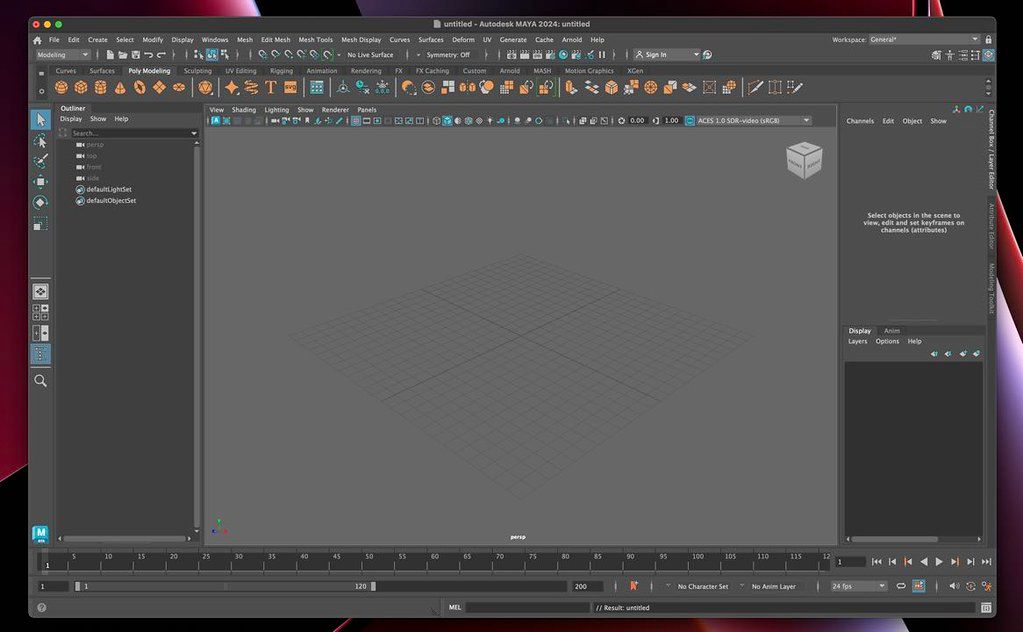
ScreenShots
:
If you are using Adblocker!! Please support this website by adding us to your whitelist. Ads are what helps us bring you premium content! Or read this to know how you can support us. Thank you!
Size
– 3.66GB
Previous Versions
Editor-checked details
Recommended for teams with character animation, VFX, game-asset or procedural-3D pipelines and the ability to maintain a version matrix. Workflow: controlled Maya/plug-in/OCIO environment; define Project, units, FPS, up axis, naming and folders; publish model/UV/material/rig stages and reference only published assets into shots; automatically validate topology, transforms/history, naming, missing paths, textures, frame range and colour; version expensive simulation/hair/geometry caches; daily playblast; low-resolution Arnold/AOV test; one farm-frame validation; publish USD/Alembic/FBX plus native scene; round-trip downstream; freeze software inventory, logs, manifest and SHA-256. Compare Cascadeur for motion assistance, ZBrush/Mudbox for sculpting and Rhino for NURBS/industrial work. Duplicate the full project before upgrades and never let a newer release save the only scene.
Pros
- Mature node-based modeling, rigging, key/curve animation, character deformation, dynamics, procedural effects, scene assembly and Arnold rendering support film, animation and game pipelines. MEL, Python and C++ APIs automate naming, publishing, validation, caching and rendering; references/namespaces support multi-artist assets and shots. USD/MayaUSD, Alembic, FBX and OBJ connect major DCCs and engines, while 2024 LookdevX/MaterialX explores portable materials. Time Slider, Graph Editor, Cached Playback and multiple Skin Clusters suit intensive character work. Apple-silicon arm64 and Intel x86 are both official 2024 macOS targets, and Arnold, Bifrost and XGen broaden final-image workflows.
Cons
- The learning and maintenance burden is high: Scene/Dependency Graph, DAG, references, namespaces, evaluation, colour and render state can create difficult failures. Large scenes, 4K/8K textures, XGen, Bifrost and Arnold need far more than 8GB RAM plus large caches, and an Apple integrated GPU does not make every GPU renderer available. Plug-ins are tightly coupled to Maya API, Python/Qt, CPU architecture and licensing, so upgrades require whole-pipeline validation; Intel-only plug-ins reduce native Apple-silicon benefits. MayaUSD/LookdevX were evolving rapidly in 2024, LookdevX is a Technology Preview, and Hydra is unsupported on macOS. Subscription/account/render-node licensing adds cost. FBX/USD/MaterialX transfers can lose constraints, materials, deformers or custom nodes. Recovery depends on incremental/autosave and publishing discipline.
Installation steps
- The site package is Autodesk Maya 2024. Official macOS support is 11, 12 and 13 on Apple-silicon arm64 or Intel x86; minimum RAM is 8GB (16GB+ recommended), install space about 7GB, and a three-button mouse is recommended. Before production installation, pin licence, macOS, Maya, Arnold/MtoA, Bifrost, MayaUSD, FBX, Python/MEL plug-ins and render-farm versions. Back up .ma/.mb, project/workspace.mel, references, textures, caches, OCIO, scripts, shelves, hotkeys and module files. On a copied benchmark scene test Viewport 2.0, Cached Playback, skin/deformers, XGen, Bifrost, Arnold CPU, USD/MaterialX, Alembic/FBX and batch rendering. On Apple silicon verify every plug-in has arm64/Universal support; native Maya does not imply native plug-ins. Set Project and relative paths, save an .ma migration copy, inspect Script Editor warnings, then validate camera, FPS, units, colour management, AOVs and output paths.
Uninstallation steps
- Before removal, freeze reproducible shots: retain auditable .ma plus required .mb, and collect references, textures/UDIM, Alembic/USD, audio, XGen descriptions, Bifrost graphs/caches, nCache/geometry caches, Arnold ASS/Tx, OCIO, scripts, plug-ins and licence inventory. Publish FBX/Alembic/USD or OBJ exchange assets; for shots publish camera, final caches, material notes, lighting/AOV configuration, playblast and final frames. Record Maya/API, plug-ins, OS, FPS, linear units, up axis, colour spaces and renderer. Audit asset/reference paths, then reopen an isolated copy without network mounts and run one interactive and one command-line render frame. Create manifest, SHA-256 and logs. Confirm farm/team no longer depend on local plug-ins, deactivate/return licences, then remove Maya. Clear prefs, modules, scripts and caches only after backup.
Common errors and fixes
- For missing textures/references, Set Project and inspect workspace.mel, relative paths, environment variables, UDIM tokens, case and network mounts; never bulk-relocate the only master. Plug-in load/wrong-architecture errors require Maya 2024 API, Python 3, Qt/PySide and arm64/x86 matching. Intel-only plug-ins on Apple silicon may need Rosetta or cannot coexist in-process. For black/flickering viewport or selection trouble, check certified GPU/macOS, Viewport 2.0 engine, texture limits and colour management; viewport/software render is not Arnold. For poor playback, flush Cached Playback, reduce textures, disable costly evaluators and inspect Safe Mode in Evaluation Toolkit. Arnold missing assets requires matching MtoA, tx/UDIM, paths and licence on every farm node. With USD 0.22 inspect relative paths, layers and edit target; Hydra for Maya is unsupported on macOS. Diagnose crashes with .ma, incremental files, disabled plug-ins and staged imports rather than blindly deleting preferences.
What changed in this version
- Official Maya 2024 highlights include a redesigned Time/Range Slider with clearer bookmarks, keys, selection ranges, audio waveforms and interaction, plus multiple Skin Cluster and animation/modeling workflow improvements. LookdevX arrives as a Technology Preview for authoring USD/MaterialX/Arnold shading graphs on a USD Stage. MayaUSD 0.22 ships with USD 22.11 and MaterialX 1.38.5, improving scene-relative USD root paths and display layers. Hydra for Maya was not production-ready and is unsupported on macOS. Maya 2024/devkit adds Apple-silicon architecture support and updates baselines such as macOS 11/Xcode 13.4. Many animation, modeling, FBX, rendering, USD and UI defects are fixed.






Alternatives




Screenshots