CorelDRAW 2026
CorelDRAW - professional graphic design software for vector illustration, layout, and so much more. Get started quickly and easily...
- Intel, 64-bit processor
- macOS 13.0 or later
Description
CorelDRAW – professional graphic design software for vector illustration, layout, and so much more.
Get started quickly and easily with a wealth of intuitive tools, built-in learning materials, sample files and project templates.
Features :
• Vector Illustration: Use powerful vector illustration tools turn basic lines and shapes into complex works of art.
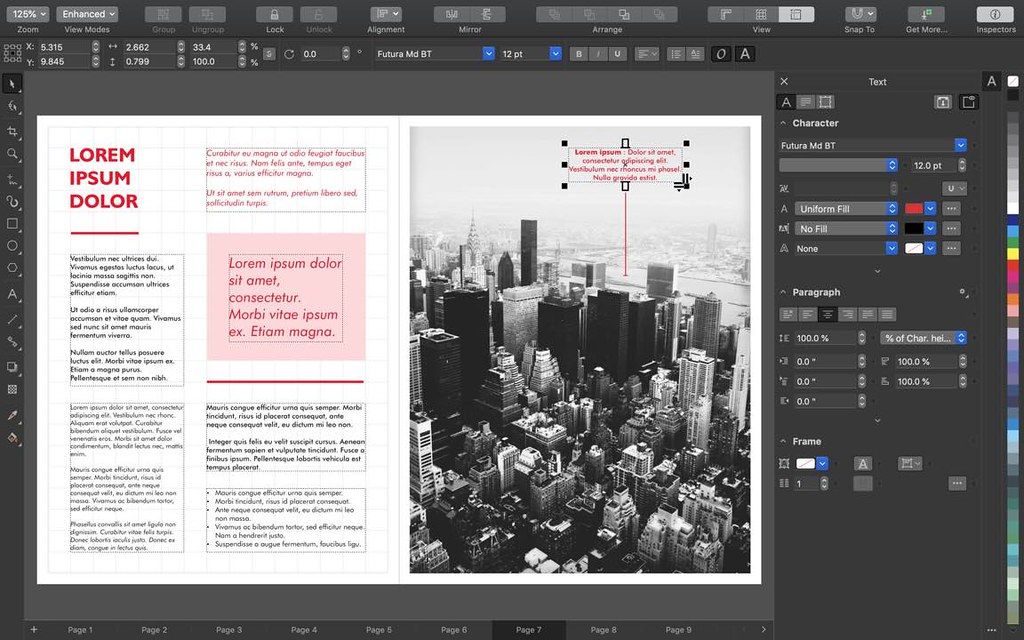
• Page Layout: Find all the tools you need to create layouts for brochures, newsletters, multi-page documents and more.
• Typography: Arrange type beautifully with a complete set of typography tools. Adjust font,
size
, leading and kerning, and add effects to text like block shadows and contours.
• Color & Transparency: Easily apply color to both fills and outlines. Change the transparency of an object, and fill objects with patterns, gradients, and mesh fills, and more.
• Styles: Manage styles and style sets to apply consistent formatting across multiple objects, produce iterative versions, and format whole documents quickly and consistently.
• Tracing: Save precious time while converting bitmap images into vectors. The built-in Corel® PowerTRACE™ engine turns the most demanding bitmap images into high-quality vector objects.
• Non-Destructive Editing: Edit bitmaps and vectors knowing you won’t harm original image or object. Enjoy many non-destructive features such as Block Shadow tool, Symmetry Drawing mode, Impact tool, and more.
• Web Graphics Tools: Develop captivating web content and graphics with a collection of web graphics tools and presets.
• Professional Print Output: With a powerful color management engine, you can control color consistency across different media and know your colors are accurate before you print.
• File Compatibility: Publish to a wide variety of file formats, including AI, PSD, PDF, JPG, PNG, SVG, DWG, DXF, EPS, TIFF and more.
WHAT’S NEW
Version 2026 27.0.0.121:
• Release notes were unavailable when this listing was updated.
REQUIREMENTS
• Intel, 64-bit processor
• mac

Editor-checked details
Recommended for sign, apparel, packaging, engraving, print-ad and multipage teams—especially where clients/suppliers explicitly require CDR. Use: confirm supplier platform/version; define color/dimensions; archive originals/fonts/links read-only; structure CDR pages/layers; use AI only for candidates with human redraw/masking; preflight fonts/spots/overprint/bleed; proof PDF/X; deliver target-version CDR plus reference PDF and asset package; archive. Save prompts and credit records. Choose Illustrator for Adobe-centered teams, plug-ins and standard AI workflows; compare Affinity Designer for modern perpetual vector work, Logoist for lightweight logos/templates and Pixelmator Pro for Mac compositing. Verify perpetual-versus-subscription features before purchase, not merely whether CDR opens.
Pros
- CorelDRAW combines vector illustration, logos, signs, packaging, multipage layout, font management, bitmap editing and professional output. CDR remains common in sign, apparel, engraving and print supply chains. PowerClip, contour/blend/perspective, node editing, variable fonts, spot colors, separations, overprint, PDF/X and Print to PDF cover production. PHOTO-PAINT, Font Manager and templates/content are included. Apple silicon is native and AVX2 Intel remains supported. Both perpetual and subscription paths exist. AI supports ideation, cutout and masking with manual refinement, while Save As older CDR aids mixed-version collaboration.
Cons
- Requirements are high: only macOS 14/15/26, no case-sensitive volumes, and old Intel without AVX2 or under 3 GB VRAM can lose features/stability. The object model and prepress controls have a steep learning curve. Perpetual does not equal the full subscription: ongoing Web updates, some brushes/templates/features are subscription/maintenance-only, and AI credits add recurring cost and online dependency. Generated text, hands, edges and repetition plus training/commercial/trademark risks require review. CDR interchange with Illustrator/Affinity via AI/EPS/SVG/PSD can alter text, transparency, PowerClip, spots and effects. Mac and Windows suite/plugin availability is not identical; confirm supplier platform/build first.
Installation steps
- CorelDRAW Graphics Suite 2026 27.0.0.121 requires current macOS 14 Sonoma, 15 Sequoia or 26 Tahoe; Apple silicon or multicore Intel with AVX2 (Painterly Brush needs AVX2, available on Intel Macs from 2014); 8 GB RAM (16+ recommended); OpenCL 1.2 GPU with 3 GB VRAM; 3 GB disk; 1920×1200. Case-sensitive file systems are unsupported and SSD is preferred. Installation/authentication requires internet. Set default CMYK/RGB profiles, intent, units, page and bleed, then round-trip a copied multipage sample containing paragraph/artistic text, OpenType, PowerClip, transparency, spot colors, bitmaps and Painterly Brush through CDR, older CDR, PDF/X, AI/EPS/SVG/PSD/PNG. Review every AI Generate/background-removal/mask result and record model, prompt and credits. Have the printer preflight separations, overprint, fonts and bleed.
Uninstallation steps
- Before uninstalling, retain the current CDR master and a Save As copy in the collaborator’s older CDR version. New brushes, text, fills, outlines and transparency may expand or change, so reopen and compare. Also export PDF/X for print, PDF/SVG/AI/EPS for interchange and PSD/TIFF/PNG visual references; inspect every page box, bleed, spot color, overprint, font, transparency flattening, link and bitmap resolution. Export Corel Font Manager collections and archive licensed fonts, palettes, workspaces, templates, shortcuts/macros, Painterly Brushes and purchased content. Save AI prompts, results and credit/license records. Copy CDR, linked assets and outputs to a second medium and test restoration before deactivating and uninstalling. Subscription cloud/account/perpetual install records are not project backups.
Common errors and fixes
- Install/launch failure: verify macOS 14/15/26, a non-case-sensitive volume, Intel AVX2, OpenCL 1.2/3 GB VRAM and online authentication. Missing/slow Painterly Brush can mean old Intel lacks AVX2; reduce brush size/page complexity, close heavy apps and prefer 16+ GB/SSD. CDR version shifts: Save As the target version, expect unsupported effects to expand, standardize fonts/builds and use PDF as the visual reference. PDF/AI text may fragment or reflow: PDF import offers paragraph/text-flow preservation versus legacy small artistic-text runs; test editability and appearance separately. Color/print errors require embedded ICC, RGB-to-CMYK, spot-name, overprint and black-plate checks plus proofing. For AI/background edge defects, verify credits/network, retouch hair/alpha at 100% and inspect generated text, hands, repetition and rights. Firefox web clipboard support is limited; use a supported Chrome/Edge build.
What changed in this version
- CorelDRAW Graphics Suite 2026 adds AI Generate in CorelDRAW and PHOTO-PAINT for prompt-based creation from scratch, reference-image remixing and image refinement. One-click AI background removal targets subjects and fine hair/fibers; PHOTO-PAINT adds AI subject selection and refinable masks. Generative use consumes AI credits: perpetual licenses receive a one-time 2,000, while subscribers/maintenance receive 2,000 monthly; more are purchased separately. A refreshed interface aligns desktop/web icons, colors, controls and navigation. Corel reports launch up to three times faster or more, smoother fonts, smarter page/export settings, improved text-edit zoom and stability. Subscribers/maintenance also receive 50 pixel brushes, 200+ templates and ongoing Web updates; perpetual purchase excludes some subscription features/workflows.