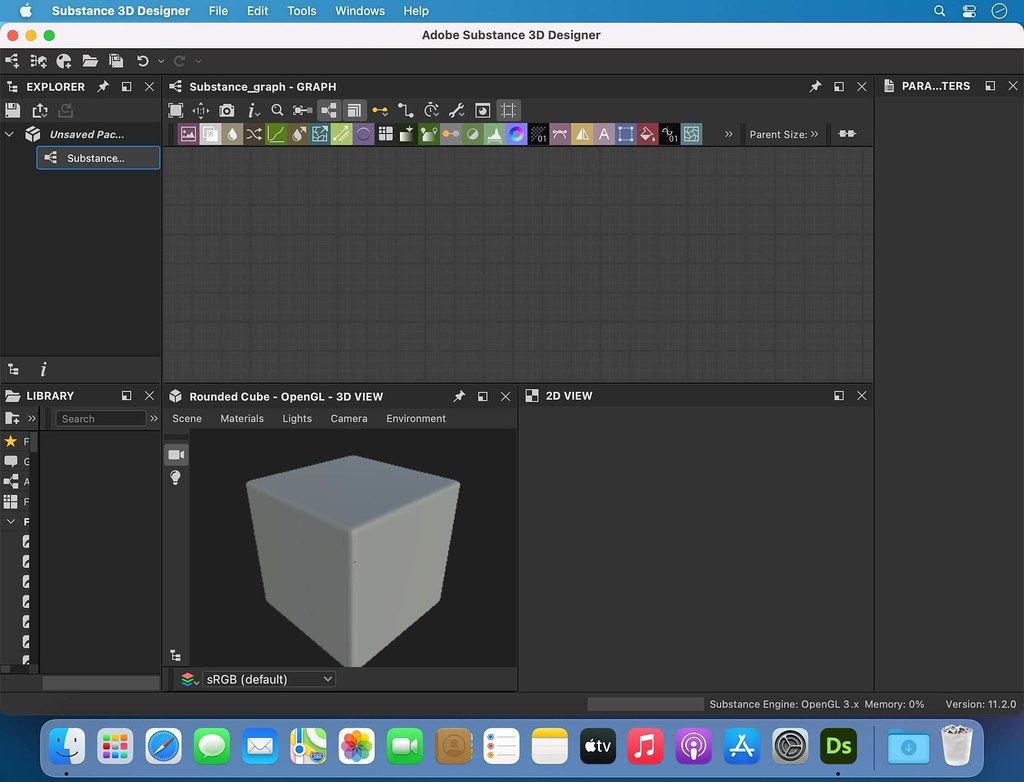
Adobe Substance 3D Designer
With Substance 3D Designer, create seamless materials and patterns, image filters, environment lights, or even 3D models. Each asset can ...
Description
With Substance 3D Designer , create seamless materials and patterns, image filters, environment lights, or even 3D models. Each asset can output infinite variations.
The industry standard for material authoring.
Substance 3D Designer is used across many industries and is at the center of most video game and visual effects material pipelines. Substance parametric materials are supported in most 3D creation tools and will integrate seamlessly into any workflow. Send your materials directly to Substance 3D Painter and Stager.
Nondestructive, nonlinear.
The node-based workflow allows you to use a wide range of approaches. Any step of the process can always be modified later. Try everything, adjust anytime.
Endless possibilities, infinite combinations.
Designer comes with a rich node library to create your assets from scratch. Build upon and learn from thousands of materials from Substance 3D Assets and Substance 3D Community Assets.
Go beyond materials.
Generate dynamic 3D models, or combine existing elements like curves and kitbash models. Create parametric environment lights to use in any app supported by Substance 3D.
WHAT’S NEW
Version 12.4.0:
• Release notes were unavailable when this listing was updated.
REQUIREMENTS
• Intel, 64-bit processor
• macOS 10.14 or later
ScreenShots
If you are using Adblocker!! Please support this website by adding us to your whitelist. Ads are what helps us bring you premium content! Or read this to know how you can support us. Thank you!
Size
– 593.9MB
Previous Versions
Editor-checked details
Recommended for material technical artists building repeatable parametric PBR libraries, filters or team generators. Work backward from the target contract: document channels, normal convention, colour spaces, bit depths, resolution and texel scale; create Base Color/Roughness/Metallic/Normal/Height/AO outputs with usage tags; structure frames, names, comments and subgraphs; inspect each stage on sphere, plane and target mesh; expose only necessary parameters with labels, groups, defaults, ranges and physical units; use fixed seeds for regression and random seeds for boundary testing; optimise at 1K/2K before 4K; version before Clean Graph; publish SBSAR and test multiple resolutions in Painter/Player/target engine; archive SBS through Export with dependencies plus static master maps, manifest and SHA-256. Use only trusted resources and isolate the legacy build. Use Painter for model-specific painting, Sampler for photo capture, Material Maker as a free node alternative, and Blender/Maya/Unreal for final validation.
Pros
- The non-destructive node workflow turns textures, patterns, filters, environment lights and parametric models into reusable systems rather than one-off bitmaps. Exposed parameters, random seeds and dynamic resolution generate controlled variants from one graph. Standalone SBSAR embeds dependencies for distribution to Painter, Sampler, Stager, engines and DCCs. Noise, shape, scan processing, blending, warping, normal/height and baker nodes cover realistic and stylised PBR. 2D/3D views synchronise channel/material feedback. In 12.4, Clean Graph, arithmetic fields, size lock, downstream selection and seed generation reduce large-graph maintenance. Model Graph Python API support enables tooling and validation. Native Apple silicon and Intel support serve mixed Mac pipelines.
Cons
- The learning curve is steep; naming, frames, dependencies, functions, colour/bit depth and performance make large graphs more complex than direct painting. High resolution, many 16/32-bit branches, bakers, path tracing and nested subgraphs rapidly consume memory/VRAM, while procedural results need art direction to avoid repetition. SBSAR is portable but not graph-editable and requires compatible downstream Substance Engine versions. Incorrect outputs/usages, Relative/Absolute sizes or exposed parameters may fail only after publishing. Moving resources creates Ghost instances and absolute paths hurt collaboration. Model Graph is a period-specific workflow, so preserve exchange models/maps too. Most importantly, 12.4.0 falls within Adobe’s critical-vulnerability bulletin and should not open untrusted resources. Subscription, sign-in and third-party node licensing add governance.
Installation steps
- The site build is Adobe Substance 3D Designer 12.4.0; its source lists macOS 10.14+ and about 593.9 MB. Designer gained native Apple-silicon support before this release, so 12.4.0 supports Intel and Apple M-series Macs. Critical boundary: Adobe’s bulletin identifies 12.4.0 and earlier as affected by critical vulnerabilities. Open only trusted SBS/SBSAR, bitmap, vector, mesh and plugin resources; verify provenance and SHA-256 and use an isolated non-admin account where possible. Back up SBS files, dependencies, resources, custom nodes, MDL, Python plugins, templates and presets. Validate a small graph: use relative dependencies; create Base Color, Roughness, Metallic, Normal, Height and AO outputs with usage tags; check 2D/3D views, DirectX/OpenGL normals, Output Size inheritance and bit depth; expose a few bounded/defaulted parameters; generate seed variants; publish SBSAR and reopen in Painter/Player/target engine. Test Model Graph and Python API work only on copies.
Uninstallation steps
- Before uninstalling, run Export with dependencies for every production package to collect SBS, referenced packages, bitmaps/vectors, meshes, fonts, MDL and custom resources, preventing Ghost instances after moves. Also publish standalone SBSAR: expose only delivery graphs; give outputs correct identifiers/labels/usages; set graph Output Size to Relative to Parent and Bitmap nodes to Absolute so embedded images do not collapse to low resolution. Export static Base Color, Roughness, Metallic, Normal, Height and AO masters for important seeds/parameter combinations so future rebuilds do not require the same Engine. Record Designer/Engine version, normal convention, colour spaces, bit depths, parameter defaults/ranges and dependency licences; create manifest and SHA-256. Quit Designer/Creative Cloud and uninstall, retaining shared assets until Painter/Sampler/Stager dependencies are checked. Back up application data before clearing preferences, caches or Python plugins.
Common errors and fixes
- Ghost instances mean moved/broken dependencies. Locate them in Dependency Manager, restore relative structure or relink, then immediately Export with dependencies. “Graph has no output” publish warnings require connected Output nodes; “non-Relative to Parent” requires graph Output Size inheritance changes or downstream dynamic resolution is lost. Blurry embedded bitmaps require Absolute Output Size on Bitmap nodes and size tests in Player/Painter. For slow/out-of-memory graphs, lower preview resolution, cache expensive branches, avoid unbounded high precision, and version before Clean Graph because it deletes unconnected nodes and can inspect parameter functions. Wrong normals require one DirectX/OpenGL convention and target-renderer validation. Different published results call for checking seed, exposed defaults, colour/greyscale type, bit depth, Engine support and usage tags. Edit MDL/Model Graph copies with incremental saves. Never open unknown SBS/SBSAR/plugins: 12.4.0 is within Adobe’s affected security range.
What changed in this version
- Adobe released 12.4.0 on 24 January 2023, with the 12.4 feature page dated 31 January. Clean Graph detects/removes nodes not contributing to outputs and can inspect parameter functions. Numeric fields accept basic arithmetic formulas; the 3D View gains quick Wireframe, environment-map and statistics toggles; Random Seed has a generation button; integer2 Output Size can lock dimensions; image inputs switch between Colour/Greyscale; downstream nodes can be selected. The Python API fully supports creating, editing and evaluating Substance Model Graphs. Fixes include DirectX Normal sharing across renderers and MDL/Model Graph crashes. Separately, Adobe’s later security bulletin identifies 12.4.0 and earlier as affected by critical vulnerabilities.
File verification






Alternatives


Screenshots