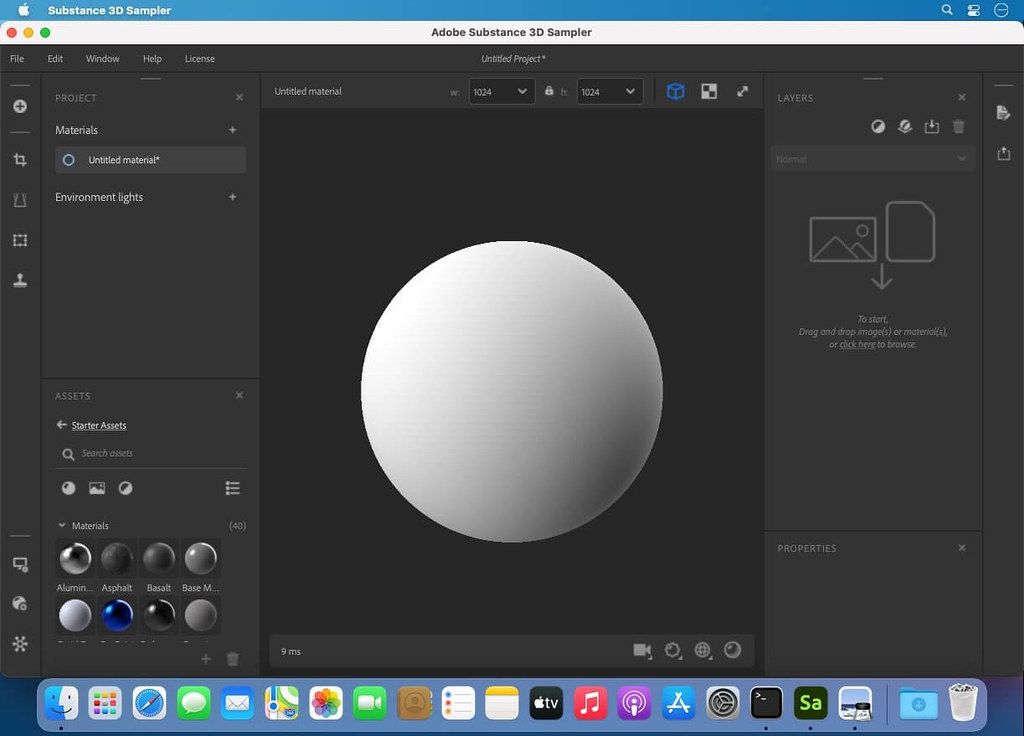
Adobe Substance 3D Sampler
Substance 3D Sampler is at the heart of your 3D workflow. Easily transform a real-life picture into a photorealistic surface or HDR...
Description
Substance 3D Sampler is at the heart of your 3D workflow. Easily transform a real-life picture into a photorealistic surface or HDR environment.
Transform real-world pictures into 3D materials.
Easily import a reference photo and transform it into a high-quality 3D material with features powered by Adobe Sensei. Closely match the original real-life surface and create seamless tileable materials from your captures.
Combine and mix materials.
Combine multiple materials and parametric filters to create more advanced surfaces. Access thousands of materials on Substance 3D Assets and Substance 3D Community Assets. The possibilities are endless.
An extensive content library to get you started.
Drag and drop your image, add a couple of prebuilt filters, and voila — a library of one-click generators, filters, and effects lets you quickly experiment and get results in just a few clicks. Send your assets directly to Substance 3D Painter and Stager.
The heart of your 3D workflow.
Use generators and filters from Designer, composite light environments for Stager, or send materials and lights to Painter. You can even edit your 2D inputs directly in Adobe Photoshop. Choose from a variety of export presets for all major 3D apps.
WHAT’S NEW
Version 4.1.0:
• Release notes were unavailable when this listing was updated.
REQUIREMENTS
• Intel, 64-bit processor
• macOS 10.14 or later
ScreenShots
If you are using Adblocker!! Please support this website by adding us to your whitelist. Ads are what helps us bring you premium content! Or read this to know how you can support us. Thank you!
Size
– 1.23GB
Previous Versions
Editor-checked details
Recommended for environment artists, material authors and small capture teams turning field photographs into game, VFX or architectural-visualisation PBR materials. Capture under diffuse even light with fixed white balance/exposure, camera perpendicular to the surface, a scale/colour reference and an area larger than the final tile; retain RAW and calibration frames. Workflow: duplicate and correct lens/perspective; generate channels with Image to Material; remove illumination with Delighter; repair seams via Paint Warp/Straighten and Clone; tune Base Color, Roughness, Normal and Height independently; validate on sphere/plane under several HDRIs; choose OpenGL/DirectX normal, packing and bit depth for the target; round-trip in Painter/Stager/engine; archive .alch+dependencies, RAW, maps, presets, manifest and SHA-256. Compare Substance Designer for deep procedural authoring, Painter for model-specific painting and Material Maker for a free node alternative.
Pros
- It turns photographs into editable PBR material foundations quickly, reducing the manual start-up cost for Base Color, Normal, Height and Roughness. Layers and filters are non-destructive and can blend stock materials, generators and custom Substance resources. Delighter, tiling, clone and 4.1.0 Paint Warp/Straighten are effective for removing baked lighting and seams. Embroidery rapidly builds patch and stitched surfaces, while 3D Capture extends real-world sampling to objects. The 2D/3D views expose channels, bit depth, displacement and repetition. Painter, Designer, Stager, Photoshop and common DCC/engine presets make the result reusable across a material library.
Cons
- A single photograph produces an inferred material, not a measurement-grade scan. Specular highlights, shadows, perspective, blur, compression and repeated motifs contaminate PBR channels, requiring manual correction and target-light validation. AI/Delighter, 3D Capture and high-resolution layers consume substantial GPU, RAM and SSD scratch, and 4.1.0 has support entries for export crashes. Apple-silicon behaviour cannot be inferred from an old Intel-only source label; validate AI and filters per machine. Wrong packing, normal convention, colour space or Height range breaks the target render. Moving .alch without dependencies loses assets. Subscription, Adobe sign-in and asset quotas add cost. Designer is stronger for precise procedural materials, Painter for detailed painting, and calibrated scanning for measured capture.
Installation steps
- The site build is Adobe Substance 3D Sampler 4.1.0; its source lists macOS 10.14+, Intel 64-bit and about 1.23 GB. Treat that as the channel baseline, not proof that every Apple-silicon workflow is native. Back up .alch projects with adjacent dependencies, source photos, HDRIs, SBSAR/SSA assets, filters, export presets and colour-management notes. Confirm Adobe access, ample SSD scratch space and a supported GPU, then validate a small project on the actual Intel or Apple-silicon Mac. Import an evenly lit, uncropped, low-glare frontal photograph, choose Image to Material (AI Powered), and inspect Base Color, Normal, Height, Roughness, Metallic and AO. Correct seams and baked illumination with tiling/Delighter. Test Paint Warp, Embroidery, 3D Capture, Painter/Stager hand-off and the target-renderer export preset. Archive the master project, inputs, settings, maps, colour spaces, units, naming manifest and SHA-256.
Uninstallation steps
- Before uninstalling, use Export project for every asset and keep each .alch beside its dependencies folder. Separately export final PBR maps, SBSAR where supported, HDRIs and target-engine presets. Record channel packing, bit depth, resolution, colour space, normal orientation, Height/Displacement range and UDIM/naming rules, then round-trip the material in Painter, Stager or the target DCC. Generate a manifest and SHA-256 for project bundles and delivered maps; retain licensing/account records. Quit Sampler, Creative Cloud and send jobs, then uninstall through Creative Cloud. Do not remove shared Substance/Adobe resources until confirming Painter, Designer and Stager do not depend on them. For a repair reinstall, export logs/configuration before resetting preferences or caches.
Common errors and fixes
- If Image to Material or Delighter crashes, save a copy, reduce input/output resolution, close GPU/RAM-heavy apps, try a standard RGB image without unusual metadata, and export the Sampler log while isolating custom filters. For export crashes, disable layers to identify the filter, use a short local ASCII path, verify free space/write access, and test 2K PNG/TIFF before scaling up. Visible seams require cropping perspective edges and hard shadows, then tuning tiling, Paint Warp/Straighten, Clone and Delighter on both a plane and sphere. Inverted relief means checking OpenGL versus DirectX normal-Y convention. Washed materials require sRGB only for Base Color and non-colour treatment for Roughness, Metallic, Normal and Height. Legacy Alchemist projects need the dependencies folder beside .alch. Documented 4.1.0 limitations include Preserve tiling when exporting an AI Image-to-Material layer to .sbs/.sbsar and a UE4 PNG preset issue; export explicit maps and validate in-engine.
What changed in this version
- Adobe dates the 4.1.0 release to 28 March 2023. Paint Warp was added to deform a material by drawing curves in the 2D view, with Straighten helping realign captures for seamless tiling. The improved Embroidery generator creates patches from an image, vector file or drawing, supports up to six colours and combines multiple stitch techniques. Adobe also records 3D Capture improvements. Known limitations include Preserve tiling failing when an AI Image-to-Material layer is exported to .sbs/.sbsar and a UE4 export-preset problem with PNG. This page is strictly scoped to 4.1.0 and does not mix in later maintenance changes.






Alternatives

Screenshots