Final Cut Pro
Final Cut Pro가 이제 Apple Creator Studio의 일부가 되었습니다. Apple Creator Studio는 아이디어를 현실로 구현할 수 있도록 설계된 Apple 최고의 강력한 창의적 앱들을 놀라울 정도로 모아놓은 제품군입니다……
- Apple M1 chip or later & Intel, 64-bit processor
- macOS 15.6 or later
소개
Final Cut Pro is now part of Apple Creator Studio, an amazing collection of Apple’s most powerful creative apps designed to help you bring your ideas to life. The suite includes Final Cut Pro, Logic Pro, Pixelmator Pro, Motion, Compressor, and MainStage — plus premium content and intelligence features in Keynote, Pages, Numbers, and Freeform*, all in one simple plan.
New Features
Powerful Intelligence
• Use Transcript Search to quickly find spoken words or phrases in your footage by searching for exact matches or using natural language descriptions
• Discover Visual Search, a fast and easy way to locate moments in your footage, including objects and actions, using natural language**
• Let Beat Detection analyze any song to reveal its bars and beats, enabling you to easily align your video edits to the music’s rhythm
Get Started Fast
• Dive into editing with a special demo project featuring the talented singer-songwriter Allie Sherlock, and explore the exciting new features of Final Cut Pro firsthand
• Accelerate your next edit with in-app guides on how to create a new library, import media, and add clips to a new timeline
• Elevate your videos with dynamic titles, add a personal flair with customizable graphic elements, and set the perfect pace with countdowns and timers
Overview
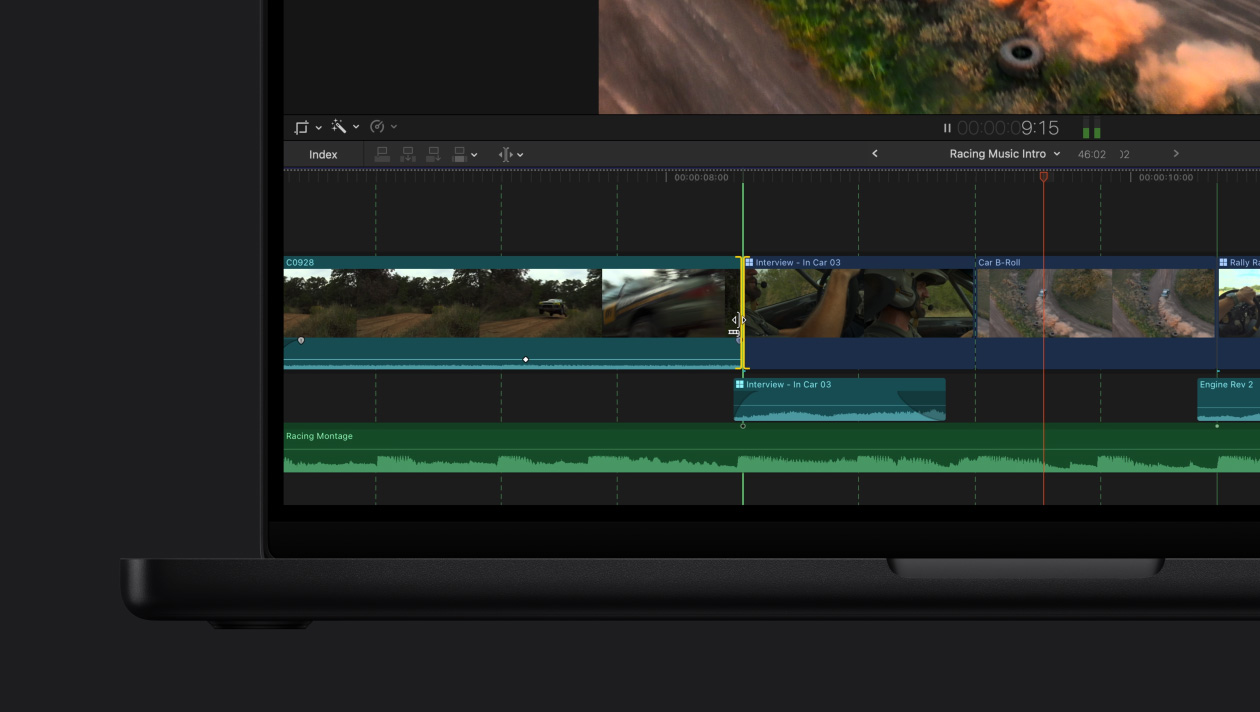
Final Cut Pro combines revolutionary video editing with powerful media organization and incredible performance to let you create at the speed of thought.
Revolutionary Video Editing
• The Magnetic Timeline uses advanced metadata and Clip Connections for faster, easier editing
• Transcribe to Captions uses AI to generate closed captions in the timeline by analyzing spoken audio
• AI-powered Magnetic Mask automatically tracks and isolates people, objects, and shapes in any footage
• Automatically transform projects for square or vertical delivery with Smart Conform
Powerful Media Organization
• Organize your work within libraries for efficient media management
• Apply custom keywo
편집자 확인 정보
편집 속도를 중시하는 Mac 영상 제작자, YouTuber와 소규모 팀, 특히 ProRes·iPhone·Apple Silicon 작업에 적합합니다. 크로스 플랫폼·고급 색보정은 DaVinci Resolve Studio, 전통적 협업은 Adobe Premiere Pro, 일괄 출력은 Compressor와 비교하세요. Apple 공식 자료 확인했습니다.
장점
- Apple Silicon과 ProRes 최적화, 효율적인 마그네틱 타임라인·프록시·멀티캠·HDR·역할 관리, 영구 구매 방식, Motion·Compressor·Apple 기기와 긴밀한 연동이 장점입니다.
단점
- Mac 전용이며 12.3의 OS 요구가 높고 일부 AI 기능은 Intel을 제외합니다. 마그네틱 타임라인 적응이 필요하고 크로스 플랫폼 프로젝트 교환이 덜 직접적이며 플러그인 업데이트가 이전 프로젝트에 영향을 줄 수 있습니다.
설치 방법
- Final Cut Pro 12.3은 macOS 15.6 이상, RAM 8GB(16GB 권장), 여유 공간 6.5GB가 필요합니다. Intel Mac은 Metal GPU가 필요하며 자동 자막 등 일부 지능형 기능은 Apple Silicon 전용입니다.
- 설치·업데이트 전 앱과 모든 라이브러리를 백업하고 플러그인 호환성과 미디어 디스크 공간을 확인하세요. 대형 프로젝트는 미디어·캐시·백업을 분리하세요.
제거 방법
- 사용자 설정을 기록하고 라이브러리, Motion 템플릿과 필요한 플러그인을 백업하세요. 종료 후 응용 프로그램에서 휴지통으로 이동합니다.
- Mac App Store에서 다시 설치할 수 있습니다. 앱 제거는 라이브러리·프로젝트·미디어를 지우지 않지만 캐시나 라이브러리 수동 삭제 전 백업을 확인하세요.
자주 발생하는 오류와 해결 방법
- 실행 불가·충돌: macOS, Final Cut Pro와 Pro Video Formats를 업데이트하고 불필요한 외장 장치를 분리한 뒤 플러그인을 확인하세요.
- 설정 문제는 종료 후 Command+Option을 누른 채 실행해 환경설정을 삭제하세요. 라이브러리와 미디어는 지워지지 않습니다.
- 특정 프로젝트만 문제라면 새 라이브러리와 테스트 미디어로 손상 파일·라이브러리·디스크 형식·플러그인을 구분하세요.
- 오프라인·내보내기 실패는 원본 재연결, 공간, 권한, 코덱과 대상 디스크 형식을 확인하세요.
이번 버전 변경 사항
- Final Cut Pro 12.3(2026-06-30)은 Generate Captions(Apple Silicon·미국 영어 전용), 인식 객체를 분리하는 Auto Mask, 여러 카메라와 조명의 색을 통일하는 새 Match Color를 추가합니다.






대체 소프트웨어


스크린샷