Final Cut Pro
Final Cut Pro が、Apple の最も強力なクリエイティブアプリを驚くほど集めた Apple Creator Studio の一部になりました。このスタジオは、あなたのアイデアを現実のものにするために設計されています……
- Apple M1 chip or later & Intel, 64-bit processor
- macOS 15.6 or later
概要
Final Cut Pro is now part of Apple Creator Studio, an amazing collection of Apple’s most powerful creative apps designed to help you bring your ideas to life. The suite includes Final Cut Pro, Logic Pro, Pixelmator Pro, Motion, Compressor, and MainStage — plus premium content and intelligence features in Keynote, Pages, Numbers, and Freeform*, all in one simple plan.
New Features
Powerful Intelligence
• Use Transcript Search to quickly find spoken words or phrases in your footage by searching for exact matches or using natural language descriptions
• Discover Visual Search, a fast and easy way to locate moments in your footage, including objects and actions, using natural language**
• Let Beat Detection analyze any song to reveal its bars and beats, enabling you to easily align your video edits to the music’s rhythm
Get Started Fast
• Dive into editing with a special demo project featuring the talented singer-songwriter Allie Sherlock, and explore the exciting new features of Final Cut Pro firsthand
• Accelerate your next edit with in-app guides on how to create a new library, import media, and add clips to a new timeline
• Elevate your videos with dynamic titles, add a personal flair with customizable graphic elements, and set the perfect pace with countdowns and timers
Overview
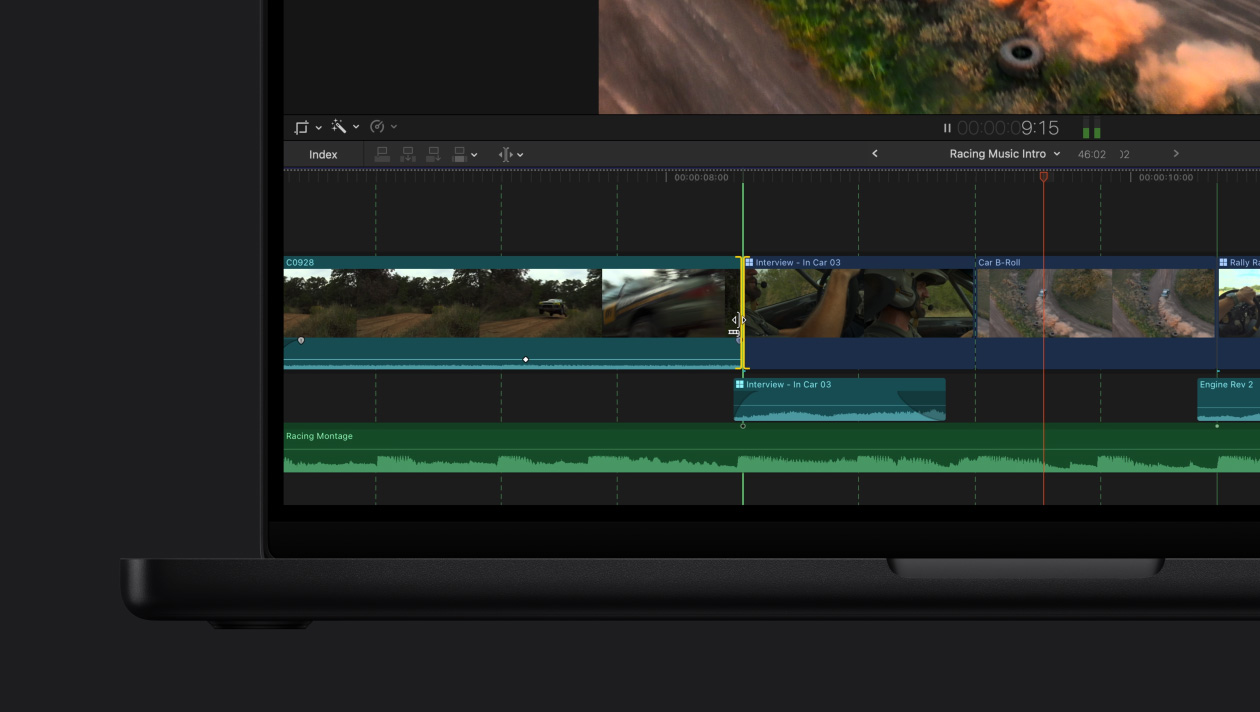
Final Cut Pro combines revolutionary video editing with powerful media organization and incredible performance to let you create at the speed of thought.
Revolutionary Video Editing
• The Magnetic Timeline uses advanced metadata and Clip Connections for faster, easier editing
• Transcribe to Captions uses AI to generate closed captions in the timeline by analyzing spoken audio
• AI-powered Magnetic Mask automatically tracks and isolates people, objects, and shapes in any footage
• Automatically transform projects for square or vertical delivery with Smart Conform
Powerful Media Organization
• Organize your work within libraries for efficient media management
• Apply custom keywo
編集部確認情報
編集速度を重視する Mac 動画制作者、YouTuber、小規模チーム、特に ProRes/iPhone/Apple Silicon ワークフロー向けです。クロスプラットフォームと高度なカラーには DaVinci Resolve Studio、業界型共同作業には Adobe Premiere Pro、バッチ出力には Compressor と比較してください。Apple 公式資料で確認しました。
長所
- Apple Silicon/ProRes に最適化。マグネティックタイムライン、プロキシ、マルチカム、HDR/広色域、ロール管理が高効率。買い切りで Motion、Compressor、Apple 機器との連携も強力。
短所
- Mac 専用で、12.3 は OS 要件が高く一部 AI は Intel 非対応。マグネティックタイムラインに慣れが必要で、クロスプラットフォーム交換は直接的でない場合があります。プラグイン更新が旧案件へ影響することもあります。
インストール手順
- Final Cut Pro 12.3 は macOS 15.6 以降、8GB RAM(16GB 推奨)、6.5GB の空き容量が必要です。Intel Mac は Metal 対応 GPU が必要で、自動字幕など一部機能は Apple Silicon 専用です。
- 導入・更新前にアプリと全ライブラリを保存し、プラグイン互換性とメディアディスク容量を確認します。大規模案件ではメディア、キャッシュ、バックアップを分離してください。
アンインストール手順
- 設定を記録し、ライブラリ、Motion テンプレート、必要なプラグインを保存します。終了後、アプリケーションからゴミ箱へ移します。
- Mac App Store から再導入できます。アプリ削除でライブラリ、プロジェクト、メディアは消えませんが、キャッシュやライブラリを手動削除する前にバックアップを確認してください。
よくあるエラーと解決策
- 起動不能/クラッシュ:macOS、Final Cut Pro、Pro Video Formats を更新し、不要な外部機器を外してプラグインを確認します。
- 設定異常:終了後 Command+Option を押して起動し、環境設定を削除します。ライブラリとメディアは消えません。
- 特定案件のみ:新規ライブラリとテスト素材で、破損素材、ライブラリ、外部ディスク形式、プラグインを切り分けます。
- オフライン/書き出し失敗:素材を再リンクし、容量、権限、コーデック、保存先形式を確認します。
今回の更新内容
- Final Cut Pro 12.3(2026-06-30):Generate Captions(Apple Silicon/米国英語のみ)、認識対象を分離する Auto Mask、異なるカメラや照明の色を統一する新 Match Color を追加。






代替ソフト


スクリーンショット