Final Cut Pro
Final Cut Pro 現已納入 Apple Creator Studio,這是一套令人驚豔的 Apple 最強大創意應用程式集合,專為協助您將創意化為現實而設計……
- Apple M1 chip or later & Intel, 64-bit processor
- macOS 15.6 or later
軟體介紹
Final Cut Pro is now part of Apple Creator Studio, an amazing collection of Apple’s most powerful creative apps designed to help you bring your ideas to life. The suite includes Final Cut Pro, Logic Pro, Pixelmator Pro, Motion, Compressor, and MainStage — plus premium content and intelligence features in Keynote, Pages, Numbers, and Freeform*, all in one simple plan.
New Features
Powerful Intelligence
• Use Transcript Search to quickly find spoken words or phrases in your footage by searching for exact matches or using natural language descriptions
• Discover Visual Search, a fast and easy way to locate moments in your footage, including objects and actions, using natural language**
• Let Beat Detection analyze any song to reveal its bars and beats, enabling you to easily align your video edits to the music’s rhythm
Get Started Fast
• Dive into editing with a special demo project featuring the talented singer-songwriter Allie Sherlock, and explore the exciting new features of Final Cut Pro firsthand
• Accelerate your next edit with in-app guides on how to create a new library, import media, and add clips to a new timeline
• Elevate your videos with dynamic titles, add a personal flair with customizable graphic elements, and set the perfect pace with countdowns and timers
Overview
Final Cut Pro combines revolutionary video editing with powerful media organization and incredible performance to let you create at the speed of thought.
Revolutionary Video Editing
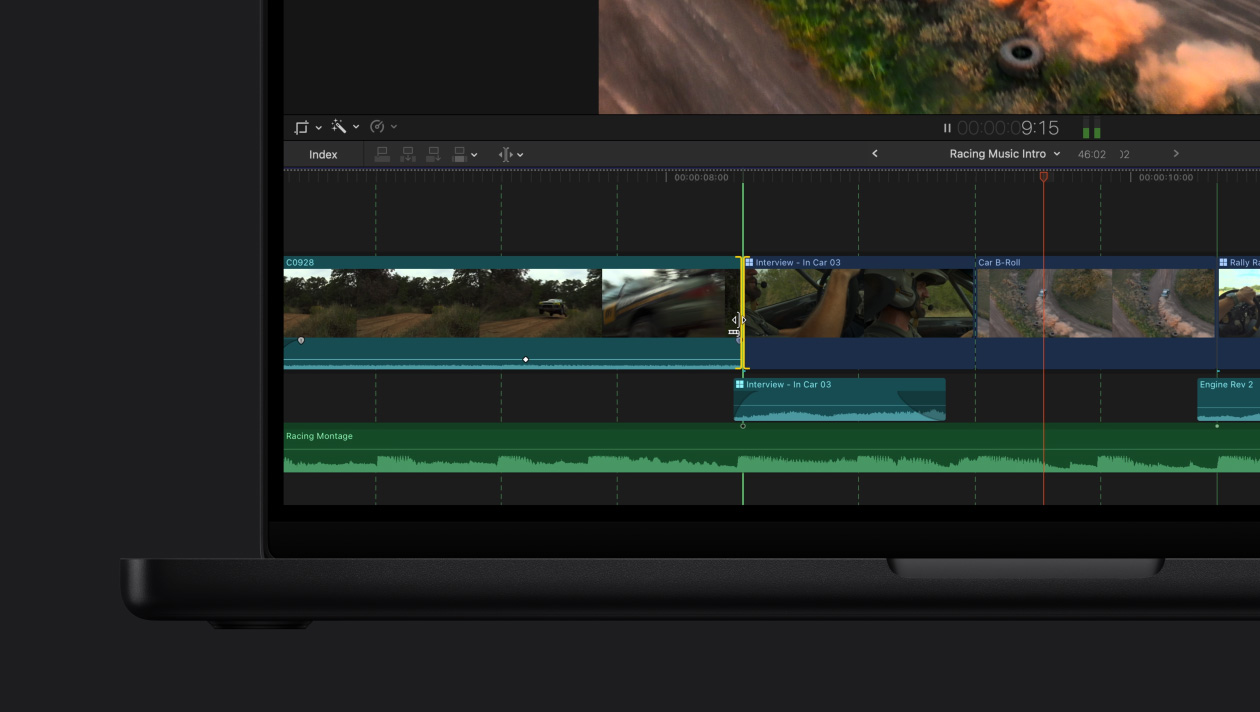
• The Magnetic Timeline uses advanced metadata and Clip Connections for faster, easier editing
• Transcribe to Captions uses AI to generate closed captions in the timeline by analyzing spoken audio
• AI-powered Magnetic Mask automatically tracks and isolates people, objects, and shapes in any footage
• Automatically transform projects for square or vertical delivery with Smart Conform
Powerful Media Organization
• Organize your work within libraries for efficient media management
• Apply custom keywo
編輯核對資料
適合 Mac 影片創作者、YouTuber 和重視剪輯效率的小型團隊,尤其是 ProRes、iPhone 與 Apple Silicon 工作流程。跨平台或複雜調色可比較 DaVinci Resolve Studio,傳統業界協作可比較 Adobe Premiere Pro,批次輸出可搭配 Compressor。內容依 Apple 官方資料核對
優點
- 針對 Apple 晶片和 ProRes 深度最佳化;磁性時間軸、代理媒體、多機位、HDR/廣色域和角色管理效率高;買斷制;與 Motion、Compressor 及 Apple 裝置整合緊密。
不足
- 僅支援 Mac;12.3 對系統版本要求較高,部分 AI 功能不支援 Intel;磁性時間軸需要適應;跨平台專案交換不如部分競品直接,外掛升級也可能影響舊專案。
安裝步驟
- Final Cut Pro 12.3 需要 macOS 15.6+、8GB 記憶體(建議 16GB)和至少 6.5GB 空間;Intel Mac 還需支援 Metal 的顯示卡。自動字幕等部分智慧功能僅支援 Apple Silicon。
- 安裝或更新前備份目前程式及所有資料庫,確認外掛相容性和媒體磁碟容量;大型專案建議分開存放媒體、快取和備份。
解除安裝步驟
- 先記錄自訂設定,備份 Final Cut Pro 資料庫、Motion 範本及必要外掛。結束程式後從「應用程式」移到垃圾桶。
- 可從 Mac App Store 重新安裝;移除程式不會自動刪除資料庫、專案和媒體,但手動清理快取或資料庫前必須確認備份。
常見錯誤及解決方法
- 無法啟動或崩潰:更新 macOS、Final Cut Pro 與 Pro Video Formats,拔除非必要外接裝置並檢查第三方外掛。
- 設定異常:結束後按住 Command+Option 啟動並刪除偏好設定,不會刪除資料庫或媒體。
- 只有某專案出錯:用新資料庫和測試媒體區分損壞媒體、資料庫、外接磁碟格式或外掛問題。
- 媒體離線/輸出失敗:重新連結原始媒體,確認空間、權限、編解碼器和目標磁碟格式。
本次版本更新內容
- Final Cut Pro 12.3(2026-06-30):新增 Generate Captions 自動字幕(Apple Silicon、僅美式英語)、Auto Mask 自動隔離物件,以及統一不同相機與光線畫面的全新 Match Color。






同類替代軟體


截圖預覽