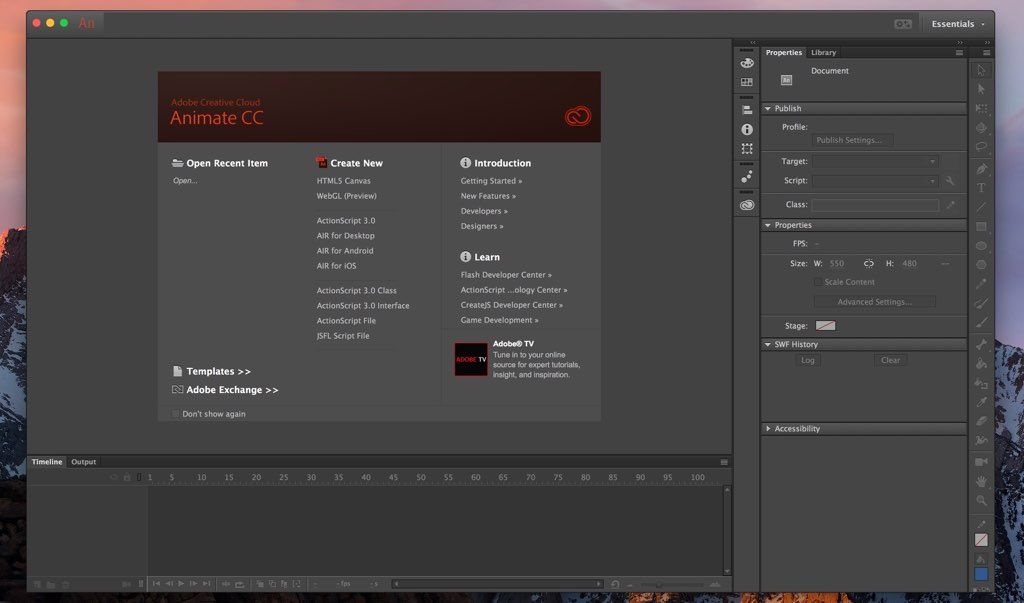
Adobe Animate CC 2021
Animate CC (was Flash CC) lets you share work directly from within the application and get access to new features the moment they're...
Description
Animate CC (was Flash CC) lets you share work directly from within the application and get access to new features the moment they’re released. Your entire creative world, together in one place. Work faster than ever before with a 64-bit architecture, a new streamlined user interface, and more connected tools. Create HTML content and export high-definition video and audio.
Animate CC is part of Creative Cloud. That means you have access to all the latest updates and future releases the moment they’re available. You can use Save to Cloud to keep your files organized across multiple computers. And Creative Cloud is integrated with Behance, so you can share your projects and get immediate feedback from creatives around the world.
WHAT’S NEW
Version 21.0.9:
Fixed issues :
• Sound files other than MP3 are not getting imported in Animate.
• Text become invisible for some fonts when editing it in Japanese, Chinese and Korean language.
• Application crashes on quitting if it was launched by opening a file.
• Some assets are not visible in Assets panel unless the application is relaunched.
• [macOS] Export video/media does not launch Adobe Media Encoder 15.4.
• [macOS] Overwriting a word selected by double click in code editor is not working.
• [winOS] Some of the keyboard shortcuts are not working when the focus is in code editor.
REQUIREMENTS
• Intel, 64-bit processor
• macOS 10.14 or later
ScreenShots
:
If you are using Adblocker!! Please support this website by adding us to your whitelist. Ads are what helps us bring you premium content! Or read this to know how you can support us. Thank you!
Size
– 2.62GB
Previous Versions
Editor-checked details
Best for maintaining existing FLA archives and producing HTML5 ads/education, 2D vector characters, short animation and sprite sheets. For new long-lived projects, assess the legacy runtime and migration path first. Compare Moho Pro for rigged 2D character work, After Effects for compositing/motion/video packages, Motion for fast Mac titles and motion graphics, and Dragonframe for stop motion capture. Alongside FLA, deliver XFL, source assets, font/plug-in inventory, code, publish profiles, PNG sequences/master video and final web package, plus offline notes describing an environment that can reopen the version. Test HTML5 interaction and performance on target browsers, devices and network conditions.
Pros
- Integrated Timeline, reusable symbols, tweens, frame-by-frame, rigs and vector drawing for 2D characters, web banners, educational interaction and lightweight game assets; HTML5 Canvas/CreateJS and ActionScript documents cover newer and legacy interactive projects; Library, nested MovieClip/Graphic symbols, components and code snippets support modular work; publishes GIF, video, PNG sequences, sprite sheets and web content; teams familiar with Flash/Animate can maintain old FLA archives efficiently.
Cons
- Version 21.0.9 is an old Intel build with no official M3/M4 or modern-macOS validation; Apple silicon depends on Rosetta, creating long-term compatibility risk. FLA is a complex packaged format where single-file corruption can affect the project and version control is weaker than text/open formats. Heavy frame-by-frame work, deeply nested symbols and complex scripts slow the Timeline. HTML5 Canvas still requires JavaScript, browser security and performance knowledge. The ActionScript/Flash Player delivery ecosystem is retired. Video/audio sync and alpha output need Media Encoder or image-sequence validation.
Installation steps
- Animate 21.0.9's official Mac baseline is a 64-bit multicore Intel Mac on Mojave 10.14 or Catalina 10.15, with Big Sur 11 compatibility beginning in the January 2021 release. It needs 2 GB RAM (8 GB recommended), 4 GB installation space, a 1024×900 display and OpenGL 3.3; QuickTime 10.x is recommended. This is not an Apple-silicon-native build: M1/M2 relied on Rosetta 2 at the time, while M3/M4 and newer macOS releases were never officially validated for 21.0.9. Test copied projects on the exact target Mac before production. Install through Creative Cloud, then duplicate `.fla/.xfl`, Library assets, fonts, audio/video, scripts, HTML5 templates, publish profiles and components. Keep Animate, Media Encoder 15.x and plug-ins from compatible generations. Validate brush/pressure, Timeline, Camera, rigs, sound, ActionScript/JavaScript, HTML5 Canvas, GIF, video and alpha output with a short project.
Uninstallation steps
- Before uninstalling, save every project as `.fla` and export an uncompressed `.xfl` structural backup. Collect external bitmap/vector assets, audio, video, licensed fonts, components, JS/AS source, publish templates and final outputs; do not assume every Library item is embedded. Record document type, stage size, frame rate, color, sound sync, publish profile, CreateJS version and Media Encoder settings. Back up custom brushes, swatches, shortcuts, workspaces, code snippets, extensions and configuration folders. Uninstall through Creative Cloud without deleting projects. For troubleshooting, reset preferences, disable extensions/fonts and test a minimal FLA first. After restoration, open representative projects one by one and inspect missing fonts/assets, nested timelines, symbol linkage, script errors and final published output.
Common errors and fixes
- If an FLA will not open/save or crashes, duplicate it, try Auto-Recovery/an earlier copy, and inspect the FLA-as-ZIP only for diagnosis—never overwrite the sole source. Corrupt fonts can crash launch, so isolate fonts and extensions in groups. Version 21.0.9 fixes non-MP3 import failure, invisible text with some Japanese/Chinese/Korean fonts, quit crashes after launching by opening a file, Assets hidden until relaunch, and macOS video export failing to launch Media Encoder 15.4. If export still fails, match Media Encoder generation, destination permissions/free space and audio codec, then export a PNG sequence plus WAV to isolate the fault. Timeline audio at 48 kHz can drift in output; check lip sync at start/end and across long passages and normalize sample rates if needed. Test HTML5 Canvas through a local server in target browsers for font fallback, interaction, CORS, touch, HiDPI, frame rate and console errors; Stage preview is not final validation.
What changed in this version
- Animate 21.0.9 (2021) is a stability release in the v21 line. It restores import of non-MP3 audio; fixes invisible text while editing with some Japanese, Chinese and Korean fonts; fixes a quit crash after launching by opening a file; makes Assets panel content appear without a relaunch; and fixes macOS Export Video/Media not launching Media Encoder 15.4 plus code-editor word replacement. It retains Animate 2021's vector/bitmap drawing, symbols and nested timelines, classic/shape/motion tweens, Camera/rigging, HTML5 Canvas, ActionScript, GIF and video publishing. Before upgrading or publishing an old project, retain three layers: FLA source, XFL structural copy and a verified runnable final output.
Related apps






Alternatives




Screenshots