Motion
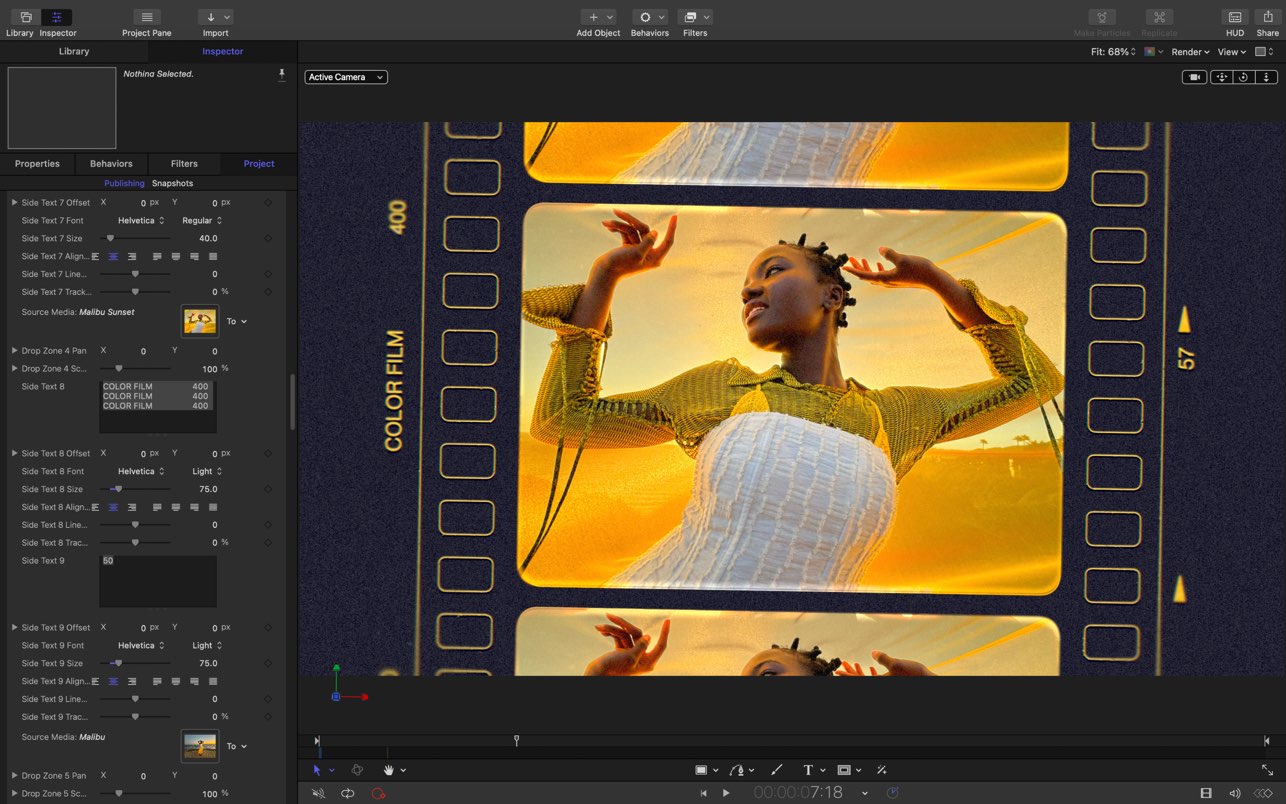
Motion is designed for video editors, Motion 5 lets you customize Final Cut Pro titles, transitions, and effects. Or create your own...
- Intel, 64-bit processor
- macOS 15.6 or later
Description
Motion is now part of Apple Creator Studio, an amazing collection of Apple’s most powerful creative apps designed to help you bring your ideas to life. The suite includes Final Cut Pro, Logic Pro, Pixelmator Pro, Motion, Compressor and MainStage — plus premium content and intelligence features in Keynote, Pages, Numbers and Freeform,* all in one simple plan.
New Features
AI-powered Magnetic Mask automatically tracks and isolates people, objects and shapes in any footage
3D text is now dramatically faster on Apple silicon, with Metal-powered improvements to playback and rendering
Overview
Designed for video editors, Motion is a powerful motion graphics tool that makes it easy to create cinematic 2D and 3D titles, fluid transitions and realistic effects in real time.
2D and 3D Titles
• Import 360° media and design 360° titles, generators and effects
• Build 3D titles from scratch, design them with easy-to-use templates, or instantly convert any existing 2D title to 3D
• Easily create beautiful titles that you can animate using more than 100 drag-and-drop behaviours and intuitive text animation tools
• Customise 3D titles to create endless looks with over 90 Apple-designed 3D materials including metal, wood and stone surfaces
Motion Graphics for Final Cut Pro
• Save any title, effect, transition or generator, and access it directly in Final Cut Pro
• Customise Final Cut Pro titles, effects and transitions by opening them in Motion
• Create Motion Templates with any combination of single parameters and rigs that let you control a group of parameters with a slider, pop-up menu or tickbox in Final Cut Pro
• Use Display Aspect Ratio snapshots to create templates that support multiple aspect ratios
Stunning Effects
• Choose from more than 230 behaviours for natural animation without keyframes
• Change focus points or the depth effect for video shot in Cinematic mode on iPhone
• Design your own particle emitters or choose from 200 presets for real-world effects like
Editor-checked details
Recommended for Final Cut Pro users building titles, transitions, generators, tracked graphics and medium-complexity motion work, especially teams favoring behaviors over dense keyframes. Compare After Effects for cross-platform complex compositing and mature plug-ins, DaVinci Resolve Fusion for node workflows, or Cavalry for procedural/social animation. Validate templates, fonts, FxPlug and published controls on the delivery Mac. Verified from Apple's requirements, guide, release notes and troubleshooting
Pros
- Relatively inexpensive perpetual purchase; deep Final Cut Pro template and Compressor integration; behaviors create animation with fewer keyframes; capable particles, replicators, 3D, tracking, masking and FxPlug; optimized for Apple silicon/Metal.
Cons
- Mac-only, with weaker collaboration/cross-platform handoff than After Effects; less extensive large-composite, expression/scripting and industry plug-in ecosystem; portability falls when projects depend on external fonts/media/plug-ins; some intelligence features are limited or slower on Intel.
Installation steps
- Motion 6.3 requires macOS 15.6 and a Metal-capable Mac. Intel remains supported, but Magnetic Mask, 3D text and demanding work are better suited to Apple silicon. Install from the Mac App Store, then update Pro Video Formats and third-party FxPlug plug-ins.
- Set resolution, frame rate, color space and duration correctly at project creation. Version custom Final Cut Pro templates and archive external media, fonts and plug-ins with the project.
Uninstallation steps
- Back up Motion projects, media, custom templates, behaviors, filters, generators, fonts, plug-ins and settings; Final Cut Pro projects may depend on those templates. Quit, move Motion from Applications to Trash, and reinstall from the Mac App Store.
- Do not delete Motion Templates or external-media folders for space until their Final Cut Pro usage is checked. Record cache, presets and share destinations before resetting preferences.
Common errors and fixes
- Playback lag/high memory: lower preview quality, adjust cache, proxy high-resolution media and reduce particles, replicators, blur, lighting and complex 3D; restore quality for final render.
- Offline media: relink originals and verify external-volume mount and permissions; collect media when moving a project.
- Launch/render crash: update Pro Video Formats, disconnect devices, temporarily remove third-party FxPlug, and test a new project with known-good media.
- Flat/missing Final Cut Pro template: match Motion/FCP versions, verify template type/published controls, fonts and plug-ins. Launch with Command-Option to delete preferences; projects and media remain intact.
What changed in this version
- Motion 6.3 (June 30, 2026) adds resolution-independent SVG import; timeline controls to distribute, stagger and reverse layers; one-click frame sharing to Pixelmator Pro; performance improvements; and fixes for flat 3D templates in Final Cut Pro plus Object Tracker and shape-control crashes.
Related apps






Alternatives

Screenshots