Sketch
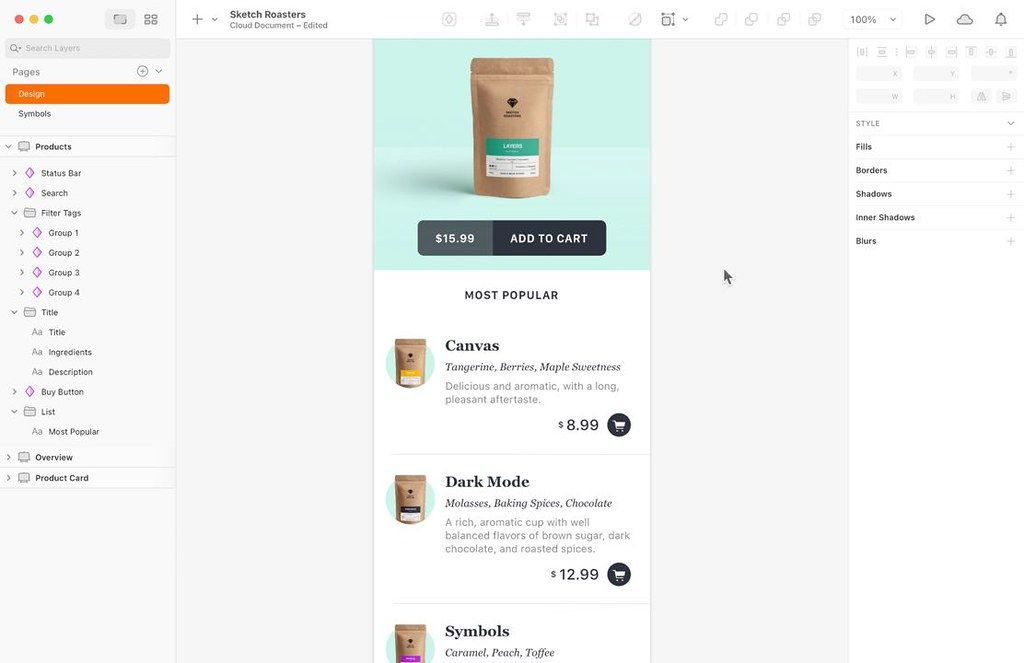
Sketch는 맥용 혁신적이고 신선한 벡터 드로잉 도구입니다. 의도적으로 최소화된 디자인은 팔레트, 패널, 메뉴, 창, 컨트롤이 없는 무제한 크기 및 레이어의 드로잉 공간을 기반으로 합니다……
- Intel, 64-bit processor
- macOS 15.0 or later
소개
Sketch는 맥용 혁신적이고 신선한 벡터 드로잉 앱입니다. 의도적으로 최소화된 디자인은 팔레트, 패널, 메뉴, 창, 컨트롤을 완전히 배제한 무제한 크기와 레이어를 갖춘 드로잉 공간을 기반으로 합니다. 단순하면서도 완벽한 불리언 연산, 심볼(Symbols), 강력한 자르기자(라울러), 가이드, 그리드 등 고급 벡터 드로잉 및 텍스트 도구를 제공합니다.
방해받지 않는 디자인: 집중을 돕는 도구, 직관적인 인터페이스, 무한 캔버스. 방해 요소 제로. 이 맥OS 편집기는 PM, 개발자 또는 클라이언트가 아니라 바로 당신과 당신의 아이디어를 위해 만들어졌습니다.
아이디어를 더 빠르게 검증하세요: 아이디어가 실제로 작동하는지 확인하는 가장 확실한 방법은 직접 시도해 보는 것입니다. 그래서 우리는 이를 가능한 한 쉽게 만들었습니다. 단시간 내에 현실감 있는 프로토타입을 즉시 생성할 수 있습니다.
작업을 한층 더 발전시키세요: 팀워크가 필요한 순간에는, 우리의 협업 도구가 디자인을 전체 프로세스의 중심에 유지해 줍니다. 단일 개발자와의 협업이든, 점차 성장하는 팀의 일원이든 상관없습니다.
새로운 기능 (버전 2026.2.1):
개선 사항: 프레임을 포함한 모든 유형의 그룹 내에서, 어떤 슬라이스 레이어에도 ‘그룹 콘텐츠만 내보내기’ 옵션을 사용할 수 있습니다.
수정 사항: 외부 라이브러리에서 삽입한 스택 레이아웃(Stack layout) 심볼이 올바르게 배치되지 않거나, 닫을 수 없는 ‘오래된 구성요소’ 알림이 잘못 표시되는 문제를 수정했습니다. Keynote에서 복사한 고해상도 이미지를 붙여 넣을 때 Sketch가 충돌하던 문제를 수정했습니다. 미리보기 창이 닫힌 상태에서 프레임 크기를 조정한 후 다시 열었을 때 이전 크기로 표시되던 문제를 수정했습니다. 새 페이지에 프레임을 붙여 넣을 때 픽셀 간격 사이에 위치하여 내보낸 이미지가 예상보다 1px 커지는 문제를 수정했습니다. 레이어를 극단적으로 작은 크기로 변형했을 때 충돌하던 문제를 수정했습니다.
이차 곡선(Quadratic curves)을 포함한 SVG를 내보낼 때 발생하던 충돌 문제를 수정했습니다. 누락된 이미지가 포함된 문서에서 미리보기 창을 열었을 때 발생하던 충돌 문제를 수정했습니다. 문서 목록 표시 오류를 수정했습니다.
편집자 확인 정보
Mac 중심 product designer/design system 팀과 browser 기반 협업자, 특히 iOS/macOS/Web UI, component library, prototype, asset에 권합니다. “project/page/Frame naming → Variable/token source → Stack/Frame responsive rule → Symbol/Library owner → state/accessibility annotation → branch/copy Library upgrade → real-time review → iOS Mirror/Web Prototype → Inspect/export → engineering component mapping → release screenshot regression+독립 archive”를 운영하세요. component별 code mapping, version, replacement, QA owner를 기록하고 major Library 전 migration note, blind global update 금지를 적용합니다. export 전 fractional pixel, missing image/font, unused style, wrong Slice를 scan하고 SVG는 target browser에서 시험합니다. cross-platform edit는 Framer/Web tool, vector는 Affinity Designer/Amadine/Boxy SVG, complex interaction spec은 Axure RP와 비교하세요. design file은 code가 아니므로 real component, content, dynamic type, keyboard/VoiceOver, narrow screen, performance로 승인합니다.
장점
- native Mac app에서 UI design, design system, prototype, developer handoff를 통합하고 Web App으로 Windows/Linux 개발자, PM, 고객도 view/Inspect/comment합니다. Symbol, Library, Variables, Shared Styles, Stacks, Frames로 color, spacing, type, component, responsive rule을 system화합니다. real-time collaboration, Workspace version/comment, iOS Mirror가 review와 실제 기기 확인을 빠르게 합니다. multi-paste/Paste and Replace와 Stack/Symbol/Library 성능은 대형 system에 유리합니다. Slice, SVG/PDF, Inspect, plugin/API/sketchtool이 구현/자동화를 연결합니다. native Mac interaction, pixel UI, 성숙한 component 생태계가 Apple product team에 특히 적합하며 solo designer는 local file과 필요 시 Workspace를 쓸 수 있습니다.
단점
- 편집은 Mac-only이고 macOS 14가 필요하며 VM을 지원하지 않습니다. 구형 Intel Mac, 고정 enterprise OS, Windows 디자이너는 구버전/Web view를 써 version/Library가 갈릴 수 있습니다. full collaboration, Editor, admin은 account, Workspace/subscription, network, SSO, permission에 의존합니다. Sketch/Library는 proprietary ecosystem이라 Figma/Affinity/Adobe 왕복에서 Stack, override, Variables, prototype, comment가 손실됩니다. 대형 design system은 Library release, deprecation, dependency, override migration governance가 필요하고 one-click update가 많은 screen을 깨뜨릴 수 있습니다. plugin은 compatibility/security/abandonment/data risk가 있습니다. prototype은 production code, complex state, real data, accessibility/performance test가 아니며 Inspect도 engineering token/component test/QA를 대신하지 않습니다. font/image/link 누락과 cloud history-only archive를 주의하세요.
설치 방법
- Sketch 2026.2.1은 macOS Sonoma 14.0 이상이 필요하고 VM을 지원하지 않으며 지원되는 Intel/Apple silicon Mac에서 실행됩니다. 운영 Workspace에 로그인해 Editor/Viewer, 구독, SSO, Library 권한을 확인하세요. Mac이 없는 협업자는 Web App에서 view/Inspect/comment할 수 있습니다. page/Frame 이름, pixel grid, Color/Text/Layer Variables, spacing, Stack, Symbol, Library 게시 규칙을 먼저 정합니다. CJK/Latin font, missing image, nested Symbol, external Library, Wrapping Stack, Gradient, Mask, Prototype, Slice, SVG quadratic curve fixture를 만드세요. Library update는 branch/copy에서 Outdated components를 검토하고 일괄 갱신하지 않으며 component owner를 정합니다. 1x/2x/3x, alpha, integer coordinate, Slice “Export group contents only”, SVG viewBox/text 정책, asset 이름을 감사하세요. prototype은 Mac Preview, Web, 실제 iPhone/iPad Mirror에서 safe area, scroll, Back, keyboard, dynamic content를 확인합니다.
제거 방법
- 삭제 전 Workspace-only와 local document를 구분합니다. 모든 중요 project의 편집 Sketch file, PDF, PNG/SVG asset, prototype flow, developer spec, published Library version을 보관하고 cloud history만 믿지 않습니다. Library manifest에 component/variable/style ID, release, dependency, deprecation mapping, font/license, plug-in version, external image, Workspace URL, last sync, SHA-256을 기록하세요. 중요한 comment/decision/Inspect annotation을 project record로 옮깁니다. offline/test account에서 local file을 열어 missing image/font/Library, Symbol override, Stack, Variable, prototype을 확인하고 PNG/SVG를 기준과 비교합니다. team을 떠나기 전 Workspace/Admin, Library owner, SSO, billing을 이전한 뒤 personal access를 취소하세요. plug-in data/preference는 backup 후 정리합니다. Mac app 삭제는 Workspace 문서/account deletion/retention을 대신하지 않습니다.
자주 발생하는 오류와 해결 방법
- external Library Symbol의 Stack layout 오류/해제 불가 Outdated components는 2026.2.1에서 수정되었습니다. 그래도 document를 복제하고 Library를 sync한 뒤 override/layout을 하나씩 확인하며 Detach를 첫 해결로 쓰지 않습니다. Keynote 고해상도 이미지 paste crash가 수정됐어도 큰 이미지는 resize/normalize하고 source를 보관하세요. 1px 큰 export는 fractional frame coordinate/size를 검사하며 cross-page paste 수정 외 legacy file도 audit합니다. SVG quadratic curve crash는 수정됐지만 browser에서 viewBox, transform, mask, stroke, text를 확인합니다. Preview old size는 reopen, missing image는 relink/replace합니다. font는 같은 version/licensed Workspace 방식과 CJK fallback, line-height, variable axis를 확인하세요. Library override는 migration/deprecation note, copy batch update+screenshot diff를 사용하고 같은 Symbol/Library를 동시에 refactor하지 않습니다.
이번 버전 변경 사항
- Sketch 2026.2.1은 Edinburgh(2026.2)+point update입니다. Frame을 포함한 모든 group 내부 Slice에 “Export group contents only”를 추가했습니다. 공식 8개 수정은 external Library Stack Symbol/Outdated components, Keynote 고해상도 paste crash, Preview old frame size, paste frame fractional pixel→1px 큰 export, tiny transform crash, Quadratic curve SVG export crash, missing image Preview crash, 여러 untitled 문서 재실행 sidebar 오류입니다. Edinburgh는 multi-paste, 예측 가능한 Paste/Paste Over/Paste and Replace, perceptual/vibrant gradient, Symbol/Library replacement 성능, prototype player 옵션을 제공합니다. 공식 요구는 macOS Sonoma 14.0+, Mac app은 VM 비지원, Web App은 cross-platform view/Inspect/comment용입니다.






대체 소프트웨어





스크린샷