Sketch
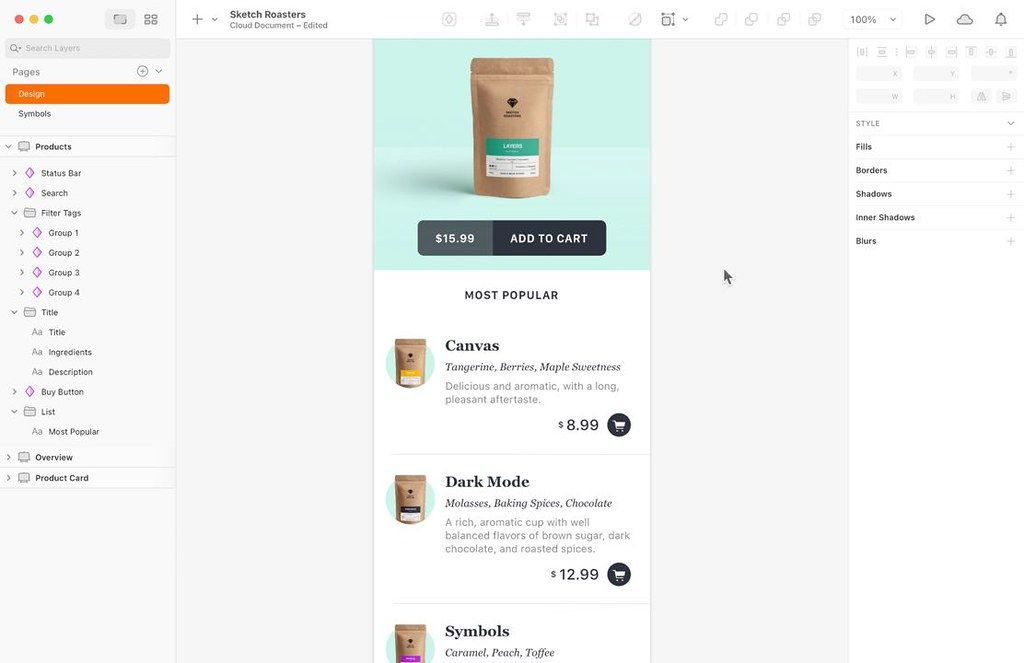
Sketch は、Mac 向けの革新的で新鮮なベクタードローイングアプリです。意図的にミニマルに設計されたこのアプリは、パレット、パネル、メニュー、ウィンドウ、コントロールを一切排除した、無限のサイズとレイヤーを持つ描画空間に基づいています……
- Intel, 64-bit processor
- macOS 15.0 or later
概要
Sketch は、Mac 向けの革新的で新鮮なベクタードローイングアプリです。意図的にミニマルに設計されたこのアプリは、パレット、パネル、メニュー、ウィンドウ、コントロールを一切排除した、無限のサイズとレイヤーを持つ描画空間に基づいています。シンプルながらも、完璧なブーリアン演算、シンボル(Symbols)、強力な定規・ガイド・グリッドなど、高度なベクタードローイングおよびテキストツールを提供します。
集中してデザイン:焦点を絞ったツール、直感的なインターフェース、そして無限のキャンバス。一切の邪魔がありません。この macOS エディタは、PM や開発者、クライアントではなく、あなたとあなたのアイデアのために作られました。
アイデアをより速く検証:アイデアが本当に機能するかどうかを確かめるには、実際に試すのが最も確実です。そこで私たちは、そのプロセスを可能な限り簡単にしました。リアルなプロトタイプを瞬時に作成できます。
さらに先へ進む:チームで作業する際には、私たちのコラボレーションツールが、デザインをプロセスの中心に据え続けます。単一の開発者とのペア作業でも、成長中のチームの一員としても、安心してご利用いただけます。
新機能(バージョン 2026.2.1):
改善点:あらゆる種類のグループ(フレームを含む)内の任意のスライスレイヤーについて、「グループのコンテンツのみをエクスポート」を選択できるようになりました。
修正点:外部ライブラリから挿入した「スタックレイアウト」のシンボルが正しく配置されない、または閉じられない「コンポーネントが古くなっています」という通知が誤って表示される問題を修正しました。 Keynote からコピーした高解像度画像などを貼り付けた際に Sketch がクラッシュする問題を修正しました。 プレビュー画面が閉じている状態でフレームのサイズを変更した後、再度プレビューを開いたときに古いサイズで表示される問題を修正しました。 新しいページにフレームを貼り付けた際にピクセルの隙間に配置され、結果としてエクスポート画像が本来より 1px 大きくなる問題を修正しました。 レイヤーを極端に小さなサイズに変形した際にクラッシュする問題を修正しました。
二次曲線(Quadratic curves)を含む SVG をエクスポートした際にクラッシュする問題を修正しました。 画像が欠落しているドキュメントでプレビュー画面を開いた際にクラッシュする問題を修正しました。 ドキュメントリストの表示不具合を修正しました。
編集部確認情報
Mac-centered product designer/design system team と browser-based collaborator、特に iOS/macOS/Web UI、component library、prototype、asset に推奨。「project/page/Frame naming → Variable/token source → Stack/Frame responsive rule → Symbol/Library owner → state/accessibility annotation → branch/copy Library upgrade → real-time review → iOS Mirror/Web Prototype → Inspect/export → engineering component mapping → release screenshot regression+independent archive」を運用。component ごと code mapping、version、replacement、QA owner を記録し、major Library 前に migration note、blind global update 禁止。export 前に fractional pixel、missing image/font、unused style、wrong Slice を scan、SVG は target browser test。cross-platform edit は Framer/Web tool、vector は Affinity Designer/Amadine/Boxy SVG、complex interaction spec は Axure RP。design file は code ではなく real component、content、dynamic type、keyboard/VoiceOver、narrow screen、performance で accept します。
長所
- native Mac app に UI design、design system、prototype、developer handoff を統合し、Web App で Windows/Linux developer、PM、client も view/Inspect/comment 可能。Symbol、Library、Variables、Shared Styles、Stacks、Frames により color、spacing、type、component、responsive rule を system 化。real-time collaboration、Workspace version、comment と iOS Mirror が review/on-device check を高速化。multi-paste/Paste and Replace と Stack/Symbol/Library performance は large system に有効。Slice、SVG/PDF、Inspect、plugin/API/sketchtool が implementation/automation を接続します。native Mac interaction、pixel UI、成熟 component ecosystem は Apple product team に特に適し、solo designer は local file+必要時 Workspace を選べます。
短所
- editing は Mac-only、macOS 14 必須、VM 非対応で、旧 Intel Mac/frozen enterprise/Windows designer は old build/Web view となり version/Library split の恐れ。full collaboration/Editor/admin は account、Workspace/subscription、network、SSO、permission 依存。Sketch/Library は proprietary ecosystem で Figma/Affinity/Adobe round-trip は Stack、override、Variables、prototype、comment を失います。large design system は Library release、deprecation、dependency、override migration governance が必要で one-click update は多数 screen を壊し得ます。plugin は compatibility/security/abandonment/data risk。prototype は production code、complex state、real data、accessibility/performance test ではなく、Inspect も engineering token/component test/QA の代替ではありません。font/image/link 欠落、cloud history だけの archive にも注意。
インストール手順
- Sketch 2026.2.1 は macOS Sonoma 14.0 以降が必要で VM 非対応、対応 Intel/Apple silicon Mac で動作します。production Workspace へ sign in し Editor/Viewer、subscription、SSO、Library permission を確認。非 Mac collaborator は Web App で view/Inspect/comment できます。page/Frame name、pixel grid、Color/Text/Layer Variables、spacing、Stack、Symbol、Library publish rule を先に定義。CJK/Latin font、missing image、nested Symbol、external Library、Wrapping Stack、Gradient、Mask、Prototype、Slice、SVG quadratic curve の fixture を作ります。Library update は branch/copy で Outdated components を review し mass update を避け、component owner を決めます。1x/2x/3x、alpha、integer coordinate、Slice “Export group contents only”、SVG viewBox/text policy、asset name を監査。prototype は Mac Preview、Web、実 iPhone/iPad Mirror で safe area、scroll、Back、keyboard、dynamic content を確認します。
アンインストール手順
- uninstall 前に Workspace-only/local document を分類。全 critical project の editable Sketch file、PDF、PNG/SVG asset、prototype flow、developer spec、published Library version を保存し、cloud history だけに頼りません。Library manifest に component/variable/style ID、release、dependency、deprecation mapping、font/license、plug-in version、external image、Workspace URL、last sync、SHA-256 を記録。重要 comment/decision/Inspect annotation を project record に移します。offline/test account で local file を開き missing image/font/Library、Symbol override、Stack、Variable、prototype を確認し PNG/SVG を基準比較。team 離脱前に Workspace/Admin、Library owner、SSO、billing を移管後 personal access を revoke。plug-in data/preference は backup 後に清掃。Mac app 削除は Workspace document/account deletion/retention の代替ではありません。
よくあるエラーと解決策
- external Library Symbol の Stack layout/dismiss 不可 Outdated components は 2026.2.1 で修正。document duplicate、Library sync、override/layout を一件ずつ確認し、Detach を第一手にしません。Keynote high-resolution image paste crash は修正済みでも巨大 image を resize/normalize し source 保存。1px oversized export は fractional frame coordinate/size を確認し、修正済み cross-page paste 以外の legacy file も audit。SVG quadratic curve crash は修正済みでも browser で viewBox、transform、mask、stroke、text を確認。Preview old size は reopen、missing image は relink/replace。font は同一 version/licensed Workspace process と CJK fallback、line-height、variable axis を確認。Library override は migration/deprecation note、copy で batch update+screenshot diff。real-time で同じ Symbol/Library を同時 refactor せず version/comment に decision を残します。
今回の更新内容
- Sketch 2026.2.1 は Edinburgh(2026.2)+point update。Frame を含む任意 group 内 Slice に “Export group contents only” を追加。公式8 fix は external Library Stack Symbol/Outdated components、Keynote high-resolution paste crash、Preview old frame size、paste frame fractional pixel→1px large export、tiny transform crash、Quadratic curve SVG export crash、missing image Preview crash、multiple untitled relaunch sidebar です。Edinburgh は multi-paste、predictable Paste/Paste Over/Paste and Replace、perceptual/vibrant gradient、Symbol/Library replacement performance、prototype player option を追加。official requirement は macOS Sonoma 14.0+、Mac app は VM 非対応、Web App は cross-platform view/Inspect/comment 用です。






代替ソフト





スクリーンショット