Escape Simulator 2
Escape Simulator 2 is the sequel to the best-selling escape room game. With immersive new environments, deeper puzzles...
- Intel, 64-bit processor
- macOS 11.0 or later
소개
Escape Simulator 2 is the sequel to the best-selling escape room game. With immersive new environments, deeper puzzles, and innovative builder tools, it’s the ultimate first person escape room experience.
Explore new locations crafted with the help of escape room experts and legendary community builders. Each room pack contains four rooms filled with intricate puzzles and hidden mysteries:
• Dracula’s Castle: Step into the shadowy fortress, uncover its secrets, and free the town from a dark curse.
• Starship EOS: An exploration vessel is stranded after a collision, forcing you to retrieve an energy source from a mysterious dark sphere.
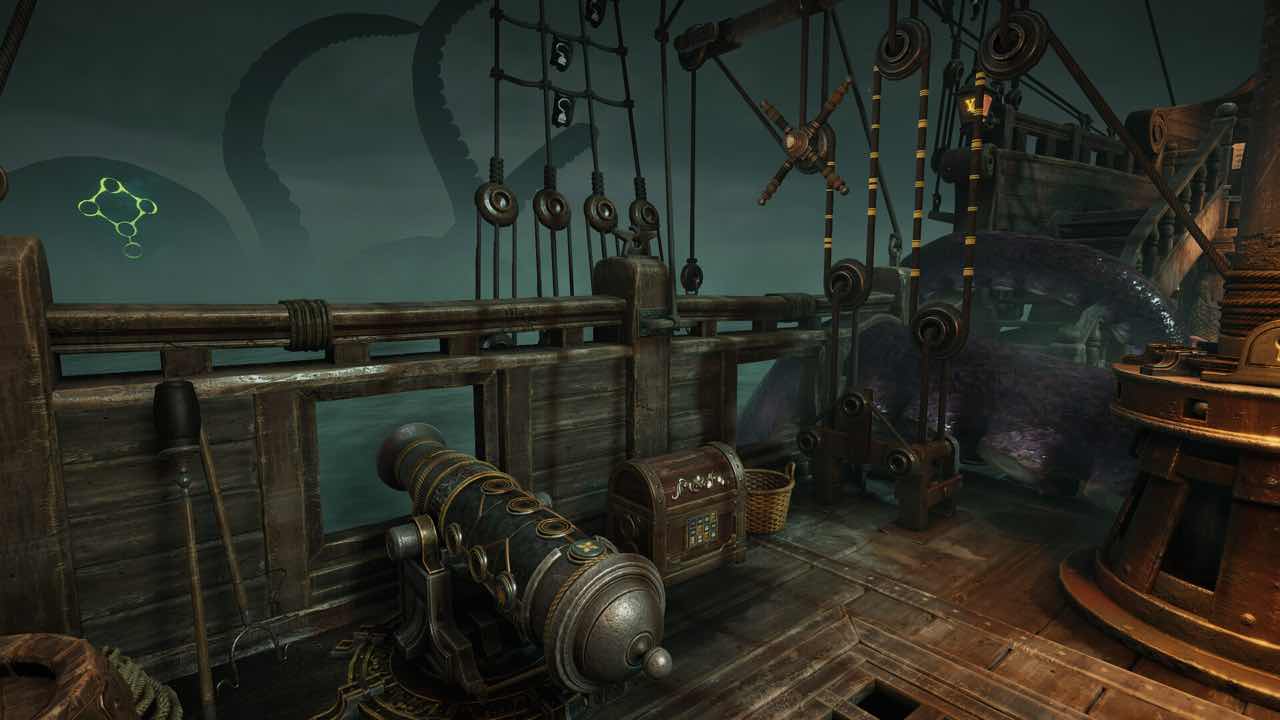
• The Cursed Treasure: Follow a cryptic map to a pirate island, overcome treacherous trials, and claim the ancient treasure.
With more content coming soon after the release!
The game is designed for both solo play and multiplayer with friends. Up to 8 players can join together online, with built-in voice and text chat for easy puzzle-solving communication.
When you step into Escape Simulator 2, we want it to feel like you’re walking into a real-life escape room. Every detail is designed for interactivity—you can pick up and examine objects, wipe away dirt, drive vehicles, take a seat wherever you like, and move anything that’s not bolted down.
Create your dream escape rooms with the updated Room Editor 2.0! After seeing over 4,000 rooms built in the first game, we’ve made the tools even more powerful and intuitive. The new lighting engine makes your rooms look more like the official rooms, the Building Editor lets you design rooms (with working stairs!), and you can bring everything to life with Sequence animations.
Why a sequel?
A sequel gives us a fresh start and lets us push the limits of the genre further. We were inspired to explore darker escape room themes and experiment with new gameplay and puzzle ideas. Splitting from the original game let us focus on improving key features like rendering, networking, physics, a




스크린샷