Separation Studio
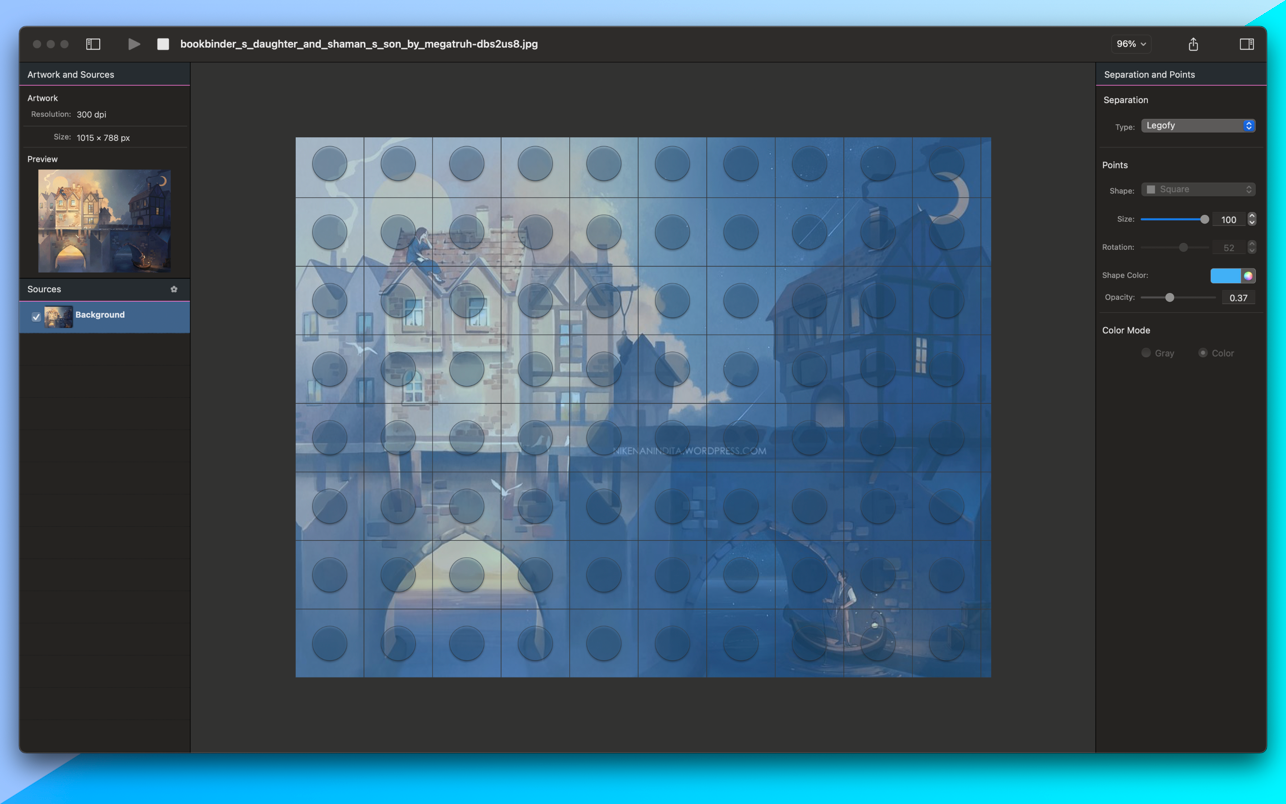
Separation Studio is a color-separation tool for basic CMYK color separation. You don't need any other software to separate your graphics...
Description
Separation Studio is a color-separation tool for basic CMYK color separation. You don’t need any other software to separate your graphics colors. Just open your image file with Separation Studio, and it will do the rest.
Features
• Separation Studio can open JPG, PNG, BMP, TIFF, and GIF files
• It supports pictures up to 3000×3000 pixels
• Just open your graphic artwork with Separation Studio and let it make quick work of it
• After separation, you can save your C, M, Y, and K colors into separate files of the desired shape and
size
WHAT’S NEW
Version 2.2.6:
•
Fixed crash bug
REQUIREMENTS
• Intel, 64-bit processor
• macOS 10.12 or later
ScreenShots
:
If you are using Adblocker!! Please support this website by adding us to your whitelist. Ads are what helps us bring you premium content! Or read this to know how you can support us. Thank you!
Size
– 12.9MB
Previous Versions
Editor-checked details
Recommended for small design or screen-print teams that need quick basic single-colour/CMYK plates and already operate a proofing and prepress QA process. Freeze the source; record ICC, dimensions and resolution; work on a copy; export each plate; verify pixels and size in a second tool; name project-C/M/Y/K-revision and hash it; expose a real screen proof; record angle, frequency, exposure, ink and substrate; approve before production. Compare Adobe Photoshop, Affinity Photo or a dedicated RIP/separation system for spot colours, underbases, simulated process or scaled production.
Pros
- A focused workflow quickly turns common artwork into single-colour or C/M/Y/K plates without manually building every channel in a full image editor. Its short process suits basic T-shirt and screen-print separation drafts, while individual files hand off cleanly to RIP, layout or plate-making stages.
Cons
- It is a basic separator, not a complete colour-management, spot-library, underbase/highlight-white, simulated-process, multi-ink, registration-mark or RIP system. Results depend heavily on source artwork, alpha, resolution and press conditions and require proofing. Build 2.2.6 is an older Intel release that needs Rosetta validation on Apple silicon; site-era documentation confirms only macOS 10.12+ and a limited format set. Without external naming and archiving rules, parameters and plates are easy to mix up and hard to reproduce.
Installation steps
- The site build is Separation Studio 2.2.6. Before installation, confirm a 64-bit Intel Mac with macOS 10.12 or later and allow room for artwork and exports. On Apple silicon treat it as an Intel application and validate through Rosetta first. Back up source artwork, fonts, swatches, output presets and prior separations. Verify provenance and SHA-256, quit the old build, place the app in Applications and grant only required folder access. Test a representative design containing solid colours, gradients, transparency and fine lines through JPG, PNG, BMP, TIFF and GIF. Run both Single Color and CMYK separation; inspect C/M/Y/K plates, halftone shape, size, rotation, edges and transparency. Export at final physical dimensions and resolution, reopen every plate and overlay it against the source. Approve a press proof for dot pattern, registration, ink, substrate and exposure before production; this app does not replace RIP, ICC or press calibration.
Uninstallation steps
- Before removal, archive source artwork, final C/M/Y/K or single-colour plates, format, physical size, resolution, halftone settings, print batch and approved proof. Record Separation Studio 2.2.6, macOS, architecture, SHA-256 and review date. Reopen a sample source and every exported plate on another machine to prove they do not depend on app caches. Quit and remove the app from Applications; delete its user-library container, cache or preferences only when no settings need retention. Uninstallation is not deletion of production records and must never overwrite the sole source. Retain installer and reproduction notes until delivery and rework windows close.
Common errors and fixes
- Crash at launch: 2.2.6 is documented as fixing a crash; confirm package integrity, macOS 10.12+, local Applications placement and Rosetta on Apple silicon, then test a clean user to isolate preferences. If an image will not open, convert a copy to standard 8-bit RGB/CMYK JPG, PNG or TIFF, remove malformed metadata and shorten its path. Empty or broken-edge plates require checks for alpha, very light colours, off-canvas objects and scaling; compare a rasterised copy. Incorrect CMYK demands review of source ICC, press condition, black generation and total ink limit—generated channels are not calibrated press colour. For moiré or lost dots, adjust angle, frequency, shape, resolution and exposure using a real screen proof. Lock pixels, DPI and physical dimensions to prevent size drift. Name plates project-C/M/Y/K-revision and record hashes to prevent channel mix-ups.
What changed in this version
- The only verifiable release note for site build 2.2.6 is a crash fix. Later file-format, interface, separation-option, Big Sur or Apple-silicon framework changes are not attributed to 2.2.6. Its core workflow is Single Color and CMYK separation with cyan, magenta, yellow and black exported as individual plates.
File verification






Alternatives


Screenshots