Adobe Premiere Elements 2023
Adobe Premiere Elements just got better. Now you can create quick movies from favorite parts of your clips or tell big life stories in....
Description
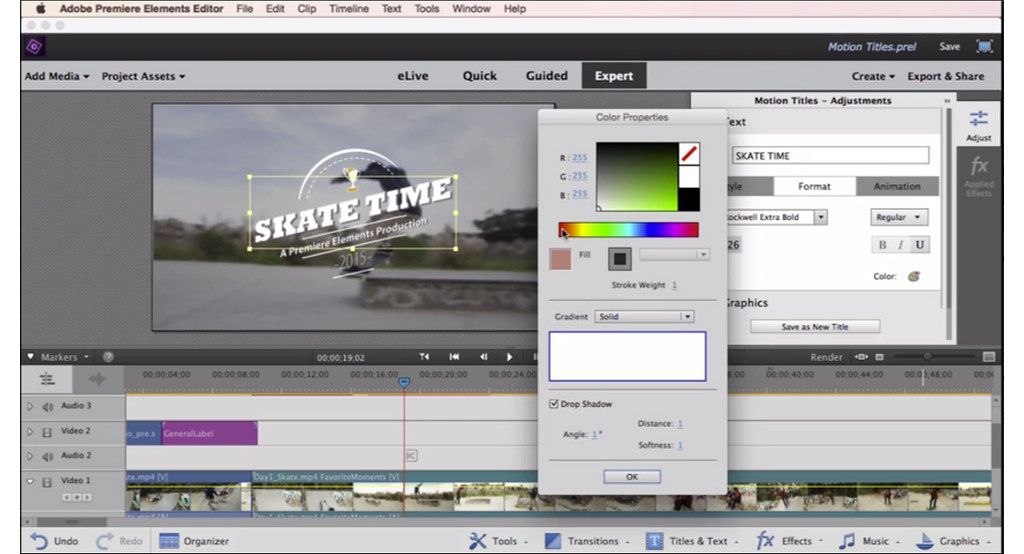
Adobe Premiere Elements just got better. Now you can create quick movies from favorite parts of your clips or tell big life stories in full-on productions. Add motion inside movie titles, punch up the drama with cool focus effects, and get guidance as you go.
Features
• Transform your videos – Make quick movies your way, and bring on your style with cool effects, transitions, themes, titles, and more. Premiere Elements can guide you through or do it for you.
• Share your movie memories – Share your finished productions with family and friends via disc, HDTV, Facebook, YouTube, Vimeo, and more.
• Mobile videos welcome – It’s easier than ever to sync your mobile videos with Elements to free up memory on your phone and transform your videos into fun movies. Or sync your Elements videos with your mobile, so you can access any memory anywhere.
WHAT’S NEW
Version 2023 21.0:
• Release notes were unavailable when this listing was updated.
REQUIREMENTS
• Intel, 64-bit processor
• macOS 10.14 or later
ScreenShots
:
If you are using Adblocker!! Please support this website by adding us to your whitelist. Ads are what helps us bring you premium content! Or read this to know how you can support us. Thank you!
Size
– 1.74GB
Previous Versions
Editor-checked details
Choose it for a one-time-purchase, guided family, travel, class or social-video workflow when Organizer cataloging also matters. Establish an import–cull–tag–backup routine, learn in Guided mode and finish in Expert mode. Start with a 20-second compatibility sample, export a local master and review on the delivery device. Compare iMovie for free basics, Wondershare Filmora for templates, Final Cut Pro for professional Mac long-form, DaVinci Resolve Studio for complete color/audio/post, and Premiere Pro for Adobe professional collaboration. Preserve a full Organizer backup, Project Archiver package and independent master for existing work.
Pros
- Quick, Guided and Expert modes bridge beginner instruction and manual timelines. Organizer unifies photos, video, people, places, events and tags. Smart Trim, stabilization, Artistic Effects, titles, transitions and automation accelerate family movies. Version 2023 supports Apple silicon natively and handles common H.264, HEVC and ProRes media without a professional editor’s panel complexity. Built-in music, slideshows and menus suit travel, school and small promotions; Project Archiver collects used assets.
Cons
- A perpetual license still needs Adobe sign-in, activation and online downloads. The supported OS range is narrow, so later macOS behavior depends on the exact system and media. Four legacy color effects are unavailable natively on Apple silicon. Organizer separates catalog and originals, making moved or renamed volumes prone to offline files. Automation needs shot-by-shot review. Professional grading, mixing, proxies, multicam, collaboration, captions and motion graphics trail pro tools. The English beta companions and 2 GB cloud space are not a sole backup; 4K raises RAM, GPU and SSD demands.
Installation steps
- Adobe requires a 6th-generation or newer Intel CPU, or Apple silicon M1 or newer; macOS 11, 12.4+, or 13.3.1+; 8 GB RAM, 6 GB space and 1280×800. Prefer 16 GB for HD, 32 GB for 4K, 4 GB GPU memory, an internal SSD cache and a separate fast media drive. Grant Photos, microphone and external-volume access, then test H.264, HEVC, variable-frame-rate phone footage and stills in a 20-second project. Verify picture, audio, Artistic Effects, titles and export. Use the native build on M1 and newer. Adobe says Auto Color, Auto Contrast, Auto Levels and Three-way Color Corrector are unavailable natively; use the Intel build through Rosetta only when those legacy effects are essential. Copy media locally and confirm locations, dates and tags in Organizer instead of editing camera cards or cloud placeholders.
Uninstallation steps
- Before uninstalling, make a full Organizer backup of its catalog database, originals, people, places, events and keywords. Use File > Project Archiver for each video so the project and used media are collected. Export a high-quality master, delivery encode and caption/narration text, recording aspect, frame rate, resolution, color and fonts. Copy the backup to another disk and reopen offline to prove there is no Media Offline, missing font or effect. Use the Adobe uninstaller; do not remove a shared Organizer catalog used by Photoshop Elements. Clear only reproducible cache and previews, retaining two copies of originals, catalogs and archives.
Common errors and fixes
- Missing legacy color effects on M1/M2/M3/M4: enable Open using Rosetta in Get Info and use Intel mode only temporarily. For HEVC black video, silence or import failure, validate the original in the system player, copy it to SSD, then transcode to ProRes or compatible H.264. Gradual phone-footage A/V drift usually needs a constant-frame-rate intermediate. If Organizer reports offline media, use Reconnect > All Missing Files rather than re-importing duplicates. For crashes, duplicate the project and autosaves, remove recent media, fonts and effects one at a time, or import the old timeline into a new project. For preview stutter, lower quality, render, clear cache and use SSD. Define an SDR/HDR target and test export for washed-out HDR. Check network, Adobe sign-in and content downloads for missing online assets.
What changed in this version
- The 2023 release adds 24 Adobe Sensei-powered Artistic Effects, new audio tracks and slideshow styles, plus English-only beta mobile/web companions and 2 GB cloud space for licensed users. It is the first Premiere Elements release with native Apple silicon support. Adobe measured improved launch, 4K HEVC playback/export and Organizer thumbnail creation on specified M1-versus-Intel systems; those controlled results are not a promise for every Mac. Quick, Guided and Expert editing, Organizer, Smart Trim, stabilization, titles, transitions, music, narration, menus and common-format export remain central.
Related apps






Alternatives





Screenshots