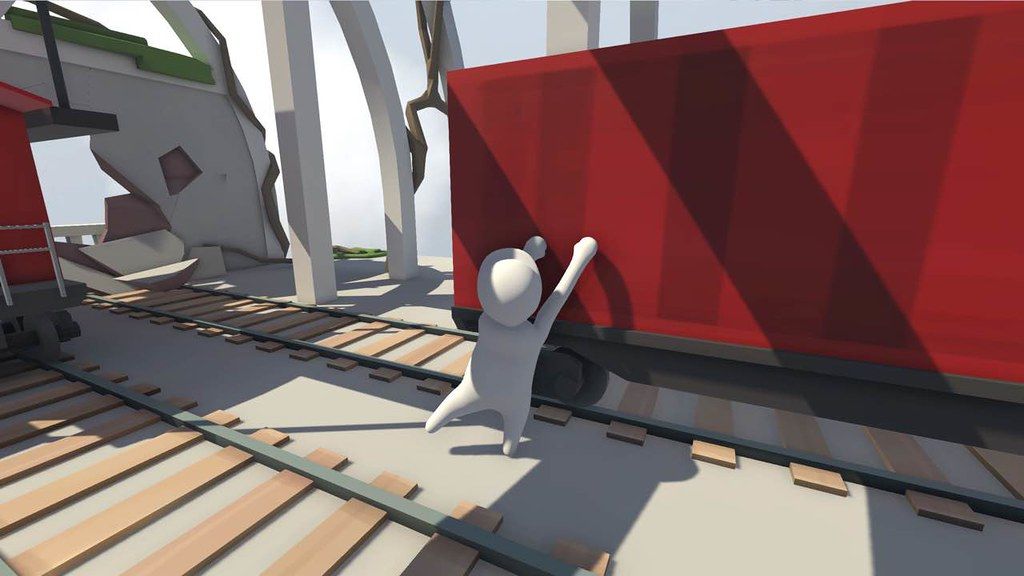
Human: Fall Flat
Bob is just a normal human with no superpowers, but given the right tools he can do a lot. Misuse the tools and he can do even more!...
- Intel, 64-bit processor
- OS X 10.11 or later
软件介绍
Bob is just a normal human with no superpowers, but given the right tools he can do a lot. Misuse the tools and he can do even more!
The world of Human: Fall Flat features advanced physics and innovative controls that cater for a wide range of challenges. Bob’s dreams of falling are riddled with puzzles to solve and distractions to experiment with for hilarious results. The worlds may be fantastical, but the laws of physics are very real.
Will you try to open that mysterious door, or would you rather see how far you can throw a speaker set out that window?
Features
• Direct and complete control of the character. Nothing is scripted and no limits imposed.
• Fully interactive environments, grab anything, climb anything, carry anything.
• Local co-op mode for you and a friend to tackle the worlds together.
• Paint your own custom Bob or even import your face onto his via webcam.
• 8 beautiful dreamscapes to explore with many puzzles to solve.
• Unlimited replay value created by you thinking outside the box.
Minimum System
Requirements
:
• Processor : Intel Core2 Duo E6750 (2 * 2660) or equivalent | AMD Athlon 64 X2 Dual Core 6000+ (2 * 3000) or equivalent
• Memory : 1024 MB RAM
• Graphics : GeForce GT 740 (2048 MB) or equivalent | Radeon HD 5770 (1024 MB)
WHAT’S NEW
Version 1095593:
• Release notes are available here .
REQUIREMENTS
• Intel, 64-bit processor
• OS X 10.11 or later
ScreenShots
If you are using Adblocker!! Please support this website by adding us to your whitelist. Ads are what helps us bring you premium content! Or read this to know how you can support us. Thank you!
•
Size
– 2.28GB
Previous Versions
编辑核对资料
推荐给喜欢开放式物理解谜、朋友合作和“失败也好笑”的玩家。先学会把视角对准表面、分别抬起双手、向前抓住再收回身体;大摆荡前让队友站在稳定检查点。工坊内容按少量分组启用,出现卡顿立即回到原生关卡排除。安全顺序:备份→1095593/SHA-256→无工坊原生关卡→左右手/攀爬→检查点重载→本地双人→在线合作→逐项恢复工坊。
优点
- 物理系统允许同一道谜题用攀爬、搬运、摆荡、堆叠甚至错误操作解决,成功和失败都能产生喜剧效果。左右手独立控制简单但有技巧上限,本地双人和在线合作让沟通本身成为玩法。内建梦境、角色涂装和大量创意工坊关卡提供很高重玩价值;五种目标语言都有官方界面/字幕支持,配置和控制器选择也较完整。
不足
- 故意笨拙的控制是核心笑点,也会让精确跳跃、窄边攀爬和搬运大型物体变得挫折。物理与联机延迟叠加时容易抖动、脱手或不同步,复杂工坊关卡的质量和性能不一致。单人重复尝试某些合作型机关较慢,检查点间距也可能放大失败成本。官方 Mac 最低配置基于较老的 Intel 独显机型,缺少 Apple 芯片说明;构建 1095593 没有可验证的逐项日志。
安装步骤
- 本页对应 Human: Fall Flat 构建 1095593。Steam 官方 Mac 最低要求是 macOS 10.11、Intel Core i5-6500 3.2 GHz、8 GB 内存、AMD Radeon R9 M390 和双键鼠标或控制器,推荐 macOS 11.6;官方没有 Apple 芯片矩阵。安装前备份 Steam Cloud、本地关卡进度、角色外观、创意工坊订阅、键位及画面设置,记录 1095593/SHA-256,并为站内 2.28 GB 包体及工坊内容预留空间。首次启动先关闭工坊模组,在原生关卡验证左右手抓取、攀爬、搬运、跳跃、检查点、双人本地合作和保存重载,再逐个恢复订阅内容。
卸载步骤
- 卸载前到达稳定检查点并退出至主菜单,等待 Steam Cloud 同步;角色坠落、检查点切换、工坊下载或合作房间迁移时不要强退。记录最后关卡/检查点、外观、工坊清单、控制映射、1095593/SHA-256 与 Steam 账户。重装后先用无工坊内容的原生关卡确认检查点和控制,再恢复外观、合作和工坊;云端冲突时保留已复制且时间较新的本地档。
常见报错及解决办法
- 手臂抓不住或攀爬失败时确认左右手分别映射,视角对准接触面,先抬高手臂再向前抓取;双键鼠标是官方要求。角色、相机或物件抖动通常与高帧率、复杂工坊地图或联机延迟有关,可限制帧率、降低画质并在原生单人关卡复现。工坊关卡加载卡住时取消最近订阅并验证文件。合作不同步时确认双方构建、地图与模组完全一致,重建房间并让延迟最低者主机。检查点丢失时停止继续游玩,核对 Cloud/本地时间,避免新空档覆盖。Apple 芯片没有官方矩阵,启动失败应先用无模组原生关卡、Rosetta 环境和控制器逐项排查。
本次版本更新内容
- 站内渠道标识为构建 1095593。官方商店页和可访问的官方公告没有提供能与该构建号一一对应的独立发行说明,因此不能确认它新增了哪一张关卡,或修复了抓取、联机、画面、存档中的哪一项。本页不把其他平台或其他构建的日志移植过来。验收以主菜单构建显示、原生关卡、左右手控制、检查点、双人合作、工坊开关和保存重载为准。
文件校验与安全信息






同类替代软件

截图预览