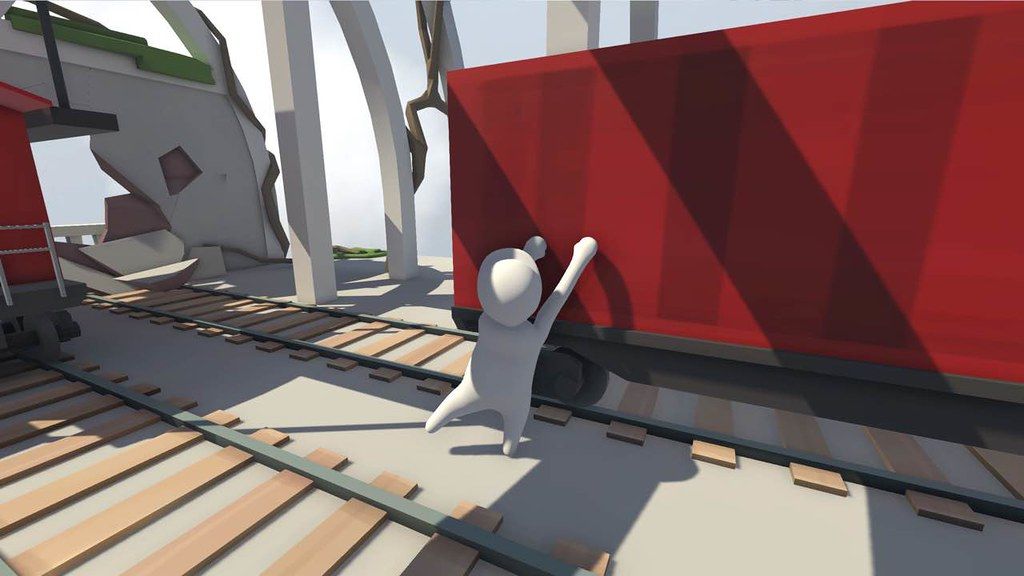
Human: Fall Flat
Bob is just a normal human with no superpowers, but given the right tools he can do a lot. Misuse the tools and he can do even more!...
- Intel, 64-bit processor
- OS X 10.11 or later
Description
Bob is just a normal human with no superpowers, but given the right tools he can do a lot. Misuse the tools and he can do even more!
The world of Human: Fall Flat features advanced physics and innovative controls that cater for a wide range of challenges. Bob’s dreams of falling are riddled with puzzles to solve and distractions to experiment with for hilarious results. The worlds may be fantastical, but the laws of physics are very real.
Will you try to open that mysterious door, or would you rather see how far you can throw a speaker set out that window?
Features
• Direct and complete control of the character. Nothing is scripted and no limits imposed.
• Fully interactive environments, grab anything, climb anything, carry anything.
• Local co-op mode for you and a friend to tackle the worlds together.
• Paint your own custom Bob or even import your face onto his via webcam.
• 8 beautiful dreamscapes to explore with many puzzles to solve.
• Unlimited replay value created by you thinking outside the box.
Minimum System
Requirements
:
• Processor : Intel Core2 Duo E6750 (2 * 2660) or equivalent | AMD Athlon 64 X2 Dual Core 6000+ (2 * 3000) or equivalent
• Memory : 1024 MB RAM
• Graphics : GeForce GT 740 (2048 MB) or equivalent | Radeon HD 5770 (1024 MB)
WHAT’S NEW
Version 1095593:
• Release notes are available here .
REQUIREMENTS
• Intel, 64-bit processor
• OS X 10.11 or later
ScreenShots
If you are using Adblocker!! Please support this website by adding us to your whitelist. Ads are what helps us bring you premium content! Or read this to know how you can support us. Thank you!
•
Size
– 2.28GB
Previous Versions
Editor-checked details
Recommended for players who enjoy open-ended physics puzzles, co-op and failures that remain funny. Learn to aim at a surface, raise each hand separately, move forward to grip and pull the body in; before a large swing, keep a partner near a stable checkpoint. Enable Workshop content in small groups and return to a built-in level at the first stutter. Safe order: backup; 1095593/SHA-256; unmodded built-in level; hands/climbing; checkpoint reload; local two-player; online co-op; Workshop items one by one.
Pros
- Physics lets the same puzzle be solved through climbing, carrying, swinging, stacking or productive misuse, making both success and failure funny. Independent hands are simple to learn but leave room for skill. Local two-player and online co-op turn communication into play. Built-in dreamscapes, character painting and a large Workshop catalog offer strong replay value. All five target languages have official interface/subtitle support, with flexible input options.
Cons
- Deliberately awkward control is the central joke but makes precise jumps, narrow climbing and large-object transport frustrating. Physics plus network latency can cause jitter, dropped grips or desync, and Workshop quality/performance varies. Some co-op-oriented mechanisms are slow to repeat solo, while checkpoint spacing can magnify failure. Mac requirements target an older Intel/discrete-GPU system with no Apple-silicon guidance, and build 1095593 has no verifiable itemized note.
Installation steps
- This page covers Human: Fall Flat build 1095593. Steam’s Mac minimum is macOS 10.11, Intel Core i5-6500 3.2 GHz, 8 GB RAM, AMD Radeon R9 M390, and a two-button mouse or controller; macOS 11.6 is recommended. No Apple-silicon matrix is supplied. Back up Steam Cloud, level checkpoints, character customization, Workshop subscriptions, bindings and graphics, record 1095593/SHA-256, and allow space beyond the channel’s 2.28 GB package for Workshop content. First disable Workshop items and validate left/right grabs, climbing, carrying, jumping, checkpoints, local two-player co-op and save reload in a built-in level, then restore subscriptions one at a time.
Uninstallation steps
- Before uninstalling, reach a stable checkpoint, exit to the menu and wait for Steam Cloud. Do not force-quit while falling, changing checkpoint, downloading Workshop content or migrating a co-op session. Record last level/checkpoint, appearance, Workshop list, input mapping, 1095593/SHA-256 and Steam account. After reinstalling, use a built-in level without Workshop items to confirm checkpoints and controls before restoring appearance, co-op and Workshop content. During a cloud conflict preserve the copied local save with the verified newer timestamp.
Common errors and fixes
- If hands will not grip or climbing fails, confirm separate left/right bindings, aim at the contact surface, raise the arms before moving forward, and remember Steam officially requires a two-button mouse or controller. Character/camera/object jitter can come from high frame rate, a complex Workshop map or network latency; cap FPS, lower quality and reproduce in a built-in solo level. For stuck Workshop loading remove the latest subscription and verify files. For co-op desync match build, map and mods exactly, recreate the lobby and let the lowest-latency player host. If checkpoints vanish, stop and compare cloud/local timestamps before an empty save overwrites progress. With no Apple-silicon matrix, test an unmodded built-in level, Rosetta environment and controller separately.
What changed in this version
- The channel identifies build 1095593. The official store page and accessible official announcements do not provide a release note that maps uniquely to this build, so no particular level or grab, network, graphics or save fix can be confirmed. Notes from another platform/build are not transplanted here. Acceptance covers the menu build, built-in level, separate hand controls, checkpoints, two-player co-op, Workshop enable/disable and save reload.
File verification






Alternatives

Screenshots