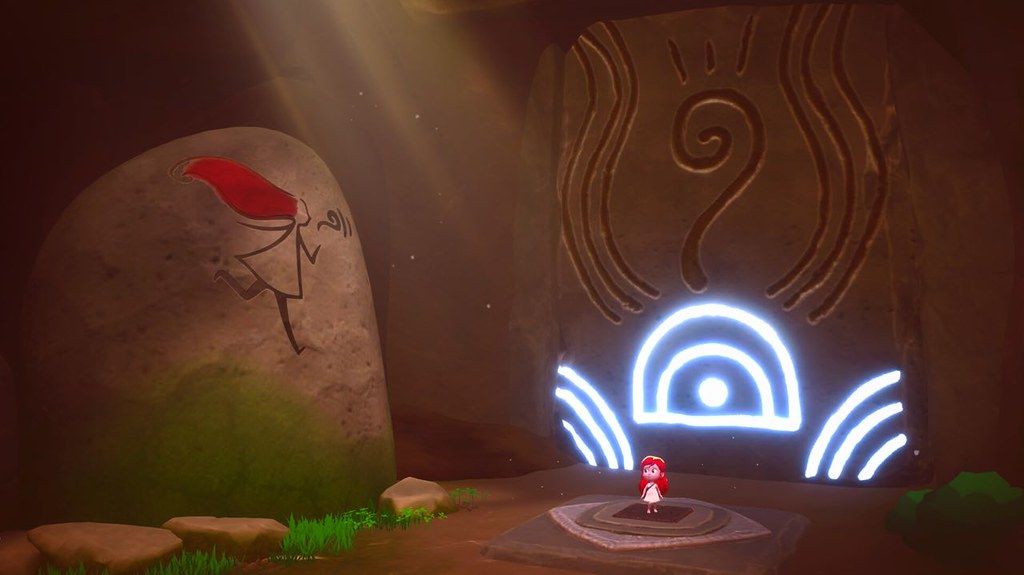
Mai Child of Ages
Follow Mai on her journey through a shattered world as she searches for her identity and the origin of the mysterious creatures that...
- Intel, 64-bit processor
- macOS 10.13 or later
소개
Follow Mai on her journey through a shattered world as she searches for her identity and the origin of the mysterious creatures that threaten the balance of the universe.
Venture through past and future, exploring Zelda-like dungeons, and uncover the bond that ties Mai to the enigmatic figure who will guide her throughout the adventure, teaching her the mastery of the arcane Uroboro Stone.
The gameplay mechanics evolve seamlessly, shifting from precision platforming to hack and slash combat, adapting to the era you explore.
Lost Epoch
• Set sail with Mai and travel through time, journeying across both past and future, thanks to a Sacred Plant that bridges time and space.
• Observe how the world transforms before your eyes and adapt your actions accordingly.
•
• Dynamic Gameplay & A Deep Storyline
• Play as Mai in the different stages of her life, harnessing the unique abilities in childhood and adolescence to face the challenges ahead.
• Experience a natural progression of gameplay mechanics, from precision platforming to hack and slash combat, while unlocking new abilities for Mai through Metroidvania-style progression, expanding her exploration and combat possibilities.
• Over 20 hours of gameplay, featuring ancient caves to investigate, abandoned factories to discover and submerged worlds to explore.
• Gather hidden clues with Mai to unravel the past, uncovering the events that led to humanity’s extinction, and discover what fate awaits the world after their disappearance.
Master Time Itself
• Mai wields the Uroboro Stone, a shapeshifting relic of immense power, capable of manipulating time. Use it to freeze objects in motion and rewrite the past, solving intricate time-based puzzles.
• Rewrite History – Bend space-time to your will and reshape the future according to your desires using Mai’s unique powers.
• Seeds of Time – As a child, harness the power of newly sprouted mystical plants and their unique properties to navigate complex environmental puzz
편집자 확인 정보
호환되는 구형 Intel Mac·macOS 10.13–10.14 환경을 보유하고 시간 퍼즐, 액션 어드벤처, Metroidvania 성장을 좋아하는 플레이어에게만 권합니다. 최신 macOS·Apple Silicon 사용자는 대체작을 선택하고 Gatekeeper 해제를 호환 해결책으로 보지 마세요. 게임패드로 프롤로그와 시대 전환을 끝내고 체크포인트 재불러오기를 확인한 뒤 장기 저장을 시작하세요. 안전 순서: 구형 OS 확인→백업→1.19/SHA-256→임시 저장→플랫폼→전투→시간 퍼즐→저장→협동→장기 저장.
장점
- 어린 시절 정밀 플랫폼과 청소년 핵앤슬래시가 성장에 따라 조작을 바꿉니다. 과거·미래 이동, 물체 정지, 역사 재작성은 이야기와 퍼즐을 연결합니다. Metroidvania 능력, 제작, 수집품, 부가 도전은 공식 20시간 이상 모험의 탐험 보상을 만듭니다. 애니메이션 영화풍 미술과 원초 정령·적 제어를 이용한 비대칭 2인 협동이 독특하며 5개 언어의 UI, 음성, 자막을 공식 지원합니다.
단점
- 가장 큰 제약은 공식 macOS 10.15+ 비호환으로 대부분의 최신 Mac이 이 채널 빌드에 맞지 않고 Apple Silicon 표도 없다는 점입니다. 시간 여행, 플랫폼, 전투, 제작, 협동의 잦은 전환이 흐름을 분산시킬 수 있고 정밀 점프와 카메라는 답답할 수 있습니다. 소규모 팀 작품이라 타격감, 적 AI, 애니메이션, 안내가 대형 게임보다 거칠 수 있습니다. 1.19 세부 기록이 없어 최신 시스템·저장·협동 수정도 보장할 수 없습니다.
설치 방법
- 이 페이지는 Mai: Child of Ages 1.19용입니다. 중요: Steam은 macOS 10.15 Catalina 이상과 호환되지 않는다고 명시합니다. 채널이 macOS 10.13+로 표시해도 오래된 Intel·macOS 10.13–10.14용으로 판단하고 최신 macOS나 M1/M2/M3/M4 작동을 가정하지 마세요. 공식 조건은 Intel Core Duo 2GHz, 2GB RAM, 5GB, 게임패드 권장입니다. Cloud, 장·체크포인트, 스킬, Uroboro, 재료, 제작, 수집품, 부가 퍼즐, 협동 설정을 백업하고 1.19/SHA-256을 기록하세요. 임시 저장에서 실행, 패드, 어린 시절 플랫폼, 청소년 전투, 시간 정지, 저장 재불러오기를 확인합니다.
제거 방법
- 삭제 전 안정된 체크포인트에서 메뉴로 돌아가 Steam Cloud를 기다리세요. 시대 전환, 제작, 스킬 해제, 보스 결과, 협동 동기화 중에는 강제 종료하지 마세요. 장, 시대, 체크포인트, 능력, 재료·장비, 수집품, 부가 요소, 1.19/SHA-256, Intel 모델, macOS를 기록합니다. 재설치는 확인된 macOS 10.13–10.14 Intel 환경에서 임시 저장을 검증한 뒤 장기 저장을 열고 최신 macOS에서 기존 저장을 반복 덮어쓰지 마세요.
자주 발생하는 오류와 해결 방법
- macOS 10.15+에서 금지 표시, 실행 실패, 즉시 종료가 나면 보안을 계속 끄지 말고 공식 비호환으로 보고 구형 Intel·macOS 환경을 사용하세요. 지원 구형 OS에서도 검은 화면이면 5GB 공간, 2GB RAM, 그래픽, 파일, 오버레이를 확인합니다. 플랫폼·전투 입력 지연은 권장 게임패드, 회피·잡기·시간 능력 재설정, 낮은 화질로 점검하세요. 시간 퍼즐은 현재 시대, Uroboro 형태, 정지 대상, 과거 시대 변경을 확인하고 2인 적 제어는 패드 배정·장면·진행을 확인합니다. 저장 이상은 Cloud·로컬 시간을 비교하세요.
이번 버전 변경 사항
- 채널 버전은 1.19입니다. 공개 개발사 스토어·공지에 1.19와 일대일 대응하는 세부 기록이 없어 특정 레벨, 전투, 퍼즐, 협동, 충돌 변경을 단정할 수 없으며 다른 버전 기록을 옮기지 않습니다. 메뉴 버전, 어린 시절·청소년 전환, 시간 여행, Uroboro, 플랫폼·전투, 제작, 부가 요소, 협동 패드, 체크포인트 저장을 검증합니다.
파일 검증






대체 소프트웨어

스크린샷