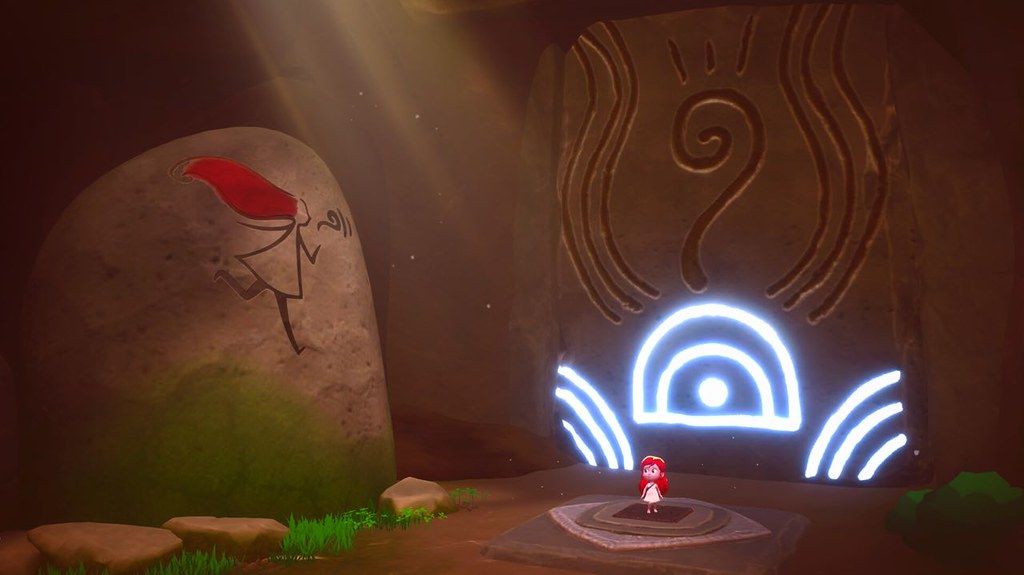
Mai Child of Ages

Mai Child of Ages

· v1.19 Free

Follow Mai on her journey through a shattered world as she searches for her identity and the origin of the mysterious creatures that...

 System Requirements
  • Intel, 64-bit processor
  • macOS 10.13 or later

Description

Follow Mai on her journey through a shattered world as she searches for her identity and the origin of the mysterious creatures that threaten the balance of the universe.


Venture through past and future, exploring Zelda-like dungeons, and uncover the bond that ties Mai to the enigmatic figure who will guide her throughout the adventure, teaching her the mastery of the arcane Uroboro Stone.


The gameplay mechanics evolve seamlessly, shifting from precision platforming to hack and slash combat, adapting to the era you explore.


Lost Epoch

• Set sail with Mai and travel through time, journeying across both past and future, thanks to a Sacred Plant that bridges time and space.

• Observe how the world transforms before your eyes and adapt your actions accordingly.

• Dynamic Gameplay & A Deep Storyline

• Play as Mai in the different stages of her life, harnessing the unique abilities in childhood and adolescence to face the challenges ahead.

• Experience a natural progression of gameplay mechanics, from precision platforming to hack and slash combat, while unlocking new abilities for Mai through Metroidvania-style progression, expanding her exploration and combat possibilities.

• Over 20 hours of gameplay, featuring ancient caves to investigate, abandoned factories to discover and submerged worlds to explore.

• Gather hidden clues with Mai to unravel the past, uncovering the events that led to humanity’s extinction, and discover what fate awaits the world after their disappearance.


Master Time Itself

• Mai wields the Uroboro Stone, a shapeshifting relic of immense power, capable of manipulating time. Use it to freeze objects in motion and rewrite the past, solving intricate time-based puzzles.

• Rewrite History – Bend space-time to your will and reshape the future according to your desires using Mai’s unique powers.

• Seeds of Time – As a child, harness the power of newly sprouted mystical plants and their unique properties to navigate complex environmental puzz


✓ Checked against source material

Editor-checked details

Editor: macv.net Editorial Team · Last reviewed: 2026-08-08
macOSSteam explicitly says the product is not compatible with macOS 10.15 Catalina or later. The listed Mac hardware minimum is Intel Core Duo 2 GHz, 2 GB RAM and 5 GB storage; treat the channel as macOS 10.13–10.14 Intel-only.
Apple Siliconno: the official macOS 10.15+ incompatibility excludes current Apple-silicon macOS environments for this channel build.
Intel MacCompatible
Why we recommend it

Recommended only for players who retain a compatible old Intel Mac/macOS 10.13–10.14 environment and enjoy time puzzles, action adventure and Metroidvania progression. Modern macOS/Apple-silicon users should choose an alternative; disabling Gatekeeper is not a compatibility solution. Use a gamepad to finish the prologue and one era transition, confirm checkpoint reload, then commit to a long save; spend early materials on progression abilities. Safe order: confirm old OS; backup; 1.19/SHA-256; temporary save; platforming; combat; time puzzle; save reload; co-op; long save.

Pros

  • Childhood precision platforming and adolescent hack-and-slash make growth change the controls directly. Past/future travel, freezing objects and rewriting history connect narrative to puzzles. Metroidvania abilities, crafting, collectibles and side trials reward exploration across an officially described 20+ hour adventure. Animated-film presentation is distinctive, while a second player can assist through the primordial spirit and control enemies, adding unusual asymmetric co-op. All five target languages have official interface, full audio and subtitles.

Cons

  • The largest limitation is Steam’s explicit incompatibility with macOS 10.15+, excluding most modern Macs from this channel build; there is no usable Apple-silicon matrix. Time travel, platforming, combat, crafting and co-op are numerous systems, and frequent switching can dilute pacing. Precision jumps plus camera control may frustrate. As a small-team production, combat feedback, enemy AI, animation and signposting may lack big-budget refinement. With no verifiable itemized 1.19 note, it cannot promise fixes for modern systems, saves or co-op.

Installation steps

  1. This page covers Mai: Child of Ages 1.19. Important: Steam explicitly says the product is not compatible with macOS 10.15 Catalina or later. Although the channel says macOS 10.13+, treat it as an old Intel/macOS 10.13–10.14 build; do not assume it runs on modern macOS or M1/M2/M3/M4. Official Mac requirements list Intel Core Duo 2 GHz, 2 GB RAM, 5 GB storage and recommend a gamepad. Back up Steam Cloud, chapters/checkpoints, skills, Uroboro Stone powers, materials, crafting, collectibles, side puzzles and co-op settings, then record 1.19/SHA-256. Use a temporary save to validate launch, gamepad, childhood platforming, adolescent combat, time freeze and save reload before opening the long save.

Uninstallation steps

  1. Before uninstalling, reach a stable checkpoint, return to the menu and wait for Steam Cloud. Do not force-quit during era transition, crafting, skill unlock, boss results or co-op sync. Record chapter, era, checkpoint, powers, materials/equipment, collectibles, side content, 1.19/SHA-256, Intel model and macOS version. Reinstall first only in the confirmed macOS 10.13–10.14 Intel environment, test persistence with a temporary save, then load the long save. Do not repeatedly overwrite old progress while experimenting on modern macOS.

Common errors and fixes

  1. If macOS 10.15+ shows a prohibited symbol, fails to launch or exits immediately, treat it first as the official incompatibility—not a reason to keep disabling security. Use a compatible old Intel/macOS environment. If an old supported system still black-screens, verify 5 GB space, 2 GB RAM, graphics capability and files, then disable overlays. For laggy platform/combat input use the officially recommended gamepad, remap dodge/grab/time powers and lower quality. If a time puzzle stalls, check the current era, Uroboro Stone form, freezable object and changes made in the earlier era. For second-player enemy control, verify controller assignment, supported scene and progress. Stop on save faults and compare cloud/local timestamps.

What changed in this version

  1. The channel version is 1.19. Public developer store material and accessible announcements provide no itemized release note uniquely tied to 1.19, so no particular level, combat, puzzle, co-op or crash change can be confirmed; notes from another release are not reused. Acceptance covers the menu version, childhood/adolescent transitions, time travel, Uroboro Stone, platforming/combat, crafting, side content, co-op controller, checkpoint save and reload.

File verification

Security scanConfirm an old macOS 10.13–10.14 Intel environment first; back up saves, record 1.19/SHA-256, then validate gamepad, childhood/adolescent play, Uroboro time puzzle, checkpoint reload and co-op. View report

Alternatives

Screenshots

Mai Child of Ages 截图