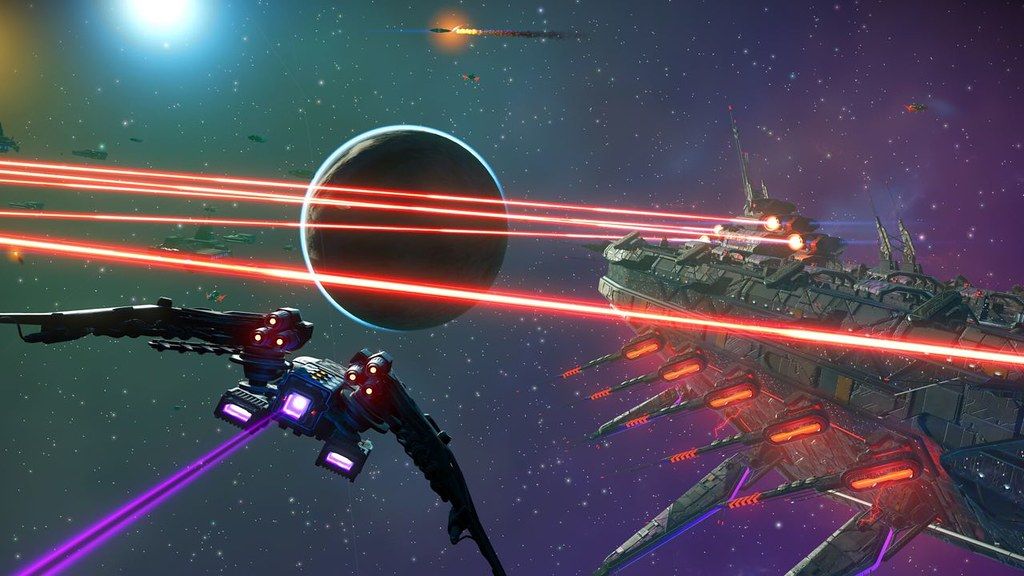
No Man's Sky
Inspired by the adventure and imagination that we love from classic science-fiction, No Man's Sky presents you with a galaxy to...
- Intel, 64-bit processor
- macOS 12.3 or later
Description
Inspired by the adventure and imagination that we love from classic science-fiction, No Man’s Sky presents you with a galaxy to explore, filled with unique planets and lifeforms, and constant danger and action.
In No Man’s Sky, every star is the light of a distant sun, each orbited by planets filled with life, and you can go to any of them you choose. Fly smoothly from deep space to planetary surfaces, with no loading screens, and no limits. In this infinite procedurally generated universe, you’ll discover places and creatures that no other players have seen before – and perhaps never will again.
Now including…
Play with all major updates since launch: Foundation, Pathfinder, Atlas Rises, NEXT, The Abyss, Visions, the 2.0 BEYOND update, Synthesis, Living Ship, Exo Mech, Desolation and the 3.0 update, ORIGINS, Next Generation, Companions, Expeditions, Prisms, Frontiers, Sentinel, Outlaws, Endurance, Waypoint (4.0), Fractal, Interceptor and Echoes.
An epic voyage to the centre of a shared universe awaits, allowing you to explore, trade, fight and survive alone or with friends.
Embark on an epic voyage
At the centre of the galaxy lies a irresistible pulse which draws you on a journey towards it to learn the true nature of the cosmos. But, facing hostile creatures and fierce pirates, you’ll know that death comes at a cost, and survival will be down to the choices you make over how you upgrade your ship, your weapon and suit.
Find your own destiny
Your voyage through No Man’s Sky is up to you. Will you be a fighter, preying on the weak and taking their riches, or taking out pirates for their bounties? Power is yours if you upgrade your ship for speed and weaponry.
Or a trader? Find rich resources on forgotten worlds and exploit them for the highest prices. Invest in more cargo space and you’ll reap huge rewards.
Or perhaps an explorer? Go beyond the known frontier and discover places and things that no one has ever seen before. Upgrade your engines to jump
Editor-checked details
Recommended for players who enjoy free-form exploration, base construction, starship collecting and a long-lived save. Apple silicon is the safer target; Intel users must check Core i5, 8 GB, Radeon Pro 570X 4 GB and macOS 12.3+ individually. Use this sequence: offline backup; record 6.45.1/platform/slot/SHA-256; create a default-MetalFX test save; verify freighter, base, warp and saving; observe thermals/memory for 30 minutes; test Cross-Save with a non-primary slot; join multiplayer last. Compare Elite Dangerous for simulation, Factorio for automation, or Outer Wilds for compact exploration and narrative, after checking current Mac support.
Pros
- Its procedural universe links exploration, gathering, survival, trading, bases, fleets, missions and space combat into a long-term loop, playable solo or with friends across platforms. The Mac rendering pipeline is built for Metal and Apple silicon, with MetalFX balancing image quality, performance and laptop battery life. Selected Intel Macs remain supported, which is unusual for a large modern Mac game. Cross-Play and Cross-Save connect Mac users to other platforms and transfer progress, while major content updates are integrated into the base game.
Cons
- The enormous scope can overwhelm newcomers with resources, technologies, currencies, quest lines and menus, while procedural generation can become repetitive. Large updates may require long shader rebuilds, first loads and save conversion, with thermal and battery cost on laptops. Selected Intel Macs work only when the discrete-GPU and memory floor is met; “Intel 64-bit” alone is insufficient. Cross-Save adds wrong-direction or stale-device overwrite risk. Multiplayer, expeditions and discovery uploads depend on network services, and staggered platform rollout can temporarily prevent matching builds.
Installation steps
- This page is pinned to No Man’s Sky 6.45.1. The official Mac release requires macOS 12.3+; every Apple-silicon Mac is supported, while selected Intel Macs also run it. Hello Games lists the Intel minimum as Core i5, 8 GB RAM, Radeon Pro 570X 4 GB and 20 GB storage. Keep at least 40 GB free for installation and large updates. Back up local saves and record platform, account, 6.45.1, Cross-Save slot and installer SHA-256. Start with defaults and MetalFX, using a non-primary save to test loading, planetary departure, warp, freighter, base, multiplayer and save/quit. Before Cross-Save, verify upload/download direction, timestamps and slots, then round-trip only a copied save. Intel Macs should begin with low quality and resolution and raise one option at a time.
Uninstallation steps
- Quit and let autosave and Cross-Save settle. Copy every local save plus settings and crash logs, labelled with character, mode, 6.45.1, platform, last-sync time and SHA-256. Open the copy offline and confirm ship, freighter, bases, inventory and mission log before uninstalling. Cross-Save users should download the same non-primary slot on a second platform and compare timestamps; cloud must not be the only copy. For troubleshooting, rename settings and shader-cache folders without deleting saves. Removing the game does not revoke Hello Games Cloud/Steam ownership or erase other-platform data. Stop sync on old devices so stale progress cannot be uploaded later.
Common errors and fixes
- For launch failure or black screen, confirm macOS 12.3+ and the matching Apple-silicon/Intel hardware tier, verify files and SHA-256, disable overlays, recording and mods, then rebuild shader cache. For low FPS or flicker, enable or retune MetalFX and reduce resolution, shadows, reflections and planetary detail; Intel and base M1 should favour frame-time stability. For desync or overwrite, stop play on every device, copy local data, verify Hello Games Cloud account, slot, timestamp and direction, and resolve with a non-primary slot. Disappearing freighters and missing captain calls after freighter battles are official 6.45.1 fixes: confirm the actual build and retry from a safe pre-fix save. For multiplayer failure, match builds and cross-platform service state, then test without mods.
What changed in this version
- Hello Games released The Swarm 6.45.1 on 2026-06-22 as a gameplay and stability patch. Its two explicit fixes address freighters disappearing in some circumstances and freighter captains failing to call the player after completion of a freighter battle. This page attributes only those official 6.45.1 items and does not import changes from another build or a platform on a different rollout schedule.
File verification






Alternatives

Screenshots