BetterZip
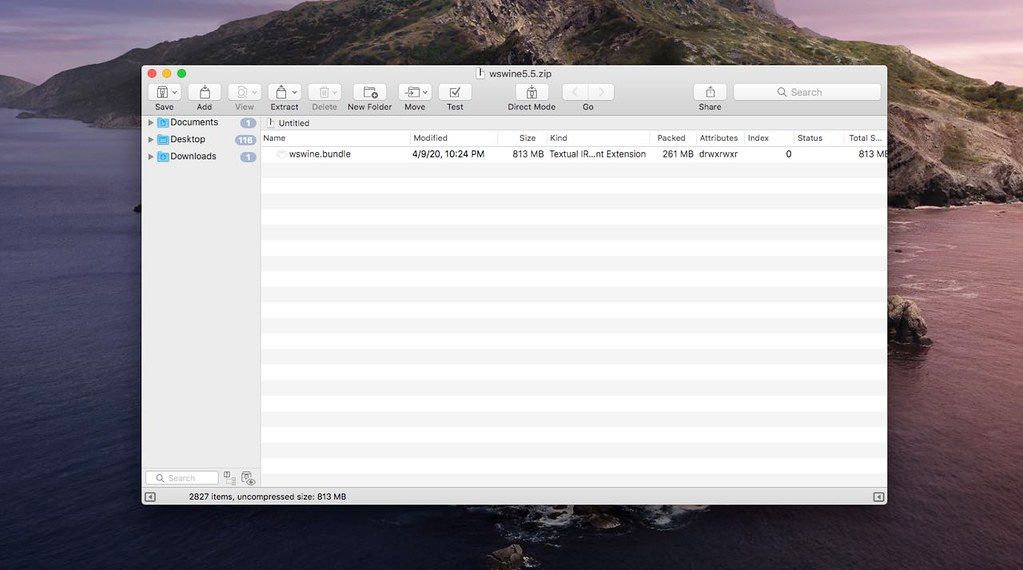
BetterZip lets you quickly inspect archives without first extracting their contents. Extract Only Files You Really Need: If you only...
- Intel, 64-bit processor
- macOS 13.5 or later
Description
BetterZip lets you quickly inspect archives without first extracting their contents.
• Extract Only Files You Really Need: If you only need a few files or folders from a larger archive, you don’t have to extract the whole thing. Simply drag the files you need from the BetterZip window to any Finder window or the desktop.
• Open Archives Without Extracting: Not only can BetterZip open archives without first extracting them but you can also search for a file using the iTunes-like interface. BetterZip can open and extract archives with the most common formats: ZIP, SIT, TAR, XAR, GZip, BZip2, RAR, 7-Zip, CPIO, ARJ, LZH/LHA, JAR, WAR, CAB, ISO, CHM, RPM, DEB, NSIS, BIN, HQX.
• Create Archives: Simply drag files and folders from your hard drives, disks, or network places into your new zip file. You no longer have to copy all the files into a temporary folder first. The supported formats are ZIP, TAR, GZip and BZip2 compressed TAR, XAR, 7-ZIP, and RAR (using the external RAR commandline tool). Large archives can also be split.
• Protect Your Data: BetterZip can protect your data with a password and create WinZip compatible AES-256 encrypted archives. 7-zip and rar archives can also be protected.
• Update Archives: Add new or updated files to existing archives. Remove any file or folder from an archive, or even move files around inside the archive as if it were a normal folder.
• Make Archives Compatible: Strip Mac specific files and resource forks from archives for best compatibility with systems like Windows or Linux.
WHAT’S NEW
Version 6.0.6:
• Release notes were unavailable when this listing was updated.
REQUIREMENTS
• Intel, 64-bit processor
• macOS 13.5 or later
ScreenShots
If you are using Adblocker!! Please support this website by adding us to your whitelist. Ads are what helps us bring you premium content! Or read this to know how you can support us. Thank you!
•
Size
– 26.9MB
Previous Versions
Editor-checked details
Best for advanced archive inspection, editing, batch work and automation; Keka or the system tool is enough for basic ZIP extraction. Checked against official downloads, history, help and docs
Pros
- Preview and edit archives without fully extracting them.
- Rich format, encryption, filter, preset and automation support.
- Native on Intel and Apple silicon.
Cons
- BetterZip 6 requires macOS 13.5+.
- More configuration than a basic extractor.
- Normal Mode can use substantial temporary space for huge files.
Installation steps
- Installation steps:
- Open the download and move BetterZip to Applications.
- Enable Finder, Quick Look or Share extensions as needed.
- Install the CLI only through BetterZip > Install Command-Line Tool.
Uninstallation steps
- Uninstall the command-line tool from the BetterZip menu first.
- Quit BetterZip and move it to Trash.
- For a thorough cleanup, remove its user Library/Services items and com.macitbetter.betterzip.plist.
Common errors and fixes
- Updater says read-only volume: ensure BetterZip is in Applications; official help also documents clearing quarantine attributes.
- Finder extension issue: check extension settings and disable it on external drives if needed.
- Large archive uses extra disk space: Normal Mode stages files in a temp folder; consider Direct Mode.
- Apps packed with 6.0 may have broken symlinks: re-pack with 6.0.1 or later.
What changed in this version
- No verifiable itemized 6.0.3 note is public. Record version/SHA-256 and retest ZIP/7z/TAR creation/extraction, encryption, preview, Finder services, non-Latin filenames and damaged-archive handling.






Alternatives



Screenshots