App Cleaner & Uninstaller Pro
App Cleaner - The best app to remove applications service files on Mac OS X and uninstalling applications*. Delete application...
- macOS 11.0 or later, 64-bit processor
Description
App Cleaner – The best app to remove applications service files on Mac OS X and uninstalling applications*.
Delete application’s service files. Make sure they aren’t eating up precious space on your Mac with this helpful app that does the legwork for you.
Main Gained Value – Speed up Your Mac by :
• deleting apps’ files taking performance resources
• deleting debris of apps that were simply put into Trash
• managing all types of service files (caches, logs, preferences, etc.)
Main Advantage: App Cleaner deletes Remains (or leftovers) – files of previously removed apps.
Thus, you uninstall applications completely.
Main Features :
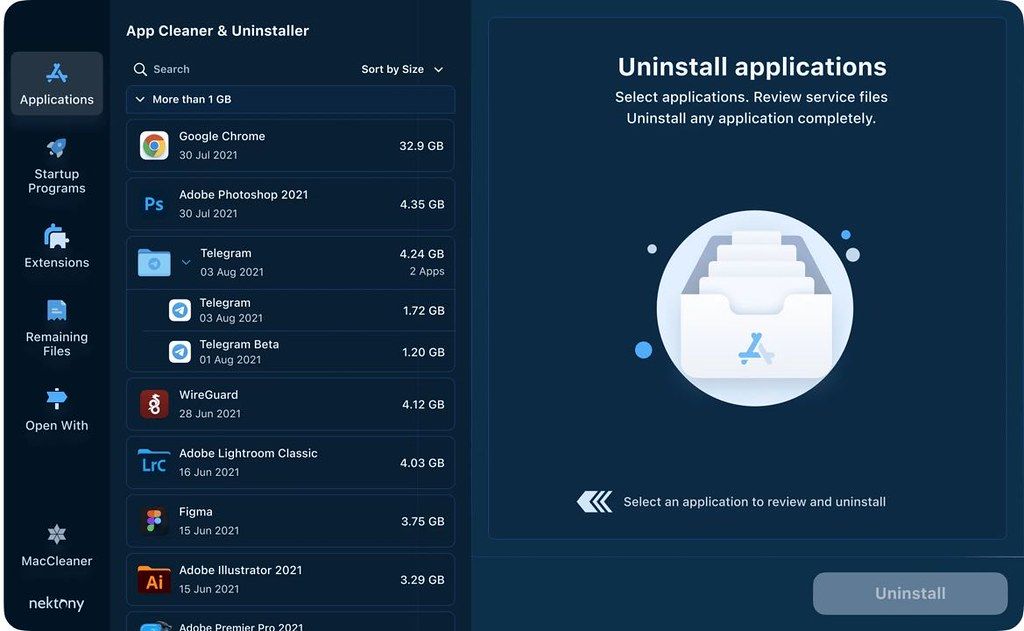
• Scan the system and preview installed applications
• Remove all types of service files
• Remove remains of previously uninstalled apps
• Reset application to a first-launch state
• Easy-to-use shortcuts
• Any file or app quick preview
• Specific app-associated file formats preview
• In-app help assistance
• Show unused applications
• Skip list option
How to Uninstall an application using App Cleaner :
• Launch App Cleaner.
• Scan all applications for service files.
• Choose unneeded application (left view). In-app purchase required.
• Select all its’ service files on right view.
• Click Remove.
• If some apps were not removed, due to access rights, switch to Finder and move them manually to Trash*.
*Some applications can not be removed because they require administrator privileges. In this case, switch to the Finder and delete the application file in usual way.
WHAT’S NEW
Versions 9.2.4:
• Release notes are available here .
REQUIREMENTS
macOS 11.0 or later, 64-bit processor
ScreenShots
If you are using Adblocker!! Please support this website by adding us to your whitelist. Ads are what helps us bring you premium content! Or read this to know how you can support us. Thank you!
•
Size
– 35.7MB
Previous Versions
Editor-checked details
Recommended for users who install many apps and want visual review of leftovers and startup agents. Compare AppCleaner or Pearcleaner for free uninstallation, or CleanMyMac for a broader maintenance suite. Carefully review every deletion after granting Full Disk Access. Verified from Nektony's product pages, help and FAQ
Pros
- Removes apps with associated service files; manages startup items, extensions, leftovers, permissions and updates; exposes file details and removal history; supports Intel and Apple Silicon.
Cons
- Full cleanup requires sensitive Full Disk Access; removal features require Pro after trial; external-drive and system apps are unsupported; associated-file detection is not infallible, so manual review still matters.
Installation steps
- Supports macOS 11–26 on Intel and Apple Silicon. On first launch, grant App Cleaner & Uninstaller Full Disk Access in System Settings → Privacy & Security, then relaunch it.
- After scanning, select an app and review every associated item before removal. Keep the default Move to Trash behavior until you trust the results. AI App Summary requires Apple Silicon and macOS 26.
Uninstallation steps
- Use its built-in self-uninstaller: open Settings → Advanced, scroll to the bottom and click Remove. This removes the app and deactivates its license.
- If that cannot run, quit the app, move it to Trash, then follow the official list for its Application Support, Application Scripts, Caches and Preferences items in your user Library.
Common errors and fixes
- Incomplete scan or cleanup: grant Full Disk Access again and relaunch.
- Removal fails: quit the target app and background agents, then check Trash, Finder automation and folder permissions.
- To reduce accidental loss, keep Move to Trash enabled and restore from Trash or Removal History. Never permanently delete unverified plug-ins, launch agents or shared data.
- Apps on external drives are unsupported; the tool manages the active system disk. Protected Apple system apps cannot be removed.
What changed in this version
- No verifiable itemized 9.2.4 note is public. Record version/SHA-256 and retest app scanning, grouped leftovers, startup/extension management, protected list, permissions and undo path.






Screenshots