Adobe Bridge
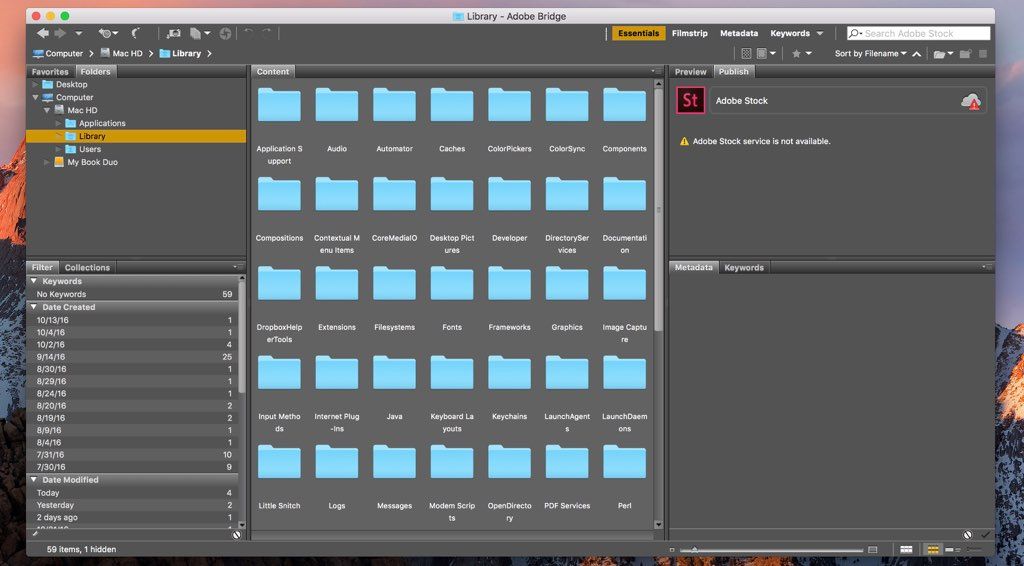
Adobe Bridge provides you with centralized access to all the media assets you need for your creative projects. Batch edit with ease, add...
- Intel, 64-bit processor
- macOS 12.0 or later
Description
Adobe Bridge provides you with centralized access to all the media assets you need for your creative projects. Batch edit with ease, add watermarks, and even set centralized color preference — Bridge simplifies your workflow and keeps you organized.
What can you do with Bridge?
• Edit metadata.
• Organize assets using collections, and find assets using powerful filters and advanced metadata search features.
• Add keywords, labels, and ratings to assets.
• Collaborate with Creative Cloud Libraries and publish to Adobe Stock right from Bridge.
WHAT’S NEW
Version 16.0.1:
• Release notes were unavailable when this listing was updated.
REQUIREMENTS
• Intel, 64-bit processor
• macOS 12.0 or later
ScreenShots
If you are using Adblocker!! Please support this website by adding us to your whitelist. Ads are what helps us bring you premium content! Or read this to know how you can support us. Thank you!
•
Size
– 4.05GB
Previous Versions
Editor-checked details
Recommended for photographers, designers and production teams managing files across Photoshop/Illustrator/InDesign, quickly culling photo/video folders without catalog import, writing metadata and batch renaming. Compare Photo Mechanic for fast news/sports ingest and IPTC, Lightroom Classic for durable RAW catalogs and nondestructive batches, ACDSee Photo Studio for general photo management, and Eagle for visual-reference libraries. Before production rename, move or metadata writes, run a copied sample and retain logs/old-name maps; use verified copy plus a second backup before clearing cards. Bridge is a useful file-layer front end, not the sole backup, sole project database or video-delivery QC tool.
Pros
- Direct folder browsing, moving and preview comparison without catalog import across many creative formats; metadata, keywords, ratings, labels, Batch Rename and workflows organize photography/design deliveries; Camera Raw provides nondestructive RAW/JPEG/TIFF adjustment; tight Tools/Place/script integration with Photoshop, Illustrator, InDesign and After Effects; central/shared cache accelerates repeated team browsing.
Cons
- Not a full DAM or Lightroom catalog: it lacks a durable cross-volume database, virtual collections and comprehensive cloud sync; file operations affect disk directly, making mistaken batch rename/move/delete harder to recover; initial previews for large folders cost time/cache and network performance depends on latency/permissions; XMP sidecars can be omitted during copying or overwritten by competing apps; Camera Raw edits and Photoshop automation are version-sensitive; video is selection preview rather than professional QC/editing; prompt security updates matter because untrusted media is parsed.
Installation steps
- Bridge 16.x supports macOS Ventura 13, Sonoma 14, Sequoia 15 and Tahoe 26. It needs 8 GB RAM, 4 GB installation space, a 1280×800 display and a Metal GPU. Apple silicon requires M1 or later and at least 8 GB unified memory (16 GB recommended); Intel Macs require a 6th-generation or newer AVX2 CPU. A 2013 Mac Pro or older cannot install v16. Install through Creative Cloud, immediately apply available security updates, and keep Bridge, Photoshop and Camera Raw compatible. Place the app and central cache on a fast internal SSD and set a practical limit for large RAW/video collections. Before sharing cache, align Bridge/Camera Raw versions, color settings, keyword hierarchy and naming rules. Test Photo Downloader with copied media for destination, rename, metadata template, second backup and verification; write-protect cards where possible and never format them before verified ingestion.
Uninstallation steps
- Before uninstalling, export/back up keyword hierarchies, metadata templates, Favorites, workspaces, color-label rules, Batch Rename/Workflow/Export presets, scripts, plug-ins and Camera Raw settings. Bridge has no Lightroom-style catalog, but ratings, labels, keywords and edits may reside in files, XMP sidecars or cache databases. Inspect representative RAW/JPEG/video files to learn where metadata is written and keep each `.xmp` with its original. Cache is not an asset backup; purging it only forces thumbnail/preview rebuilding. Uninstall through Creative Cloud without deleting media folders. For troubleshooting, reset preferences and purge/rebuild the affected folder cache before disabling plug-ins/scripts or reinstalling. After restoration, sample filenames, dates, ratings, keywords, labels, Camera Raw edits and Photoshop tools.
Common errors and fixes
- For blank thumbnails, wrong color or stuck previews, Purge Cache for one affected folder, rebuild central cache and align Camera Raw/color settings; deleting cache does not delete originals. For launch crashes or broken workspaces, hold Command+Option+Shift at launch to reset preferences/cache, then isolate third-party plug-ins, startup scripts and corrupt fonts. On Mac, dragging a file/folder to the Dock may not launch v16; hold Command while dragging. Brief garbage frames at the start of MPEG preview are known, so judge delivery in a qualified player against the original. Test Batch Rename on copies, use unique sequences and preserve an old-to-new name map. Bridge move/delete/rename changes disk files directly, unlike a catalog-only operation. For failed metadata writes, check read-only storage, permissions, sidecar pairing and format, and prevent simultaneous XMP writers. For camera/iPhone ingest failures, update macOS, review privacy/removable-volume access and compare a card reader. Apply current security updates before opening untrusted external assets.
What changed in this version
- Bridge 16.0.1 is a maintenance build in the v16 line. Bridge 16.0 (October 2025) continues the catalog-free folder browser around previews, centralized metadata, keywords, ratings/labels, Batch Rename, workflows and Camera Raw integration. The meaningful upgrade checks are cache migration, workspaces, scripts/plug-ins, Photo Downloader, Photoshop Tools and video preview—not merely whether the Home screen opens. Because Bridge parses many externally supplied media formats, keep receiving security updates through Creative Cloud after installation; the build shown on this page is not a reason to stop official updating.






Alternatives




Screenshots