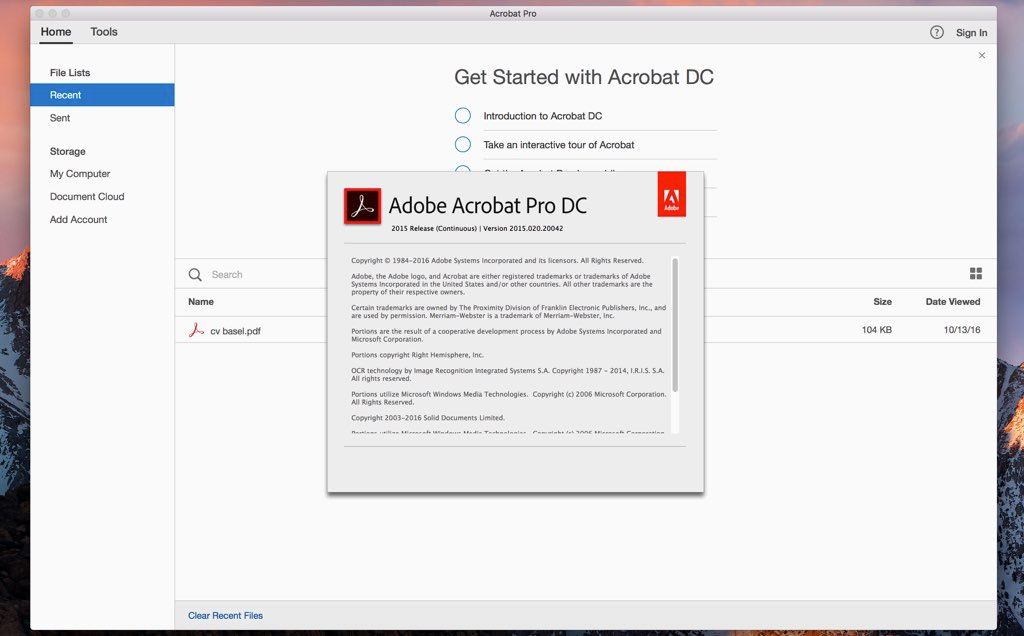
Adobe Acrobat Pro
Adobe Acrobat Pro - with Adobe Document Cloud services is here. Completely reimagined PDF tools let you create, edit, sign, and track....
- Intel, 64-bit processor
- macOS 10.15 or later
Description
Adobe Acrobat Pro with Adobe Document Cloud services is here. Completely reimagined PDF tools let you create, edit, sign, and track PDFs from anywhere. It will change the way you work with design layouts, press-ready files, and all your important documents forever.
• Access powerful print production and digital publishing tools . Preview, preflight, correct, and prepare PDF files.
• Work anywhere . Create, export, and sign PDFs from your computer or the Acrobat DC mobile app.
• Take your files with you . Use Mobile Link to access recent files across desktop, web, and mobile.
• Edit anything . Instantly edit PDFs and scanned documents — as naturally as any other file.
• Make last-minute changes . Edit text and organize PDF pages on your iPad.
• Replace ink signatures . Send, track, manage, and store signed documents with a built-in e-signature service.
• Protect important documents . Prevent others from copying or editing sensitive information in PDFs.
• Eliminate overnight envelopes . Send, track, and confirm delivery of documents electronically.
WHAT’S NEW
Version 25.001.21111:
• Latest Release: This update provides new features, security mitigations, feature enhancements, and bug fixes.
REQUIREMENTS
• Intel, 64-bit processor
• macOS 10.15 or later
ScreenShots
If you are using Adblocker!! Please support this website by adding us to your whitelist. Ads are what helps us bring you premium content! Or read this to know how you can support us. Thank you!
•
Size
– 1.8GB
Previous Versions
Editor-checked details
Recommended for professionals and teams handling contracts, forms, OCR, certificate signing, accessibility compliance, redaction and print preflight. Compare PDF Expert for fast reading, annotation and a Mac-native feel; UPDF for a simpler cross-platform tool; Nitro PDF Pro for business document workflows; and PDFelement for another OCR/forms option. After automated redaction, verify that underlying text and metadata are actually removed. Preserve a read-only archive before signing, and inspect critical deliveries in another viewer for pages, fonts, links, bookmarks and signatures. This review follows Adobe's requirements, 25.001.21111 release notes and known issues.
Pros
- Comprehensive PDF creation, editing, OCR, forms, comments, comparison, redaction, preflight, digital signatures and e-sign ecosystem; strong cross-platform industry compatibility for complex forms, certificates and print workflows; Actions and batch tools automate repetition; mature Microsoft 365, Adobe Scan, Document Cloud and shared-review integration; accessibility checking and tagging support compliance work.
Cons
- Subscription cost is high and some features depend on an account or cloud services; the tool-heavy interface is excessive for reading and light annotation; large scans, complex transparency, very long files or cloud documents can consume memory and search slowly; OCR, reflow, redaction and accessibility tags require human review; plug-ins, enterprise security software, certificate middleware and frequent updates may conflict; PDF editing cannot reliably recreate the source layout, so major changes belong in Word, InDesign or the original authoring file.
Installation steps
- Acrobat Pro desktop supports Intel and Apple silicon. Adobe's current technical requirements list M1/M2/M3/M4, at least 4 GB RAM, about 4.5 GB installation space and a 1024×768 display; use Creative Cloud's compatibility result for the exact build and installed macOS. Install through Creative Cloud, sign in to the subscribed account and immediately run Check for updates rather than remaining on an old security patch. Before adding signing, forms or prepress plug-ins, verify compatibility with the Acrobat build, macOS and Apple silicon. Keep Preview available before changing the default PDF app. Enterprise certificate workflows should test Keychain, smart card/USB token middleware, intermediate certificates and timestamp service. For scan/OCR, select the correct scanner, language and resolution, then verify searchability, layout and file size.
Uninstallation steps
- Before uninstalling, back up local PDFs, Portfolios, Actions, stamps, signature appearances, Preflight profiles, JavaScript, export settings, trusted certificates and custom tools; confirm cloud documents, shared reviews and e-sign status are synchronized. Do not rely on app preferences as the only copy of a private digital identity—export it according to policy or confirm it remains in macOS Keychain/hardware token. Remove Acrobat with Creative Cloud or Adobe's uninstaller. For launch crashes, try a normal uninstall first; use the official Cleaner Tool only if the issue persists and back up preferences/Application Support before removal. Restart, install the latest supported build, verify open, edit, OCR, signing, printing and updating, then restore plug-ins.
Common errors and fixes
- If a PDF will not open, renders blank or reports damage, save it locally, compare in Preview, disable suspect third-party plug-ins and obtain a fresh copy from a trusted source; do not disable all protection just to open an unknown PDF. For an invalid signature, check system time, certificate chain, revocation/timestamp services, post-signing changes and recipient trust. Font substitution or layout shifts usually indicate unembedded fonts; preflight fonts, transparency, color spaces and page boxes before press delivery. For printing failures, Print as Image can isolate rendering problems; update printer drivers/firmware and compare Preview printing, but do not make the diagnostic workaround the permanent workflow. Sandboxed Acrobat on pre-Sonoma macOS may delay external web links, and advanced search can be slow for cloud documents. For launch/edit crashes, update or disable conflicting Seclore, IntoWords, PitStop Pro or old ImageRight plug-ins; use Adobe Cleaner Tool for a corrupted installation.
What changed in this version
- Acrobat 25.001.21111 is a Continuous Track planned update released January 20, 2026 for Acrobat and Reader. It is a maintenance build with stability and accessibility fixes, including a documented correction for JAWS not reading PDF form fields. It is not a redesign of the interface or core PDF workflow; its practical value is defect correction and the patch baseline available at release. Acrobat receives frequent security updates, so run Check for updates after installation and do not disable later official patches merely because this page lists 25.001.21111.
Related apps






Alternatives




Screenshots