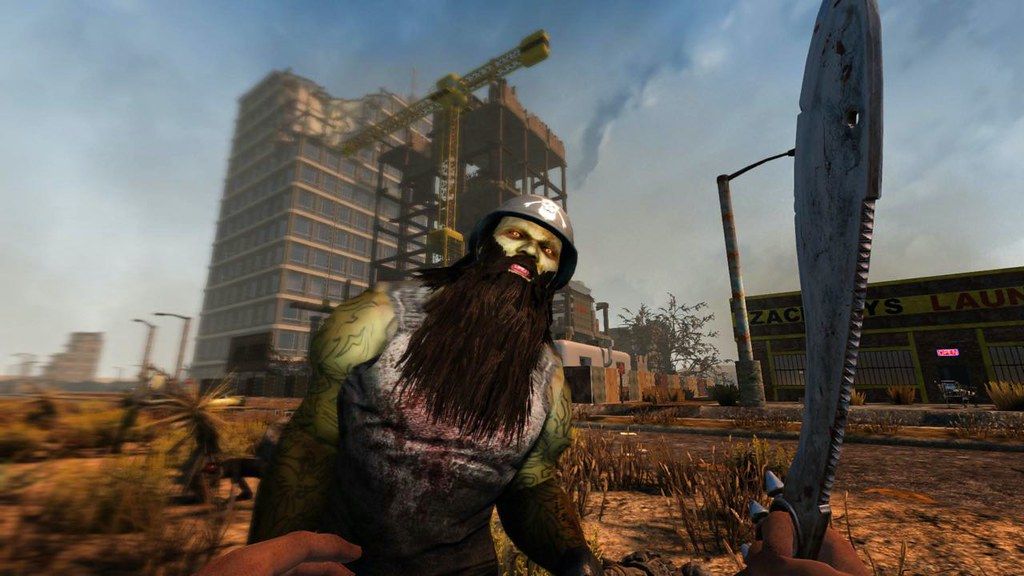
7 Days To Die 3.2.0 B10

7 Days To Die 3.2.0 B10

· v3.1.0 Free

With nearly 10 million copies sold, 7 Days to Die has defined the survival genre, with unrivaled crafting and world-building content. Set ...

 System Requirements
  • Intel, 64-bit processor
  • macOS 10.13 or later

Description

With nearly 10 million copies sold, 7 Days to Die has defined the survival genre, with unrivaled crafting and world-building content. Set in a brutally unforgiving post-apocalyptic world overrun by the undead, 7 Days to Die is an open-world game that is a unique combination of first person shooter, survival horror, tower defense, and role-playing games.

It presents combat, crafting, looting, mining, exploration, and character growth, in a way that has seen a rapturous response from fans worldwide. Play the definitive zombie survival sandbox RPG that came first. Navezgane awaits!


GAME FEATURES

• Explore – Huge, unique and rich environments, offering the freedom to play the game any way you want with many unique biomes.

• Craft – Craft and repair weapons, clothes, armor, tools, vehicles, and more with over 500 recipes. Learn more powerful recipes by finding schematics.

• Build – Take over a ruin, or build from the ground-up. Design the ultimate fort to include traps, electric power, auto turrets, automated doors, gadgets and defensive positions to survive the undead. The world is fully destructible and moldable.

• Cooperate or Compete – Work together cooperatively to build settlements or work against each other raiding other player’s bases, it’s really up to you in a wasteland where zombies and outlaws rule the land.

• Create – Unleash your creativity and build the ultimate world by yourself or with friends. Enjoy unlimited access to over 800 in-game items, nearly 2,000 unique building blocks and a painting system that offers over a quadrillion possibilities.

• Improve – Increase your skills in 5 major disciplines with a multitude of perks under each attribute. Gain additional skills by reading over 100 books. 7 Days to Die is the only true survival RPG.

• Choose – Play the Navezgane campaign world, or dive back in with friends in a randomly-generated world with cities, towns, lakes, mountains, valleys, roads, caves and wilderness locations. The possibilities are i


✓ Checked against source material

Editor-checked details

Editor: macv.net Editorial Team · Last reviewed: 2026-08-07
macOSOfficial legacy Mac baseline: macOS 10.13, quad-core 2.8 GHz, 8 GB RAM, 2 GB dedicated graphics and 15 GB; recommended 3.2 GHz/12 GB/4 GB.
Apple SiliconNot explicitly listed or promised as native ARM support; M-series use should be treated as a Rosetta compatibility attempt.
Intel MacCompatible
Why we recommend it

Recommended for Intel-Mac players who accept demanding survival, repeated gathering, base engineering and Blood Moon defense and will maintain world backups. Target the official 12-GB/4-GB-graphics recommendation. On Apple silicon, first run a small clean world through Rosetta for 30 minutes. Workflow: reserve 35 GB; fully back up Saves/GeneratedWorlds/Mods; record 3.0.1(b4), EAC, server config and SHA-256; reach night one on a clean world; quit/reload; test Blood Moon and multiplayer; migrate an old world only as a copy. Compare SnowRunner for difficult terrain logistics, Dying Light for story-action survival, or Minecraft for lighter building/exploration after confirming Mac support.

Pros

  • It combines open-world looting, voxel mining, fully destructible building, weapon/tool crafting, character skills, vehicles and periodic Blood Moon tower defense in one sandbox, with exceptional base-design freedom. Navezgane and random worlds support authored routes and repeated discovery, with solo, co-op, PvP, LAN and dedicated-server options. More than 500 recipes, nearly 2,000 building blocks and extensive mods sustain long worlds, with English, Simplified/Traditional Chinese, Japanese and Korean interfaces.

Cons

  • Voxel worlds, hordes, chunk loading and large bases stress CPU, RAM and graphics far beyond what the 15-GB install figure suggests; 8 GB is only minimum and a local server doubles needs. The old Mac specification has not been rewritten around Apple silicon, leaving Rosetta, EAC and newer macOS combinations uncertain. Updates often alter worlds, XML and mod APIs, risking overhaul mods and old saves and demanding careful backups. Repeated gathering, durability repair and scheduled Blood Moon preparation are core. Explicit violence, horror, gore and drug content are unsuitable for some audiences.

Installation steps

  1. This page covers 7 Days to Die 3.0.1. Steam’s official Mac minimum is macOS 10.13, quad-core 2.8 GHz, 8 GB RAM, 2 GB dedicated graphics and 15 GB storage; recommended is quad-core 3.2 GHz, 12 GB and 4 GB graphics. Worlds, generated maps, mods and logs grow quickly, so keep 35 GB free. Running client and dedicated server together doubles RAM needs. The official Mac table does not list Apple silicon or native ARM support; an M-series Mac is only a Rosetta compatibility attempt, while Intel remains the explicit baseline. Back up Saves, GeneratedWorlds, Mods, configuration and player data; record 3.0.1, seed, server settings, EAC state and SHA-256. Test generation, spawn, loot, craft, build, vehicles, Blood Moon, save/quit and reload on a clean new world before copying an old one.

Uninstallation steps

  1. Leave combat in a safe place, wait for world saving, then quit. Copy Saves, GeneratedWorlds, Mods, player profiles, serverconfig and output logs, labelled with 3.0.1(b4), world/seed, game day, character, base coordinates, mod versions, EAC and SHA-256. Load the copy offline and verify inventory, skills, vehicles, land claim, base, traders and time before uninstalling. For diagnosis, move all mods/cache away rather than deleting the only world; blocks/items added by a mod cannot simply be removed from an existing save. After reinstalling, complete one day and a save on a new world before restoring a copy. Keep two world/player generations and snapshot the entire server before upgrading.

Common errors and fixes

  1. If a world crashes during generation/spawn, verify SHA-256 and space, isolate mods, EAC and overlays, and reduce terrain quality, view distance, shadows and textures. File verification is safer than repeatedly overwriting a save. If bases/signs fail to render in 3.0.1, preserve a copy and reload the chunk. This maintenance build targets a Sign-Tech ArgumentNullException/stability issue, but individual cases still require logs. If traders lose inventory/quests or chunks reload repeatedly, stop saving, restart and match the exact server/client build. For rubber-banding, match 3.0.1, mods, EAC and map and reduce server view distance. An M-series Rosetta crash has no official guarantee and may not be fixable by settings.

What changed in this version

  1. The site version is 3.0.1, with the public stable build identified as b4. The reliably traceable maintenance focus is a Sign-Tech null exception/sign stability fix plus small stability work accumulated after 3.0. No consolidated item-by-item Fun Pimps changelog could be retrieved that fully maps to 3.0.1, so community speculation and later-build content are not presented as features. Compare world generation, chunk/base/sign rendering, trader data, player profiles, vehicles, EAC multiplayer and server logs after updating. Test old worlds and overhaul mods only as copies.

File verification

Security scanRecord SHA-256, keep two complete world/player generations plus GeneratedWorlds and exact mod order, and snapshot a dedicated server before any update. View report

Alternatives

Screenshots

7 Days To Die 3.2.0 B10 截图