ParticleShop
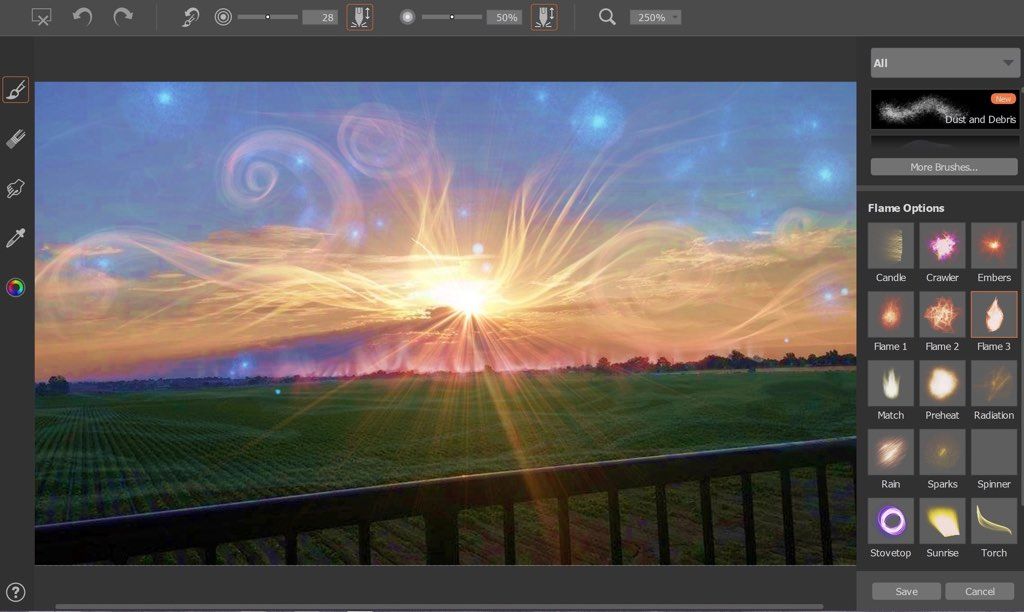
ParticleShop--a powerful new plug-in for Adobe Photoshop, powered by Corel Painter--creates one-of-a-kind effects. Experience living grab-and-go...
軟體介紹
ParticleShop –a powerful new plug-in for Adobe Photoshop, powered by Corel Painter–creates one-of-a-kind effects. Experience living grab-and-go particle brushes that are easy to use with a pressure sensitive tablet, touchscreen, or mouse, and which allow you to artistically enhance photos, designs, and illustrations with strokes of genius.
Features
• Explore an array of 11 imaginative brushes–including Debris, Fabric, Fine Art, Fur, Hair, Light, Space, Smoke, and Storm–that will produce awe-inspiring results in no time. No experience, customization, or time-consuming learning is required. Plus, the plugin is only the beginning! Enjoy infinite inspiration with our extra brush packs available for purchase.
• Evolutionary Brush Technology Powered by Painter – Leave the physics to us; no static stamps here! Experience the fluid strokes of living grab-and-go brushes that spring, flow, gravitate, and glow.
• Intuitive User Experience – Craft your visual masterpiece with the Adobe Photoshop brush plugin, built to perform with a pressure sensitive tablet, touchscreen, or mouse.
• No Upgrade Required – Create with the software and hardware you currently own; nothing more to buy or add.
• Infinite Expression – Achieve mind-blowing effects with physics-based brushes that will follow your every move. Design like a pro with chaotic storms, hairy creatures, flowing gowns, or sci-fi superheroes.
WHAT’S NEW
Version 1.2.566:
Support for OS X El Capitan
• Lag and performance issues have been fixed
Other Changes
• Quick Launch panel for Adobe Photoshop CC 2014 and later (latest updates applied). To launch the panel in Photoshop, click Window > Extensions > ParticleShop Panel. For more information about the panel, please visit the ParticleShop Help Center http://product.corel.com/help/ParticleShop/540244958/Main/EN/Documentation/ParticleShop-faq.html.
• We recommend you work in the Photoshop default tabbed document view. If your image is in a floating window when you launch th






截圖預覽