Xilisoft HD Video Converter
Xilisoft HD Video Converter for Mac is a feature-rich Mac video converter that can convert between virtually all video and audio formats. No longer...
软件介绍
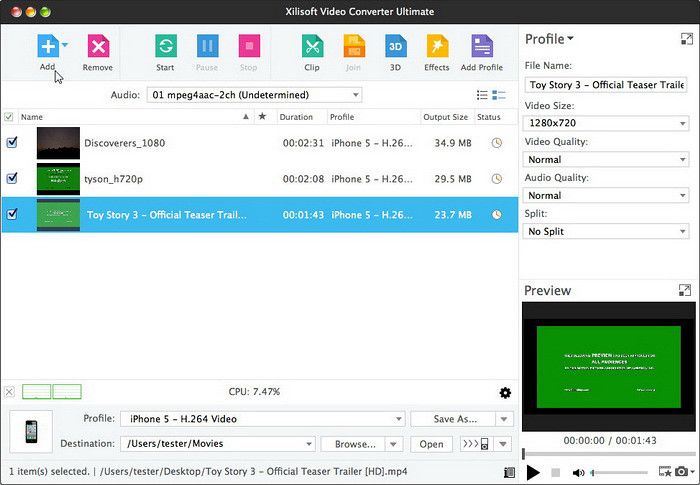
Xilisoft HD Video Converter for Mac is a feature-rich Mac video converter that can convert between virtually all video and audio formats. No longer will you worry about files not being compatible with your devices, Xilisoft Video Converter for Mac makes most media files playable on the iPod, iPhone, iPad, Apple TV, Galaxy, Kindle, HTC One, etc.
Xilisoft Video Converter for Mac offers numerous ways to customize your files: clip, split and merge videos, crop video image, add watermarks, soundtracks and artistic effects, etc.
• Convert all popular videos and audios. Convert 3D & HD videos
• Support videos shot by iPhone, other smart phones and DVs
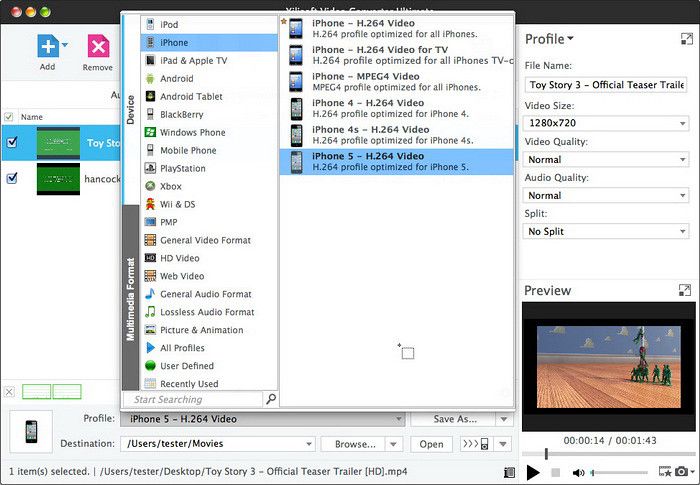
• Convert videos/audios to be compatible with popular multimedia devices
• Video editing: Clip, crop, merge, split, add watermark and soundtrack
High Definition, High Compatibility
onvert all kinds of video and audio files even HD and 3D videos
– Convert All Popular Video and Audio Formats
Convert between video files (including AVI, MPEG, WMV, DivX, MP4, H.264/ AVC, MOV, XviD, 3GP, FLV); convert between audio files (including MP2, MP3, WMA, OGG, AAC, M4A, WAV, AC3); extract audio from video files.
– Convert between standard videos and 3D videos
Support the conversion from standard videos to 3D videos. Convert among 3D files. (Note: To watch 3D videos will require: 3D glasses and 3D TV or monitor.)
– Convert HD Videos
Support HD video encoding and decoding; convert AVCHD, MKV, H.264/ AVC and other HD videos to PS3, Apple TV and Xbox360 compatible HD videos.
– Compatible with most popular digital players
Xilisoft Video Converter for Mac outputs video formats for iPad, iPhone, iPod, PSP, Zune, mobile phones and so on.
Merge, Clip, Split
Customize your output by merging, clipping, or splitting
– Join Several Files with Transitions
Join multiple pictures or video clips together; introduce stunning transitional effects when switching from one scene to another.
– Clip Video Segments
Clip the required segments from






截图预览