Yojimbo
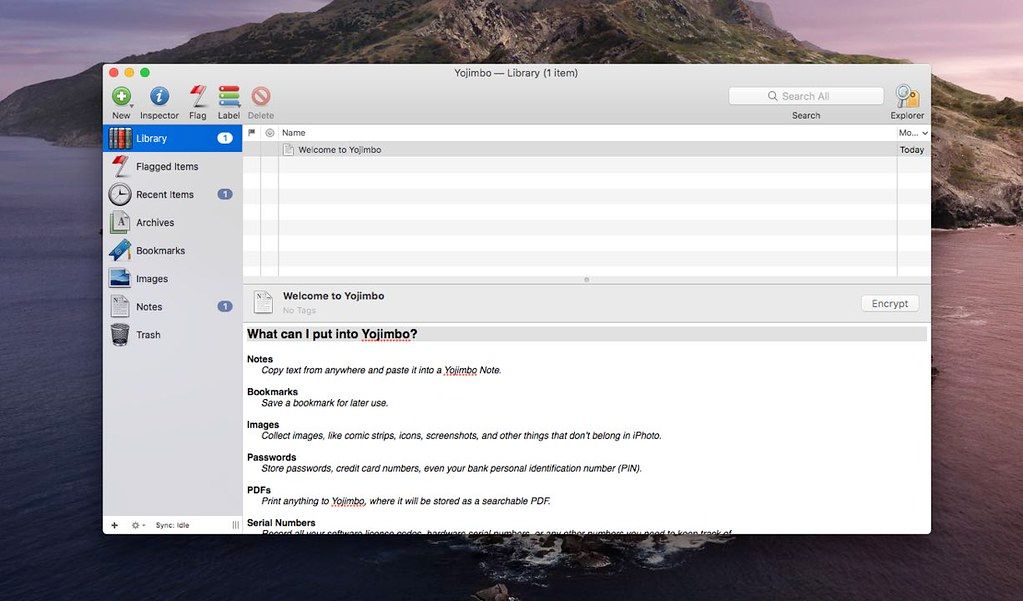
Yojimbo empowers Mac users to manage, effortlessly and securely, the onslaught of information encountered every day at work and at home, even across...
Description
Yojimbo empowers Mac users to manage, effortlessly and securely, the onslaught of information encountered every day at work and at home, even across multiple computers. Yojimbo stores different data types: text notes, passwords, Web bookmarks, product serial numbers, PDFs, and Web archives.
Data input into Yojimbo follows familiar Mac user interface gestures such as copy-and-paste, drag-and-drop, a Quick Input Panel, or PDF Services from the Print menu. Searching and retrieval are instantaneous, using either Yojimbo’s built-in search, or the Spotlight search system in OS X.
WHAT’S NEW
Version 4.5:
New :
• Yojimbo now uses iCloud for syncing your data with multiple Macs. This requires that your Mac be signed into an iCloud account, and that iCloud Drive access is turned on for that account.
• Synchronization data is stored securely on Apple’s servers, and the amount of space it occupies is charged against your iCloud storage allowance. If there isn’t enough room to store your data in iCloud, you may need to upgrade your iCloud storage.
• Syncing only occurs between Macs that are signed into the same iCloud account. It is not possible to share sync data with multiple iCloud accounts.
• Syncing occurs automatically when you make changes. There is a redundant timer which will sync every five minutes, as well as when you bring Yojimbo to the foreground. There is also a “Sync Now” button which you will probably never need to use, but by all means click it if you like.
• The initial synchronization may take a while if you have a significant amount of data stored in Yojimbo. This will proceed in several steps, so if you are setting up Yojimbo on a new computer with no previous data, your best bet is to start Yojimbo and let it run uninterrupted until the count of items on the new computer agrees with the rest of your computers.
• If you sign out of your iCloud account, or turn off iCloud Drive access on a computer, or click the “Stop” button in the Sync preferences, Yo
Related apps






Screenshots