Web Snapper
Web Snapper lets you capture Web pages exactly as they appear in your browser. You can send them to a file as images or vector-based, multi-page PDFs. It
Description
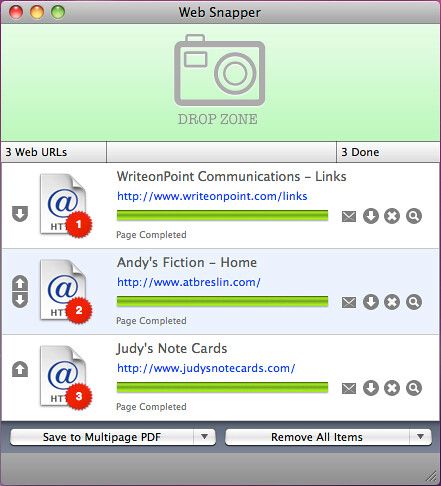
Web Snapper lets you capture Web pages exactly as they appear in your browser. You can send them to a file as images or vector-based, multi-page PDFs. It captures the whole Web page – eliminating the need to cut, paste and crop multiple screen-shots when trying to create an image or PDF. Web Snapper integrates with Safari via a toolbar button.
When clicked, it takes a picture of the current site – but it will also work with any browser as a stand-alone application that accepts drag-and-drop URLs. Regardless of how you invoke it, Web Snapper converts the URL it was given into a continuous vector PDF with everything on the page looking exactly as you originally saw it in the browser.
WHAT’S NEW
Version 3.3.7:
• [FIX] Fixed a problem where footers would not appear when snapping certain pages
• [FIX] Improved a condition that would make Web Snapper crash when snapping very big pages without using PDF pagination
• [FIX] Yet another fix for dynamic content
• [UPDATE] Small updates for OS X 10.10 Yosemite
REQUIREMENTS
• Intel
• OS X 10.5 or later
ScreenShots
:
If you are using Adblocker!! Please support this website by adding us to your whitelist. Ads are what helps us bring you premium content! Or read this to know how you can support us. Thank you!
Size
– 4.9MB
Related apps






Screenshots