Web Editor 2.0-2831
Web Editor is a clever and flexible web editor -- with some serious clout. Start Coding in Seconds. It only takes a moment to get your workspace
Description
Web Editor is a clever and flexible web editor — with some serious clout.
Start Coding in Seconds . It only takes a moment to get your workspace set up. With so many ways to start a new project, the option you need is a click or two away. Start with a clean slate using the Quick File option, or get a head start by opening a new project from a template or files that are already on your computer.
Already have a site on the web? You can start a new project in your local workspace using the files that are on your web server. Just choose the New Project From Server option and let the app download your content and get you set up.
Manage Web Projects Easily . Searching for a sweet editor for OS X that keeps your projects organized? Look no further. Files can be anywhere on your system and still be part of several projects at once. Web Editor keeps them organized without making you clone them or move them around.
Jump in head-first with a quick project template: One click and your project is generated and ready to go. If you have got a nit-picky work style, you can define your own template and be off to a running start each time you fire up Web Editor.
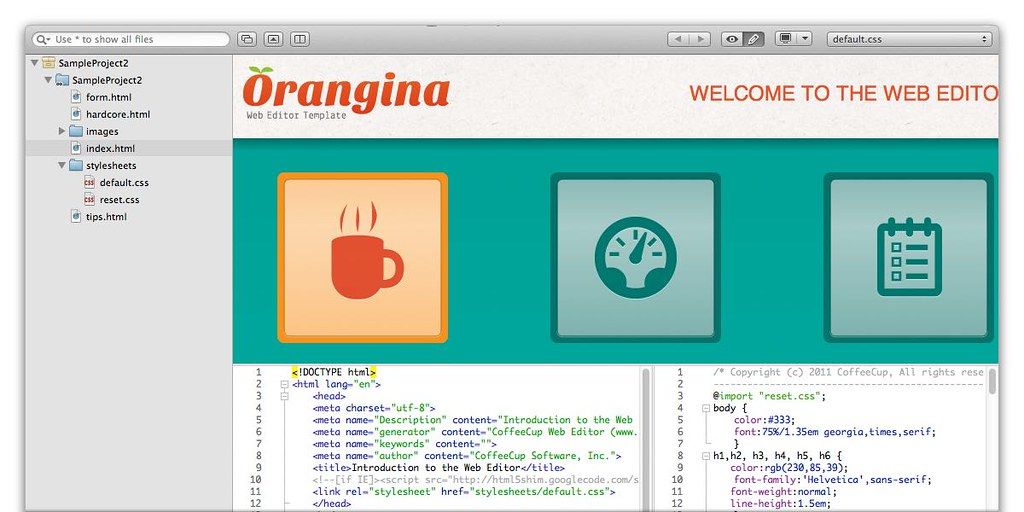
Slick Editing Tricks . Ever taken the HTML-CSS-Preview round trip? Click an element in the preview pane and jump to the corresponding code highlighted below. You have probably used tools like Firebug or WebKits inspector; now you have all that power right in your own workspace. Just edit and save!
There are even more unique features, too. Like multi-cursor positioning, automatic tag matching, block editing, drag-n-drop coding, search-based editing, and an endless supply of personalization options.
Auto-Suggested Content . Your HTML files know which CSS files are part of the family. This means that Web Editor smartly displays CSS rule suggestions when you are adding them to your code”and which HTML elements to suggest in your CSS files.
You can name CSS classes anything you want (but you might forget what you nam






Screenshots