WALTR PRO
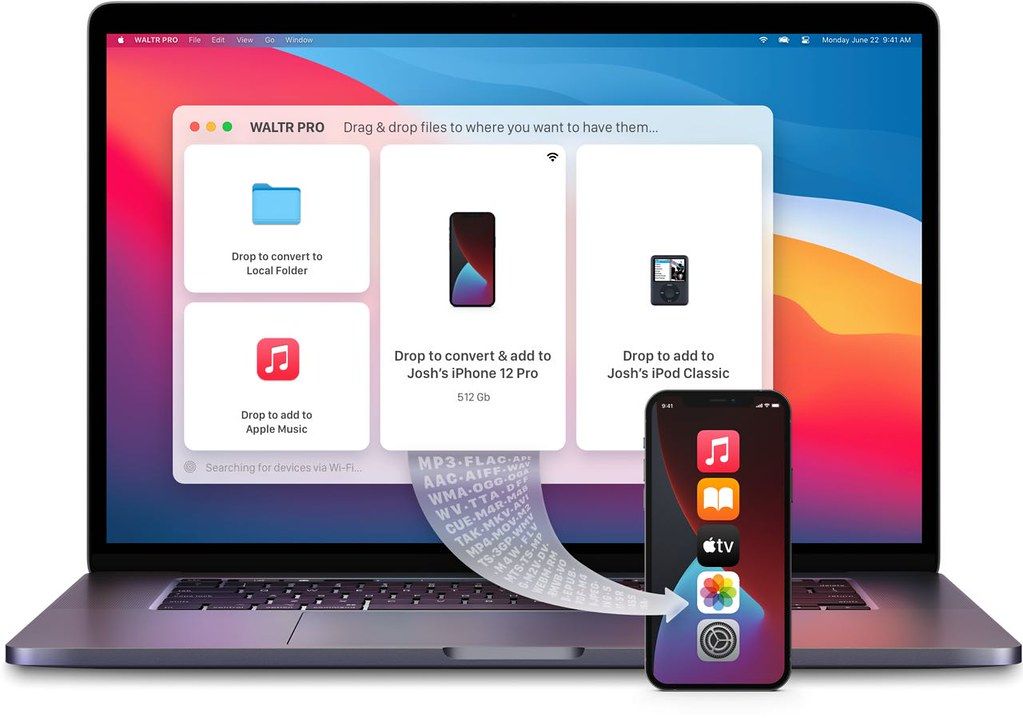
At its core, WALTR PRO continues to deliver the easiest way of transferring files without any hassle. So if you need to get any file ...
Description
At its core, WALTR PRO continues to deliver the easiest way of transferring files without any hassle. So if you need to get any file on iPhone, forget worrying about compatibility.
What’s New
in WALTR PRO?
Edit Metadata & Cover Art
Back in 2016, we’ve introduced ACR – Automatic Content Recognition feature that automatically scans & fills missing metadata. After receiving numerous requests from pro users, WALTR PRO provides the ability to manually edit cover art and metadata. Simply drag & drop the files while holding the Alt (⌥) key and gain full control of the way your media looks.
Transfer Virtually Any File to iOS
With WALTR PRO, you are no longer locked to transferring to native Apple apps. It’s now possible to push virtually any content in any format into your iPhone or iPad. So if you enjoy using VLC or read books in Kindle, we have you covered.
Apart from the familiar file support in WALTR like music & videos, with PRO — you can now transfer content such as: documents, pictures, comics, MS word docs and more. Simply drag & drop the files while holding the Cmd (⌘) key and select the target app for the transfer.
“Hey Siri, play music from my Vinyl”
Siri on HomePod is great—but there are times when Siri cannot access or play our high fidelity music collection. Using WALTR PRO, you can add files to Apple Music. With iCloud enabled, your music will be backed up & ready to play from HomePod.
And for the audiophiles with FLAC music collections, WALTR PRO can safely convert your files into Apple Music (without losing quality). You’ll be able to stream FLAC from any device, including the new HomePod mini.
Simplest Converter Ever
WALTR PRO is a brilliant converter that will quickly convert video and audio files into Apple-friendly formats. And yes, you’ll get the best output file quality. No buttons. No unnecessary settings to worry about. Simply drag & drop to convert media files locally & save them to your internal or external drive as readable formats






Screenshots