UnlockGo
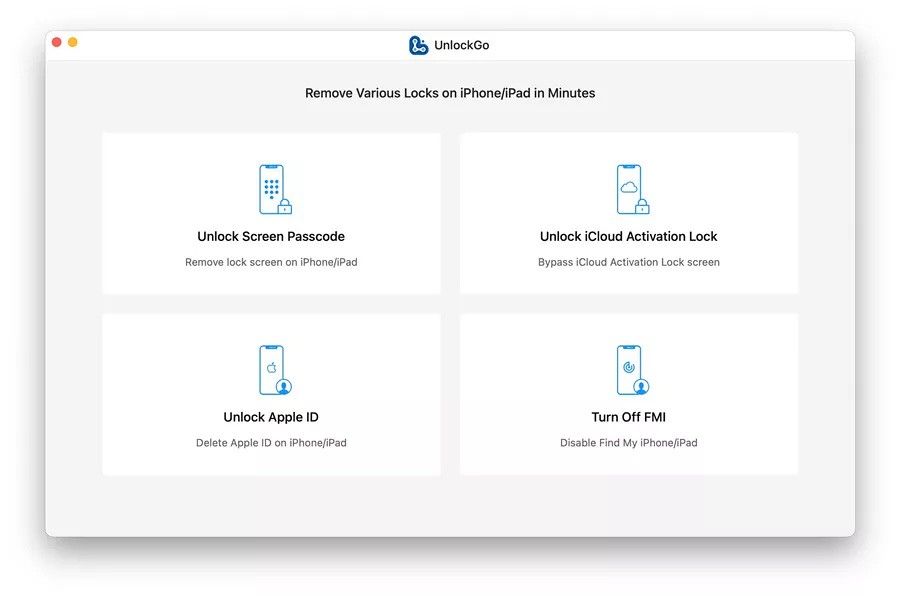
iToolab UnlockGo allows you to easily bypass iPhone passcode and gain full access to the device. It works on the following scenarios, and...
- Intel, 64-bit processor
- OS X 10.11 or later
Description
iToolab UnlockGo allows you to easily bypass iPhone passcode and gain full access to the device. It works on the following scenarios, and all kinds of passcodes are fully supported.
All types of passcodes are fully supported
UnlockGo supports to remove all types of passcodes easily including the 4-digit code, the 6-digit code, custom numeric code, alphanumeric code, Touch ID or Face ID.
Note: The removal of passwords for business purposes is illegal and prohibited.
Bypass iCloud activation lock without password
UnlockGo enables you to turn off the iCloud Activation Lock without password easily, if your device is stuck in the “Activation Lock” screen.
Get access to the device after iCloud Activation Lock removal
Once Activation Lock is disabled, you can enjoy the following:
• Gain access to your device.
• Use a new Apple ID for iTunes Store & App Store.
• The device won’t be tracked by the previous Apple ID.
• The device won’t be remotely erased by the previous Apple ID.
• The Activation Lock won’t appear again even if you restart the device.
Remove Apple ID without password
Forgot Apple ID password or it has been disabled? iToolab UnlockGo helps you delete Apple ID account with no restrictions. By creating a new account, you can then obtain access to all iCloud services and Apple ID features once more.
Get complete control over your iPhone after Apple ID removal
No specialist knowledge is required to remove Apple ID from locked iOS devices, so you’ll be able to take advantage of all of the following features on iPhone/iPad in no time.
• Switch to another Apple ID or set up a new one.
• Take advantage of all iCloud and Apple ID functionality.
• Easily switch off Find My iPhone/iPad.
• Remove the previous Apple ID’s tracking.
No password required to disable Find My iPhone
UnlockGo is the best choice on how to turn off Find My iPhone.
You can access to your iPhone/iPad/iPod touch, but you don’t know your Apple ID account password? Simply switch off FM






Screenshots