Typinator
Typinator turbo-charges your typing productivity. Type a little. Typinator does the rest. We've all faced projects that require...
- Intel, 64-bit processor
- macOS 13.0 or later
Description
Typinator turbo-charges your typing productivity.
Type a little. Typinator does the rest.
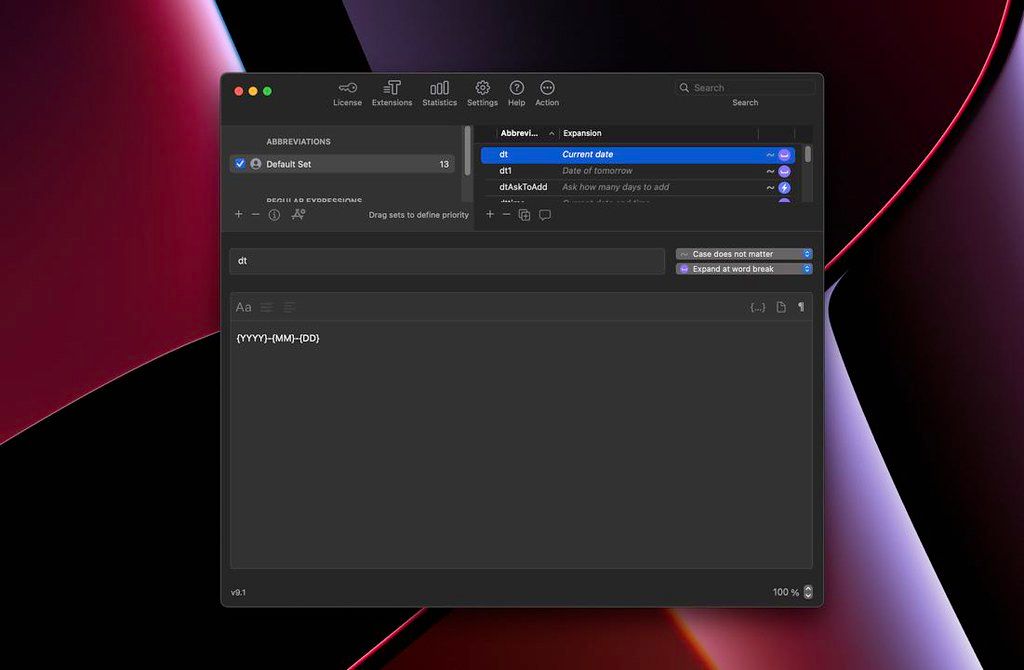
We’ve all faced projects that require repetitive typing tasks. With Typinator, you can store commonly used text and images in quick keywords and abbreviations. From email templates to code snippets to website URLs, there’s no easier way to recreate repetitive text at a moment’s notice.
Workflow-friendly features
• Uncomplicated configuration . Quickly and easily create abbreviations and assign replacement text and pictures.
• Simplified migration . If you already use TextExpander, TypeIt4Me, or a similar app, you can migrate to the highly praised Typinator using simple drag-and-drop importation methods.
• Conversion options . Instantly convert currency values, measurement units and more.
• Extensive app compatibility . Your text expansions function in all of your OS X apps with lightning-fast precision.
If your workflow needs a boost, it’s time to harness the power of text-expansion. Get Typinator today!
WHAT’S NEW
Version 10.0:
• Improved handling of multi-desktop environments
• Enhanced compatibility with various third-party applications
• Performance and stability optimizations
• Fixes a bug that blocked the creation of new image expansions
REQUIREMENTS
• Intel, 64-bit processor
• macOS 13.0 or later
ScreenShots
If you are using Adblocker!! Please support this website by adding us to your whitelist. Ads are what helps us bring you premium content! Or read this to know how you can support us. Thank you!
•
Size
– 36.5MB
Previous Versions






Screenshots