Two Point Museum
As fledgling curators, you have the task of designing and refining your very own museums to create the ultimate guest...
- Intel, 64-bit processor
- macOS 11.0 or later
Description
As fledgling curators, you have the task of designing and refining your very own museums to create the ultimate guest experience. Coordinate Experts on far-flung expeditions to discover new Exhibits, generating Buzz to entice droves of knowledge-hungry guests who will expect top info-tainment if they’re to leave impressed.
This is all while you keep your Exhibits safe, rooms clean, staff happy… and children off the dinosaur bones.
As Curator, the design and management of your expanding museum is in your hands! Send your team of partially trained Experts on Expeditions in search of rare and mostly well-preserved artefacts. When (and hopefully not if) your Experts return from their adventure, proudly display their fantastic finds in your museum.
You’ll unlock new locations as you decide where the next adventure takes you.
Your work doesn’t end there; Exhibit maintenance is crucial. While some Experts are gallivanting across Two Point County and beyond, you’re in charge of managing staff back home to ensure Exhibits and the museum stay in tip-top condition. If taking care of the carnivorous Chomper isn’t enough, there are also meddling thieves to watch out for.
Thieves, and more frequently, children, are known for touching and grubbing up the displays, so make sure enough security is guarding your prized collection!
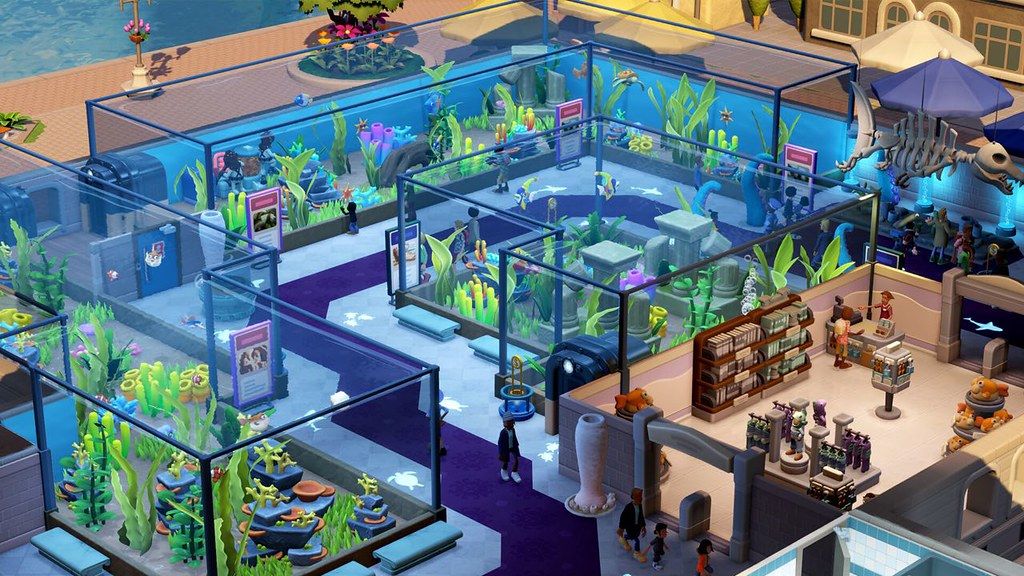
Get creative to design your museum layout your way! You have decorative freedom, so design thematic areas to guide your guests’ visit. Splash paint and lay carpet as you lovingly arrange each prehistoric fern, potentially melting iceman, and dinosaur remains wherever you see fit.
Once you’ve created the perfect atmosphere, arrange guided tours with custom routes led by a charismatic Expert. Tours are a fantastic way to enrich your guests’ experience. To keep guests enthused, showcase Exhibits with the highest Buzz – those that are top quality, provide ample info and beautiful decorations are likely to attract the most donations!
Guests know best
Editor-checked details
Recommended for players who enjoy themed management, collection goals and gentle comedy. Macs on the official Intel model list can begin at medium settings; 16 GB RAM and generous SSD headroom are more practical for large museums. Because Apple Silicon has no official tier, test a clean museum for 30–60 minutes, stressing guest peaks, expedition returns, tours, security and save/load before importing a long save. Workflow: two backups; record 10.0.226922/SHA-256; validate mod-free; import the old museum; restore mods in batches. Compare Two Point Hospital for hospital operations or Two Point Campus for courses and student relationships.
Pros
- Room planning, themed exhibits, guest needs, staff training, tours, security, marketing and finance form a readable management loop. Expeditions return artifacts and unlock themed museums, giving collection/display clearer purpose than expansion alone. Humorous animation, writing and décor are distinctive; sandbox and Workshop improve replayability. Update 10.0 reduces collection grind with targeted exhibits. English, Simplified/Traditional Chinese, Japanese and Korean interface/subtitles are officially supported.
Cons
- Dense guests, pathfinding and many exhibits raise CPU/GPU load in large museums; 8 GB is only a floor. Late-game staff shifts, breaks, training, cleaning, security and queues can become repetitive micromanagement. Expeditions/rare exhibits retain randomness, while DLC and Workshop mods may lag updates. The official Mac list is Intel-era, recommended specifications remain TBD, and Apple Silicon has no stated performance tier. Steam includes Denuvo Anti-tamper, so first validation and offline constraints matter.
Installation steps
- This page covers Two Point Museum 10.0.226922. Official Mac minimum is macOS Big Sur 11.0, 8 GB RAM and 8 GB storage, limited to a mid-2017-or-newer quad-core MacBook Pro, mid-2017-or-newer 4K iMac, 2019-or-newer Mac Pro, or late-2018-or-newer i5 Mac mini; the official recommended Mac specification remains TBD. Reserve at least 20 GB. Back up local/cloud saves, museum layouts, staff zones, tour routes, expedition progress, Workshop mods and settings, and record the installer SHA-256. First launch without mods and use a new save to test the tutorial, rooms, exhibits, expeditions, tours, security and save/load; restore only 10.0-compatible mods one at a time.
Uninstallation steps
- Before uninstalling, finish active expeditions/challenges, return the museum to a safe state, create a manual save and quit normally. Back up local and cloud saves separately, every museum layout, exhibit collection, staff/training, marketing/tour schedules, Workshop list, DLC state and settings. Label 10.0.226922, date and SHA-256. Preserve both sides of any cloud conflict. After reinstalling, verify save/load with clean user data before copying old saves; restore mods in batches and diagnose an affected museum only on a copy.
Common errors and fixes
- For launch crashes or stutter, check the official model year, Big Sur 11, 8 GB RAM, free space and SHA-256; disable Workshop mods/overlays, then reduce resolution, shadows, guest density and exhibit detail. For queues, pathing or absent staff in large museums, inspect doors, corridors, staff zones, break rooms, tour stops and exhibit access, then reproduce on a mod-free copy. Do not assume later fixes for expedition rewards, aquarium exhibits, reception animation or UI scaling apply here: 10.0.226922 predates the published 10.0.227751 hotfix. First Steam/Denuvo validation needs network access and correct system time. Apple Silicon has no separate official Mac tier, so run a clean trial.
What changed in this version
- Update 10.0 adds Two Point Studios anniversary cake/staff outfits and the Dave the Diver Digiverse Rift with three points of interest, six marine exhibits, aquarium décor and a sushi bar. At fully surveyed POIs, curators may pay extra time/cost to target a previously discovered non-unique exhibit. It also expands art-emotion exhibits, permits outdoor performance stages, improves studio-trait descriptions and Memento Mile lighting, rebalances trend/emotion effects, and fixes expedition-reward UI, art exhibits, gift-shop footprints, qualification and sandbox-unlock issues, plus localization/stability work. The site build is 10.0.226922; later 10.0.227751 hotfix items are not attributed to it.
File verification






Alternatives

Screenshots