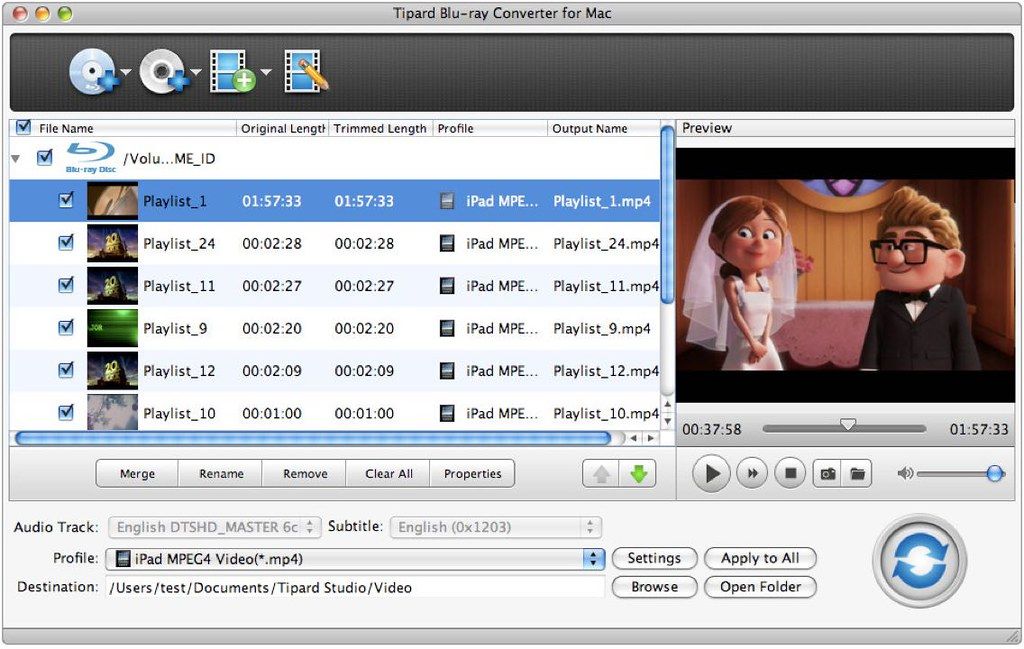
Tipard Blu-ray Converter
Tipard Mac Blu-ray ripper is a 3-in-1 media video converting application, which can be a Mac Blu-ray Converter, also can be a Mac DVD...
Description
Tipard Mac Blu-ray ripper is a 3-in-1 media video converting application, which can be a Mac Blu-ray Converter, also can be a Mac DVD Ripper and a Mac Video converter. Then, you can easily convert home-made Blu-ray movie to your preferred video or audio formats to enjoy on your mobile phone or video player.
Plus, you can rip and convert home-made DVD disc, DVD folder or IFO files and video files to various popular formats on Mac with this powerful Blu-ray Converter for Mac. Also, you are allowed to edit any video source file to create personalized video work to share with friends for entertainment and joy.
Media converter to rip any Blu-ray/DVD, and convert video
Powerful Blu-ray Converter for Mac, DVD Ripper for Mac, and Video Converter for Mac
Rip Blu-ray and DVD files
• Easily rip Blu-ray Disc, Blu-ray folder, DVD ROM, DVD folder and IFO files to any other video/audio formats like , etc.MP4, AVI, 3GP, MPEG, FLV and TS, MKV, ASF
Convert any video files
• Support almost all video formats (including HD) and can convert any source file to 3GP, 3G2, AMV, ASF, AVI, MPEG-4, MP4, M4V and other popular video and audio formats on Mac.
Video editor to give you perfect video effect
Powerful editing functions to create the perfect output video for you
Set video effect
• You are allowed to freely adjust brightness, saturation, contrast, hue and the volume for the output video to get your ideal video effect.
Crop video
• This Blu-ray Converter for Mac enables you to cut off black edges and unwanted playing area and choose your perferred image Aspect Ratio to fit your player’s screen.
Watermark video
• Add a text/image watermark to the source video. Also you can set its position and transparency.
Trim and merge
• Trim any segment of a Blu-ray movie by setting its start and end time or just dragging the slide bar, and merge several video/DVD pieces together for better watching experience.
Preview and Snapshot
• The built-in player helps you preview the output video eff
Related apps






Screenshots