Things
Things is a delightful and easy to use task manager. It's the perfect companion for everything you want to achieve in life, offering...
- Intel, 64-bit processor
- macOS 13.3 or later
Description
Things is a delightful and easy to use task manager. It’s the perfect companion for everything you want to achieve in life, offering a great balance between ease of use and powerful features.
UPDATED for OS X Yosemite with a refreshed design, and all-new features including a Today Widget for Notification Center, Handoff support for seamless transition between Mac & iPhone, and a new “Add to Things” extension for creating to-dos from other apps.
FEATURES
When you start using Things, you’ll be surprised how easy it is to enter and manage your tasks. And with Things’ beautiful interface, task management becomes a delight. But all of this doesn’t come at the expense of power – everything you wish for in a task manager, Things has you covered.
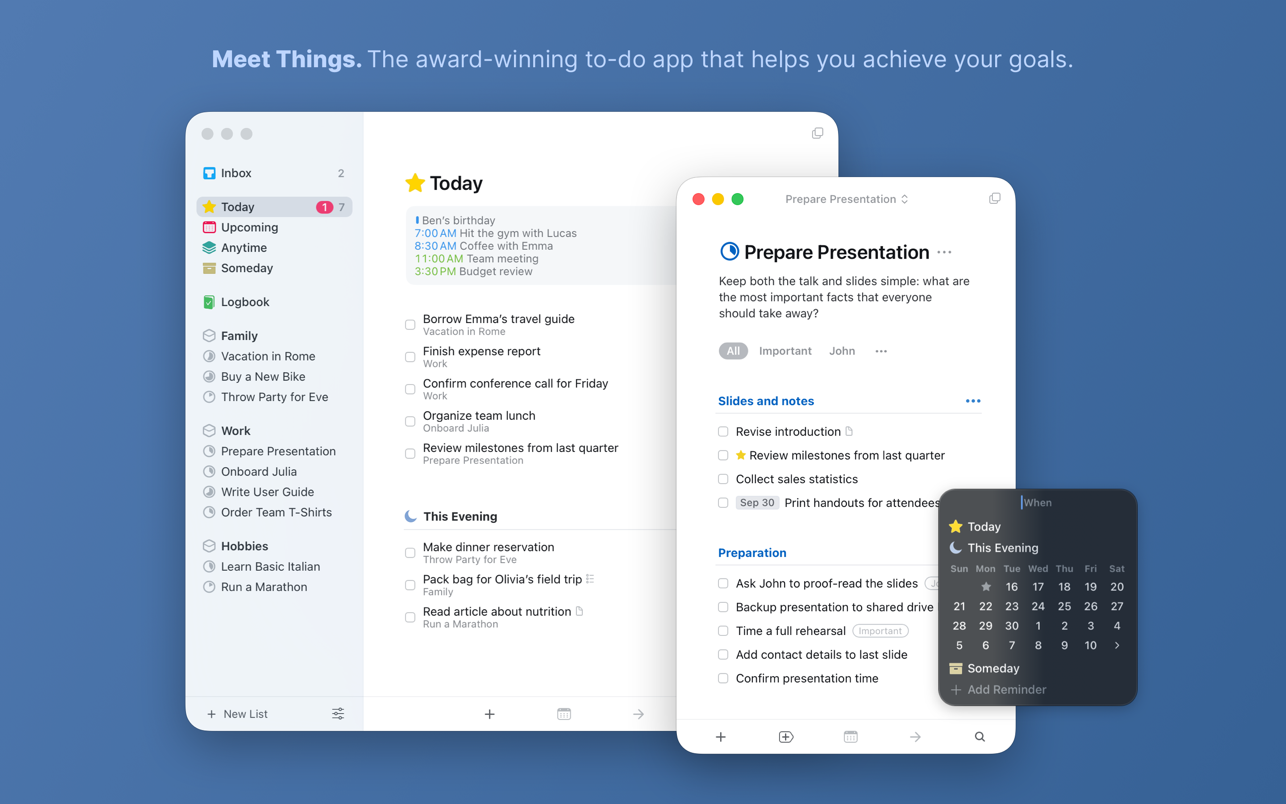
• Today: Decide which tasks you want to do today and put them into your Today list. Throughout the day, come back to this list to check items off. Things will automatically show you due and scheduled items there once their date arrives — so you won’t miss anything important.
• Focus: See what you need to do Today, what’s coming up Next, and what’s Scheduled for later. Put tasks in Someday if you can’t work on them right now, you can always come back to them later.
• Keep organized: Work, Family, Hobby – with Things, everything has its place. Projects and Areas of Responsibility let you master complex tasks and stay on top of your responsibilities in life and work.
• Use Tags to assign contexts, priorities, time – whatever fits your personal workflow. Quickly filter a list to find those tasks which are most relevant now.
• Out of your head, into Things: Enter new ideas the moment they hit you. Things’ Quick Entry window lets you add new tasks without interrupting your work. And thanks to the amazing Autofill feature, the Quick Entry window can be automatically pre-filled with the currently selected text, along with a link to the email you are reading, the webpage you are currently viewing, or the document you are editing (w
Editor-checked details
Best for personal GTD and Apple-focused users who value polish. Choose Todoist or TickTick for collaboration or cross-platform access. Based on Cultured Code documentation
Pros
- Focused design with strong Today, Upcoming, project and area organization.
- One-time purchase with free Things Cloud sync.
Cons
- Mac, iPhone and iPad apps are sold separately.
- No real-time collaboration, web, Windows or Android app.
Installation steps
- Installation steps:
- Purchase and install Things from the Mac App Store.
- Move the official trial to Applications.
- Sign in to Things Cloud for device sync.
Uninstallation steps
- Confirm Things Cloud sync or create a backup.
- Quit Things, move it to Trash, then empty Trash.
- Removing the app does not itself delete the Things Cloud account.
Common errors and fixes
- Trial remains active after purchase: delete the trial and reinstall from App Store Purchases.
- Sync issue: check connectivity, account and app version.
- Missing calendar or reminders: check macOS privacy permissions.
What changed in this version
- The site has 3.22.12 (July 16, 2026), whose official note is one minor under-the-hood tweak.
- Official 3.22.13 arrived August 3 with preparation for Repeating To-Do enhancements and first-sync fixes.
Related apps






Alternatives


Screenshots