The Clock
The Clock is a premium world clock with the following features: Keep track, easily and efficiently of your contacts in different time...
Description
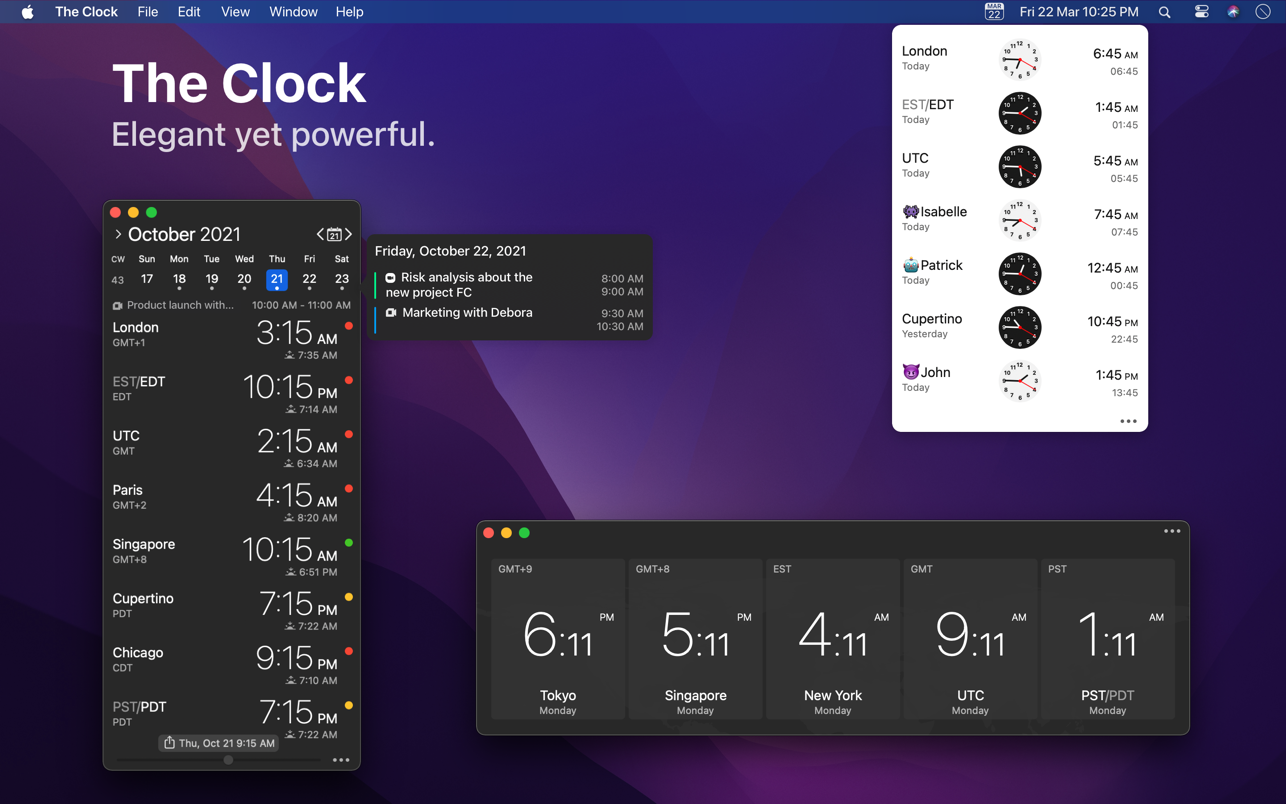
The Clock is a premium world clock with the following features:
• Keep track, easily and efficiently of your contacts in different time zones.
• Have a quick view on a Calendar, which can be integrated with the system Calendar.app
• Easily setup meetings with the Meeting Planner.
• Have a highlight on the Business Hours and Holidays of your subcontractors, customers, …
• Highly customizable.
• Be reminded when to Take a Break and relax.
• Full Trackpad integration, swipe to travel trough time. The World Clocks
• AM/PM or 24Hours.
• Analog or Digital Clock view.
• Choose among a wide range of complications
• Business Hours.
• Time offset.
• Sunrise/Sunset.
• Country.
• Time Zone offset (PDT, CDT, UTC…).
• Yesterday, Today, Tomorrow.
• Drag-and-drop the world clocks to order them.
• Beautiful clock face displaying day and night.
• Personalize the world clock time format per cities.
• Change the city name.
• PDT, CDT, MDT, GMT… and more automatically adapting during daylight saving period. Meeting Planner
• Meeting Planner Slider to travel through time.
• Business Hours led to check if your contact is in the working hours time frame.
• Select a date in the calendar for an accurate Daylight Saving adjustment.
• With the Calendar.app integration into The Clock have a quick look on your schedule
• With the Calendar Complication, automatically know if you are busy while planning a meeting.
• Export easily your schedule information by a simple copy/paste.
• Slider automatically round the time to 15/30 min. Calendar
• Navigate the months with buttons, keyboard shortcuts, trackpad.
• Show/Hide the Calendar.
• Show/Hide the weeks number.
• Select your referenced calendar for the week number. (System, or ISO 8601).
• Select a day in Meeting Planner for an accurate Daylight Saving adjustment.
• Highlight days off per city.
• Follow the system setting for Calendar first day of the week…
• Choose to integrate or not with the system calendar, Calendar.app
• Have a quick view on yo
Related apps






Screenshots