Swish
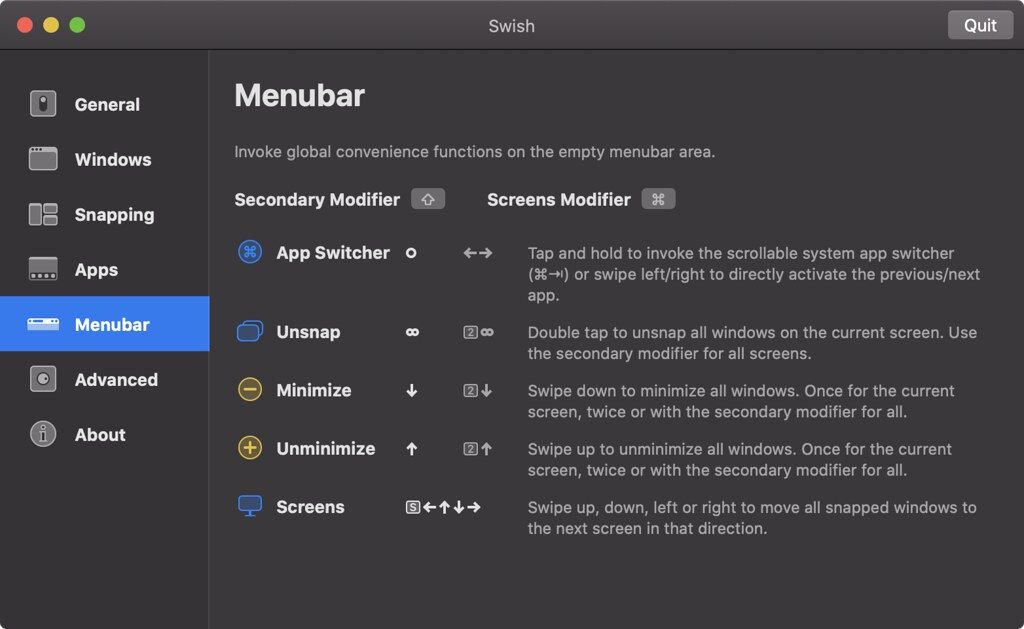
Control windows and applications right from your trackpad with intuitive two-finger swipe, pinch, tap and hold gestures.More than just a...
Description
Control windows and applications right from your trackpad with intuitive two-finger swipe, pinch, tap and hold gestures.
More than just a window manager.
• Swish features 28 easy-to-use titlebar, dock and menubar gestures that will supercharge your workflow and make you a trackpad power user.
• Every detail is carefully designed to make it feel truly native to macOS.
Control windows & apps.
• Swish’s gestures are fast and convenient.
• No need to aim for tiny buttons.
• No need to reach for the keyboard.
Next-level snapping.
• Swiping is the new dragging.
• No more opening Mission Control on accident.
• Use the familiar 2×2 grid or unlock the 2×3 grid with a modifier key.
Pixel-perfect grid.
• Your desktop never looked so clean. Swish is the only window manager to truly honor the macOS look.
• The grid even reacts to dark mode as well as your dock setup.
Manage screens & spaces.
• Swish automatically detects your multi-monitor setup, so just flick to move windows between screens.
• Working with spaces also gets a major productivity boost.
• Watching lots of videos? Send your player to the big screen with a single gesture.
Stay in control.
• The settings window explains everything in detail. Gestures can be toggled on or off.
• There’s also a quick tutorial to get you started.
WHAT’S NEW
Version 1.11:
• Release notes are available here .
REQUIREMENTS
• Intel, 64-bit processor
• macOS 10.13 or later
ScreenShots
:
If you are using Adblocker!! Please support this website by adding us to your whitelist. Ads are what helps us bring you premium content! Or read this to know how you can support us. Thank you!
Size
– 8.6MB
Previous Versions






Screenshots