start
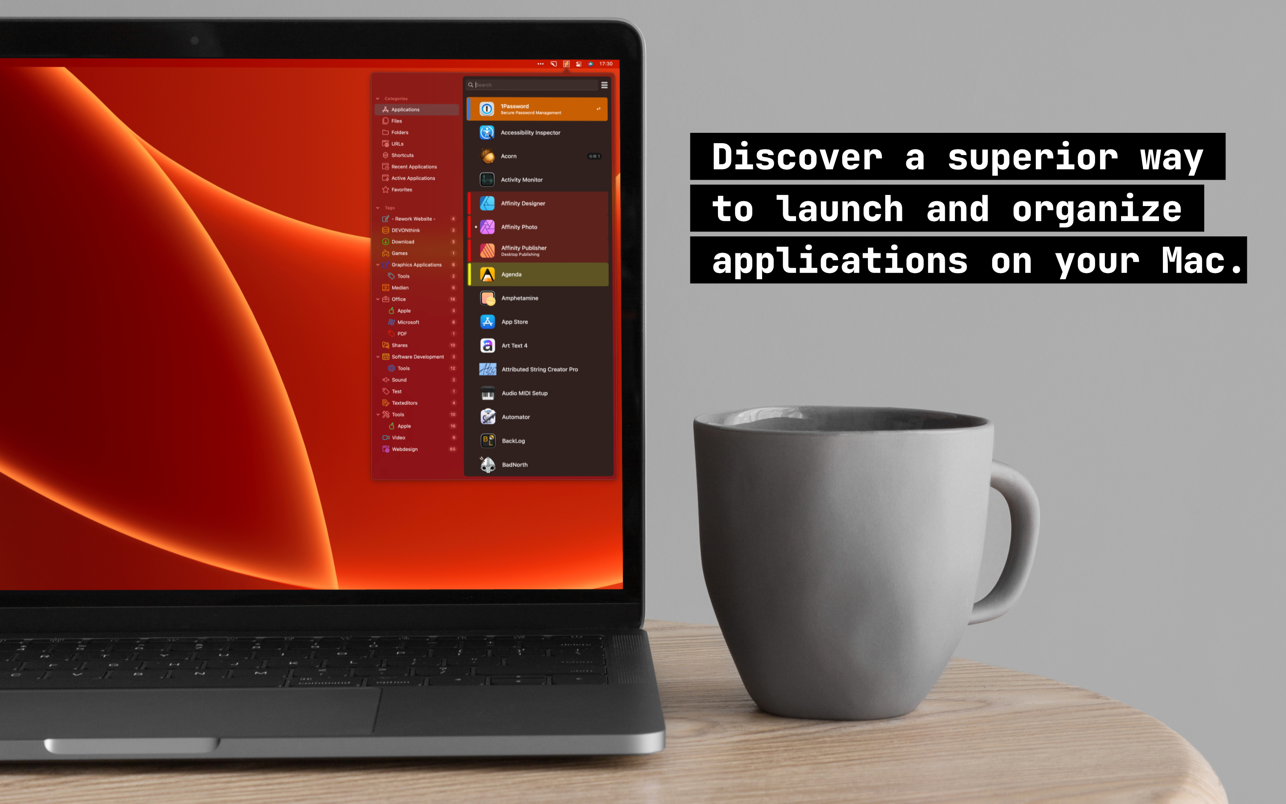
innovative::bytes' start is an unique launcher for macOS that allows you to open applications, documents or folders quickly and easily...
Description
innovative::bytes’ start is an unique launcher for macOS that allows you to open applications, documents or folders quickly and easily. Create tidiness in your Dock and start items with the smart launcher app start instead.
start supports you and your workflow with a well planned organizational system for your items and quick access to what you need.
Features :
• Tag it and love it! Use tags to create collections for your applications, frequently used folders, scripts or any other file. It has never been so easy to organize and sort items on macOS. Save a lot of time – searching was yesterday!
• Comments and notes! Add comments and small notes to your items to describe them in more detail. The comments will remind you what the items can do for you. Small notes with big effect – so you always keep track!
• Highlight your items as you like! With just a few clicks you can highlight your items with colors and find them even faster. Choose colors for more clarity and organization – effective and visually appealing!
• Start with a simple keystroke! Assign a key combination to your individual items and start them immediately from anywhere with a customizable keyboard shortcut. Your workflow is no longer disturbed – you’ll love the hotkeys!
WHAT’S NEW
Version 7.0:
• New: Start now offers a DropStack for files and folders. Simply drag files and folders with the mouse into the upper free area. As soon as there are entries in the DropStack, they will be passed to the next launched application. Tip: Pin the main window so that it does not close when Start loses focus. Now you can easily fill the DropStack with different entries.
• New: In addition to searching with Spotlight, Start also searches the search areas specified in the configuration at the file level during a manual refresh.
• New: The main window can now be displayed not only as a menu and in the center of the screen. Instead, 9 different positions can now be selected individually.
• New: The
size
of the entr
Related apps






Screenshots