Slidepad
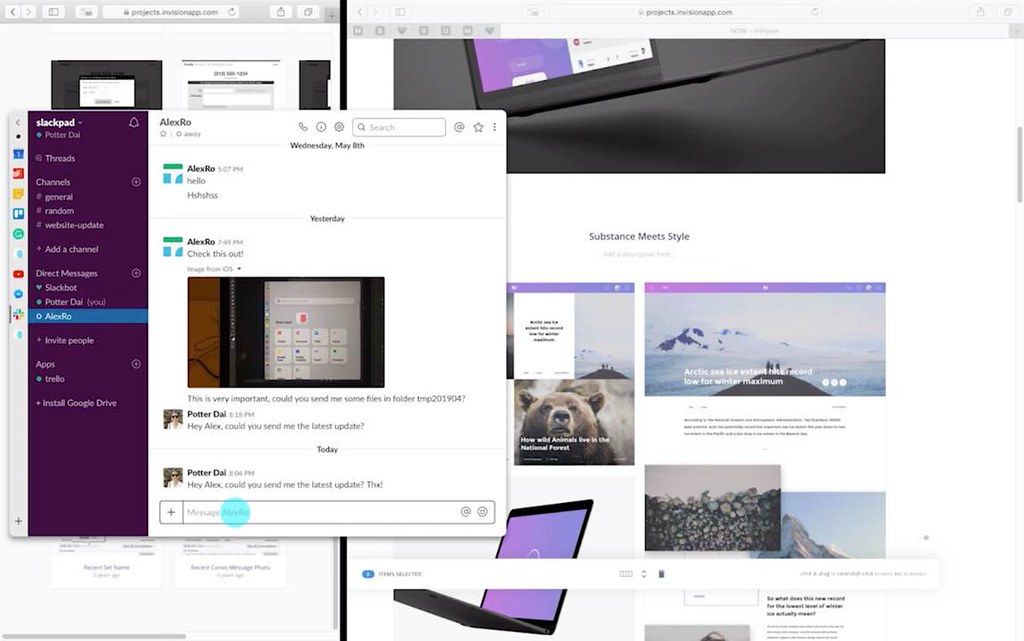
By slide in and slide out, Slidepad brings iPad style multitasking to your Mac. Using Slidepad is as easy as using your dock. A simple...
- Intel, 64-bit processor
- macOS 10.14 or later
Description
By slide in and slide out, Slidepad brings iPad style multitasking to your Mac. Using Slidepad is as easy as using your dock.
A simple sidebar to switch between apps
Slidepad borrowed the concept of sidebar from Franz and Station. It is much smoother than tabs, and it helps you quickly switch between different web apps.
An omnibox lets you open any websites, tutorials or PDFs
Unlike other similar apps, there is no limit on what can be placed on Slidepad. You can type any keywords, URLs like what you do in common browsers!
A small tool with many use cases
You can use Slidepad to quickly send someone a message, check out what should be done next, write down some random thoughts at your favourite note tool or switch your favourite songs.
More Features
• Slim sidebar
• Corner snapping
• Developer tool enabled
• Customizable sound setting
• Mobile/Desktop user-agent switching
• Display badge when receive new notifications
• On/Off live notifications
• Multi-screen support
• Drag/drop support
• Picture in Picture support
• Quicklook icon support
• Dark theme support (MacOS 10.14+)
• Global keyboard shortcut support
WHAT’S NEW
Version 1.6.2:
• Release notes were unavailable when this listing was updated.
REQUIREMENTS
• Intel, 64-bit processor
• macOS 10.14 or later
ScreenShots
If you are using Adblocker!! Please support this website by adding us to your whitelist. Ads are what helps us bring you premium content! Or read this to know how you can support us. Thank you!
•
Size
– 9.3MB
Previous Versions






Screenshots