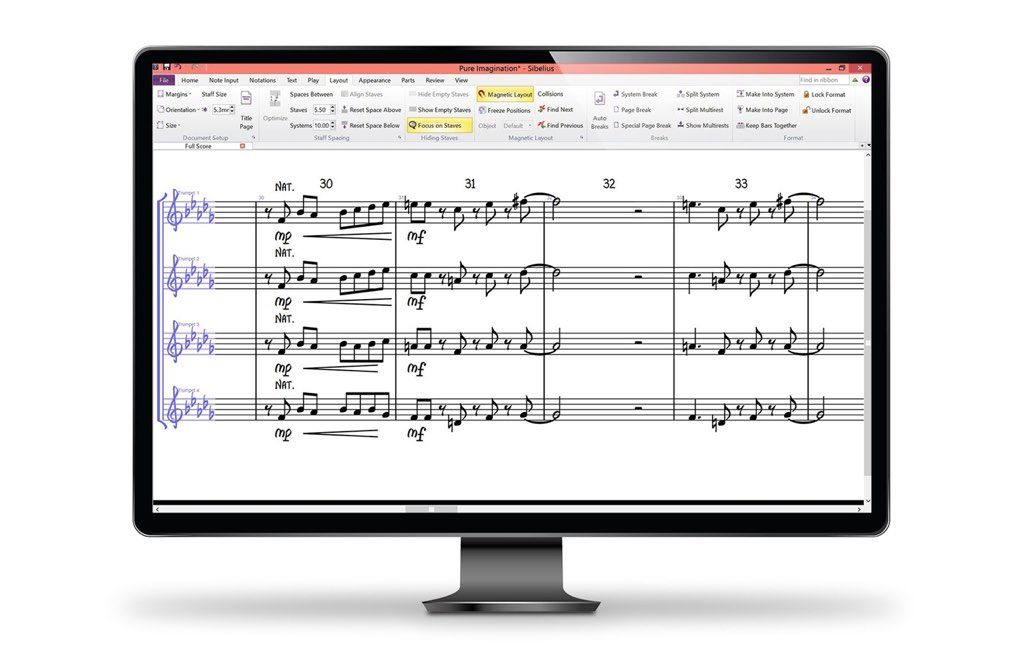
Sibelius
Sibelius 8.5.0 - is the world's best-selling music notation software for Mac. It is as intuitive to use as a pen, yet so powerful that it does most...
Description
Sibelius is the world’s best-selling music notation software for Mac. It is as intuitive to use as a pen, yet so powerful that it does most things in less than the blink of an eye. The demo includes example scores and a demo user guide summarizing the main features of the program.
WHAT’S NEW
Version 8.5.0:
Inspector :
• Part of the overall vision we have for the way you work in Sibelius, looks at minimizing features being hidden away in menus and dialogs, and presenting them in a clean and feature-packed Inspector panel. This will allow you to select an object in the score and see all the properties and possibilities for editing that object. Sibelius 8.5 is our first foray into this, by adding the new Staff
size
options, and we’ve smartened up the Inspector to give it a clean and modern look.
• The main area we’ve improved on is the Text section. To help explain and guide the user, there are now useful graphics to indicate the sorts of things you’re capable of doing to any given piece of text. The other sections have been smartened up to align tick boxes, feature labels and controls to give the Inspector the professional look you have come to expect.
• The Inspector now also behaves like other panels. You can invoke it from the Home tab, as before, but also from the View > Panels section of the Ribbon.
• The Inspector will appear docked on the left of your main Sibelius window. You can pull this off and dock to on the right, or if you prefer, you can leave it floating; useful if you have a second monitor. When undocked, you can resize the Inspector by dragging out the bottom edge.
Sibelius will populate the Inspector with features and controls that are only relevant for the item or items you have selected. For example, the Scale % only appears when you have a Chord diagram selected.
The contents of the Inspector will sometimes be too tall for it to contain all the controls, so a scrollbar will appear on the right hand side to allow you to find what you need easil





Screenshots