SecureCRT
SecureCRT provides rock-solid terminal emulation for computing professionals, raising productivity with advanced session management and a host...
Description
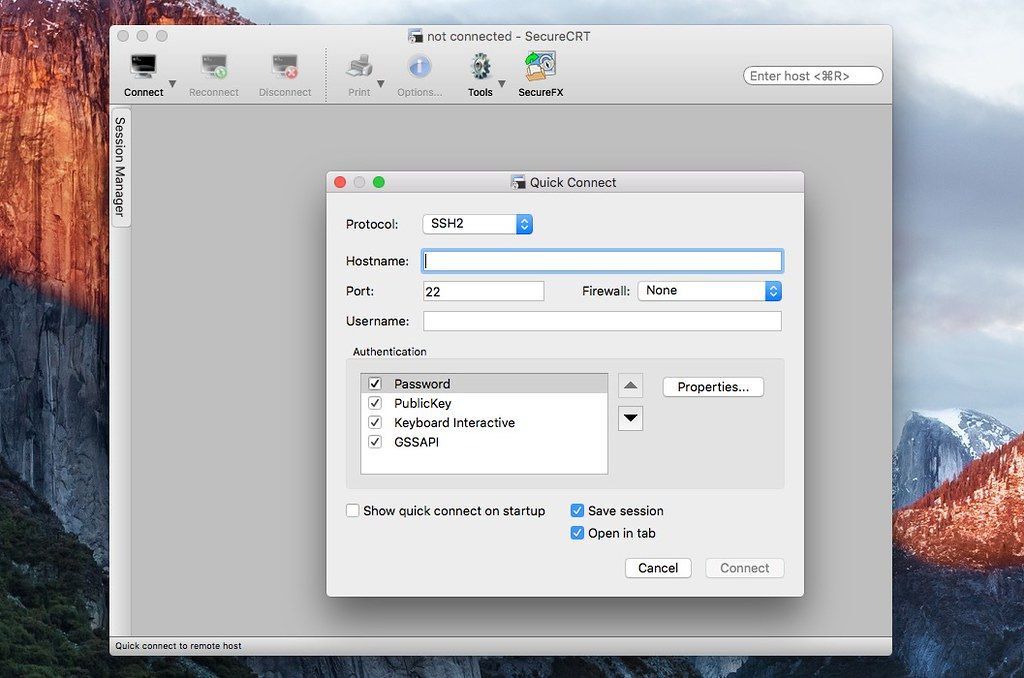
SecureCRT provides rock-solid terminal emulation for computing professionals, raising productivity with advanced session management and a host of ways to save time and streamline repetitive tasks. SecureCRT provides secure remote access, file transfer, and data tunneling for everyone in your organization.
WHAT’S NEW
Version 8.5.3:
Change :
• Treat the [email protected] key-exchange algorithm as synonymous to the curve25519-sha256 algorithm.
Bug fixes :
• Under certain circumstances, tiled session did not resize correctly after resizing the Command window.
• If the default session protocol was set to something other than TAPI and the Quick Connect protocol was changed to TAPI, attempting to configure TAPI produced an error.
• If the Screen.get2() scripting function was called, line drawing characters in the terminal window could be corrupted.
• When a large scrollback buffer was configured, the scroll bar could get stuck at the top of the scrollback.
• SecureCRT now prevents multiple Connect bars from being added to the toolbar.
• SSH2: If the public key in use was generated with the ssh-keygen -Z option, SecureCRT could crash when attempting to enter the passphrase.
• Mac/Linux: The Session Manager was always shown at startup even if it was closed prior to closing SecureCRT.
• Mac/Linux: If a logon script was running in a session and a large amount of output was received, not all of the output was displayed.
• Mac/Linux: If a script was launched using a mapped key, the menu item “Cancel” was not available on the Script menu.
• Mac: If the global options “Paste on middle button” was set, the Confirm Paste dialog continued to be displayed after the Cancel button was pressed.
• Mac: The Zmodem Upload List browse dialog did not honor Chinese characters.
• Mac: When using a Wacom tablet and stylus as the mouse, the mouse pointer would not always reappear in the expected location.
• Mac: If text with trailing newlines was pasted into the Connect bar, the text was not






Screenshots