Screenotate
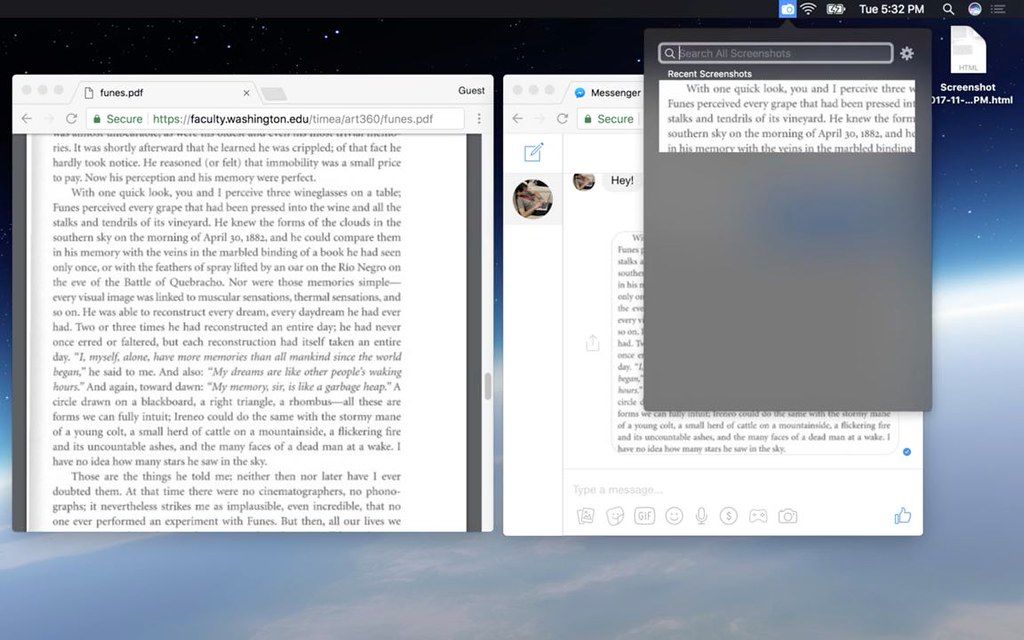
Do you often find yourself retyping text that's stuck inside an image? Have you ever found an old screenshot lying around and can't find where it originally ...
Description
Do you often find yourself retyping text that’s stuck inside an image? Have you ever found an old
screenshot
lying around and can’t find where it originally came from?
Try Screenotate ! Every time you take a
screenshot
, Screenotate will step in to recognize and save the text inside (using Optical Character Recognition), along with the URL and the title of the place where you took the
screenshot
(where possible).
And because Screenotate does all this automatically, you don’t need to learn anything new to use it! Once you install Screenotate, you can keep taking
screenshots
the same way you always have – one keyboard shortcut and drag – only now, they’ll be tagged with all this extra information, so you can search them later, and know where they’re from, and paste their text into other places.
WHAT’S NEW
Version 3.0.0:
• Release notes were unavailable when this listing was updated.
REQUIREMENTS
• Intel, 64-bit processor
• OS X 10.11 or later
ScreenShots
If you are using Adblocker!! Please support this website by adding us to your whitelist. Ads are what helps us bring you premium content! Or read this to know how you can support us. Thank you!
Size
– 24.9MB
Related apps






Screenshots