Penguin
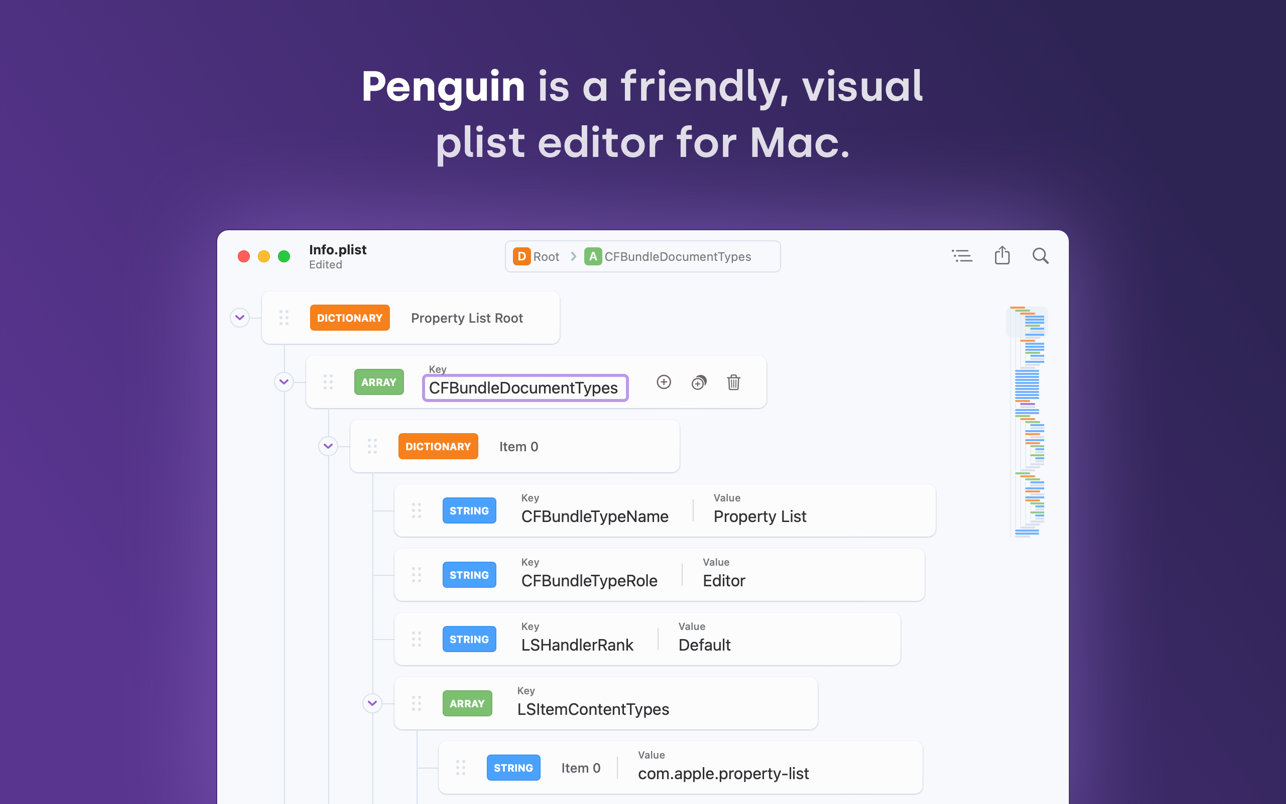
Looking for an easier way to edit plist files? Penguin lets you edit any plist file in a beautiful and easy to understand tree view. Drag...
Description
Looking for an easier way to edit plist files? Penguin lets you edit any plist file in a beautiful and easy to understand tree view. Drag, drop, expand, reorder and modify your plist with intuitive controls and clear visual cues.
Power User Friendly
Penguin is loaded with tools and features that make editing plists a breeze. Keyboard shortcuts help you traverse the document tree, add new nodes and expand or collapse list segments. Contextual right-click menus allow you to export segments of the plist as XML, JSON, Swift or Obj-C code. A built in linter ensures your files are error-free.
Info.plist Ready
Editing an Information Property List file? No problem! Penguin comes with a context aware New Property Panel that offers a list of available keys and values and a summary of what each one does.
Natively Designed
Penguin is a native Mac app. That means support for autosave, file versioning, iCloud, Finder integration and much more right out of the box. And of course that also means support for system-wide dark mode too. Penguin runs great on Apple Silicon Macs and has been optimized to consume as little battery power as possible.
High Performer
Penguin was designed to be fast so nothing gets in between you and the file you want to edit. List virtualization means Penguin can handle huge plist files without slowing down the interface.
Features at a Glance
• File Support – Penguin supports editing XML and Binary Plist files.
• Export / Share – Export all or part of the plist to XML, Binary, JSON, Swift or Obj-C dictionaries.
• Source Control Friendly – Plist files are saved in Xcode’s formatting style by default.
• Keyboard Shortcuts – Sort, Collapse, Expand and add properties with keyboard shortcuts.
• Documentation – See and search Info.plist keys and descriptions for all Apple platforms.
• File Structure – XML Plists maintain their sort order across saves.
• Minimap – XML Plists maintain their sort order across saves.
• Navigator – A path navigator allows f






Screenshots