Network Radar
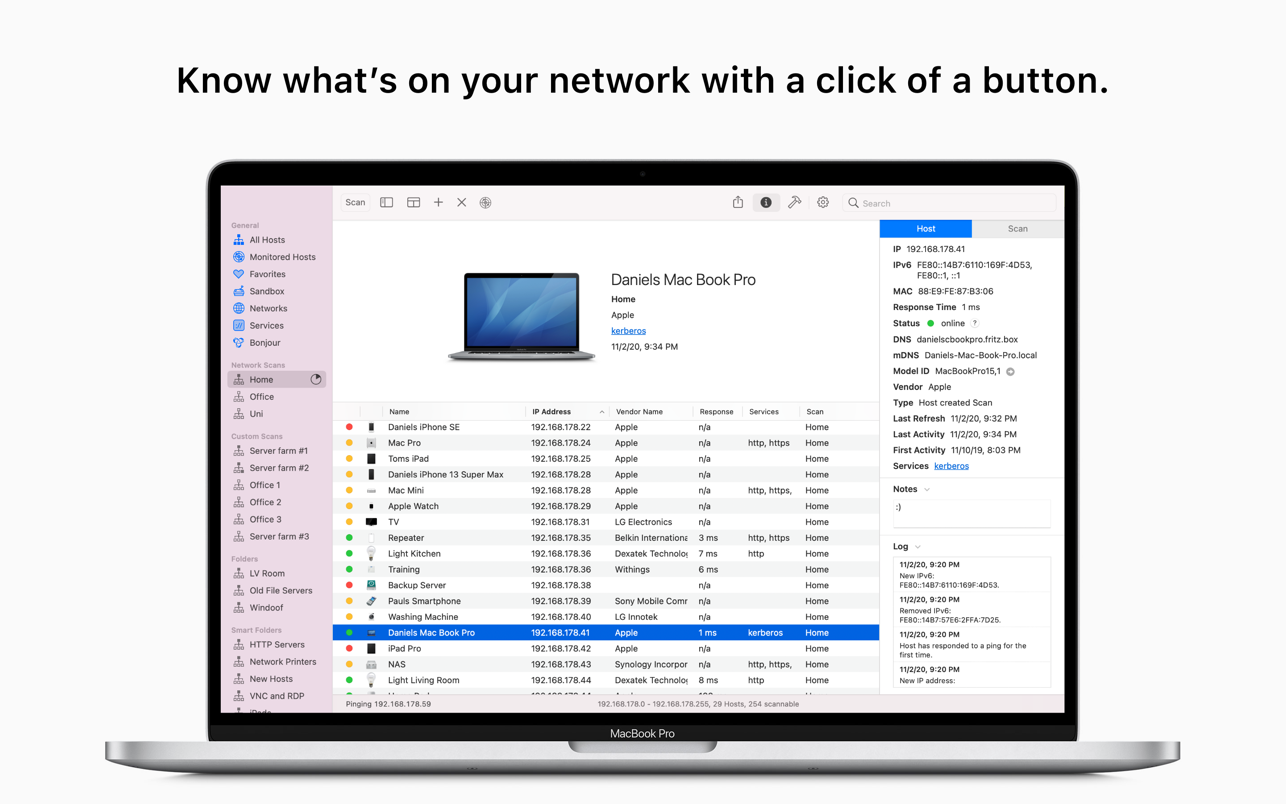
Network Radar is an easy-to-use network discovery and management tool that will allow you to retrieve detailed information on network...
Description
Network Radar is an easy-to-use network discovery and management tool that will allow you to retrieve detailed information on network devices.
Key Features:
• Scan your network and retrieve detailed information on network devices (see below)
• Run useful Network Tools (see below)
• Use the Monitoring function and get notified when the reachability of a device changes
• Simply connect to a device by double-clicking it on the list (Quick Connect)
• Assign your own names and choose from provided icons or import own icons
• Use the simple rules / actions system for automatic processing of devices
• Scan a interface’s network, a certain subnet or a range of IP addresses
• Export a scan to CSV or TXT
• and much more…
Device information:
• IP address
• MAC address
• Vendor name (e.g., “Apple, Inc.” or “Dell”)
• Domain name (DNS, reverse lookup)
• Bonjour name
• NetBIOS name
• Services (open ports)
• Response time (ping time)
• Mac model identifier (i.e. “iMac9,1”)
• Icon (automatically for Macs with model identifier)
• Special function (e.g., host is standard gateway)
• Reachability status
• SSH / Telnet username, port and password
• Device log
• Notes
Included Network Tools:
• Remote shutdown/restart/sleep of other Macs
• Ping
• Portscan
• SSH
• Telnet
• Wake on LAN
• Whois
• HTTP, HTTPS, AFP, SMB, FTP, VNC, RDP, SSH, TELNET for Quick Connect
WHAT’S NEW
Version 3.2:
• NEW: The user interface has been updated to make use of new UI elements of macOS 26 Tahoe like the Liquid Glass buttons in the file preview and much more.
• NEW: The app icon has been updated to match the new macOS 26 Tahoe style.
• NEW: Support for the latest SSH version has been added.
• NEW: The scrolling bar is now hidden in the filter bar.
• NEW: The new min macOS version is macOS 13.5. (was 12.0 before)
• NEW: The services database and MAC database has been updated.
• FIX: entering the license code may dod not work under macOS 26
REQUIREMENTS
• Intel, 64-bit processor
• macOS 13.5 or later






Screenshots