Moom
Moom allows you to move and zoom windows -- using either the mouse or the keyboard -- to predefined locations and sizes, or to full screen...
- Intel, 64-bit processor
- macOS 10.13 or later
Description
Moom allows you to move and zoom windows — using either the mouse or the keyboard — to predefined locations and
size
s, or to full screen mode.
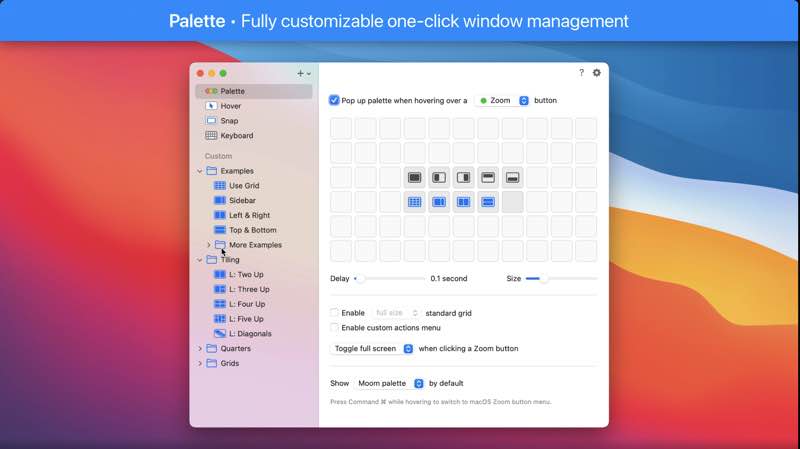
When used via the mouse, all you need to do is hover over a green resize button, and Moom’s interface appears. When used via the keyboard, press your defined shortcut, and the Moom keyboard bezel appears; you can then move windows using the arrow keys and modifier keys.
Moom can be run as a traditional application, a menu bar application, or a completely faceless background application.
WHAT’S NEW
Version 4.6:
New Features
• In addition to picking live windows based on the respective best matches in the saved layout or based on frontmost window order (formerly known as “any windows”), Moom can now also assign windows to spots in a saved layout based on either proximity among the appropriate number of frontmost windows, or proximity alone. (Hat tip to Brian N.)
Bug Fixes and Improvements
• Layouts that are configured to apply only to windows on the active display now skip hidden apps and minimized windows. (If this is a problem for you, ask us about the Terminal command that reverts this change.)
• Worked around a macOS issue where layouts didn’t position hidden apps’ windows correctly. (Hat tip to Anton F.)
• Improved window matching logic for app-specific layouts.
• Updated the palette’s optional custom actions icon on macOS 11 and newer to match the more abstract user icon Apple uses elsewhere.
REQUIREMENTS
• Intel, 64-bit processor
• macOS 10.13 or later
ScreenShots
If you are using Adblocker!! Please support this website by adding us to your whitelist. Ads are what helps us bring you premium content! Or read this to know how you can support us. Thank you!
•
Size
– 11.8MB
Previous Versions






Screenshots