Mitti
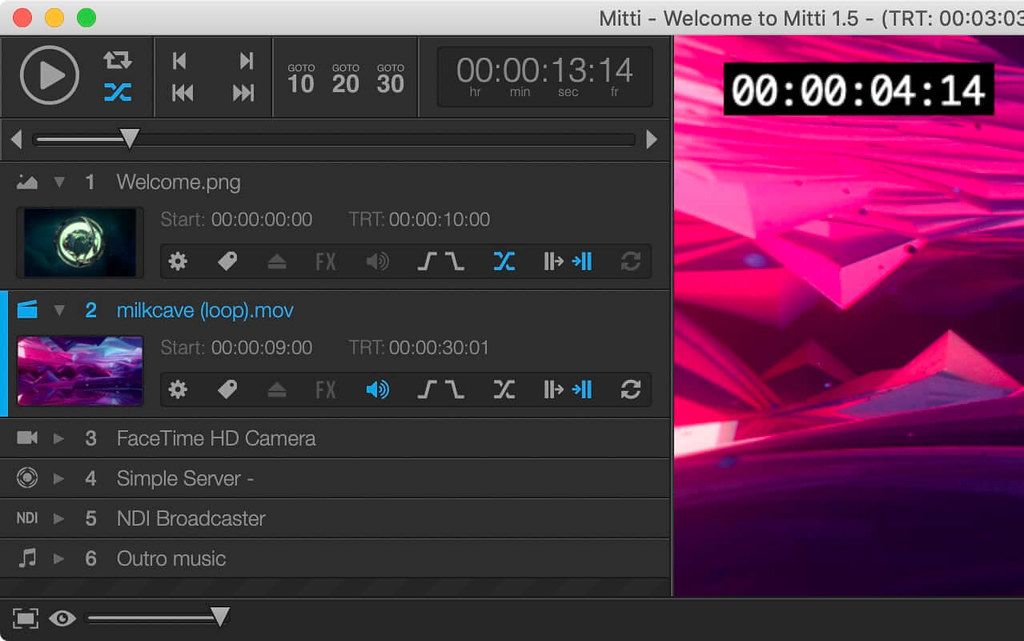
Mitti is a modern, feature-packed but easy-to-use pro video cue playback solution for theatre, audiovisual shows, performances, and ...
- Intel, 64-bit processor
- macOS 10.14 or later
Description
Mitti is a modern, feature-packed but easy-to-use pro video cue playback solution for theatre, audiovisual shows, performances, and exhibitions.
NICE, EASY AND POWERFUL
Mitti has a clear, intuitive, uncluttered user interface with an easy to learn and use workflow. Runs natively on both Apple Silicon and Intel Macs, and renders smoothly using the power of the Metal rendering technology. Outputs to Screens, Blackmagic Design cards & NDI, and remote controllable in various ways – even from an ATEM Switcher!
MEDIA PLAYOUT THAT WORKS THE WAY YOU WANT
Mitti gives you many options to control how a Cue should be played out, like looping for a given number of times, then transition to another Cue – or just hold on the last frame, and wait until you hit Enter on the Cue that should be played next. It is really up to you!
CUE INSPECTOR
With the Cue Inspector, useful media information and controls of the selected Cue are at hand, when you need it. If you select multiple Cues, the Inspector allows you to change common controls for all of them.
GENERAL OPTIONS
• With a custom Cue ID, you can type-to-search for a specific Cue, or send OSC to specifically that Cue – it also makes a Cue more recognizable when setting Goto targets.
• The Cue Inspector is also the place where you can set the Play Count for Looping Cues, and when you want to change the name of a Cue – or write a Note for it!
• You can easily trim your videos here, by setting the in/out points to the playhead.
• Color Tags can be useful for grouping Cues visually.
• Additionally, this place also provides a bigger thumbnail.
ALL CONTROLS YOU MIGHT NEED
• You can select the subtitle file or track to use with video.
• Playback speed for videos.
• Geometry Controls.
• Color Controls.
• Transition & Fade In/Out Settings.
• Audio Volume & Routing.
WHAT’S NEW
Version 2.8.18:
• Release notes were unavailable when this listing was updated.
REQUIREMENTS
• Intel, 64-bit processor
• macOS 10.14 or later
Sc
Related apps






Screenshots